The Best Mydoma Alternative, Designer Reviews
When it comes to software for interior designers, I’m no stranger. As both a designer and a software reviewer, I bring firsthand experience and insight when it comes to evaluating, comparing, and rating these platforms.
The landscape of software for interior designers has shifted significantly. Ivy users have found themselves scrambling to find alternatives, Houzz Pro users are feeling the pressure of rising costs, and many Mydoma users are exploring other alternative options, as recent product changes have left some designers frustrated.
With so many designers actively looking for Mydoma alternatives, I thought it would be helpful to put together a comparison of software options for interior designers who may be considering making a switch.
In this article, I’ll be comparing these Mydoma alternatives:
Notable Mydoma Features
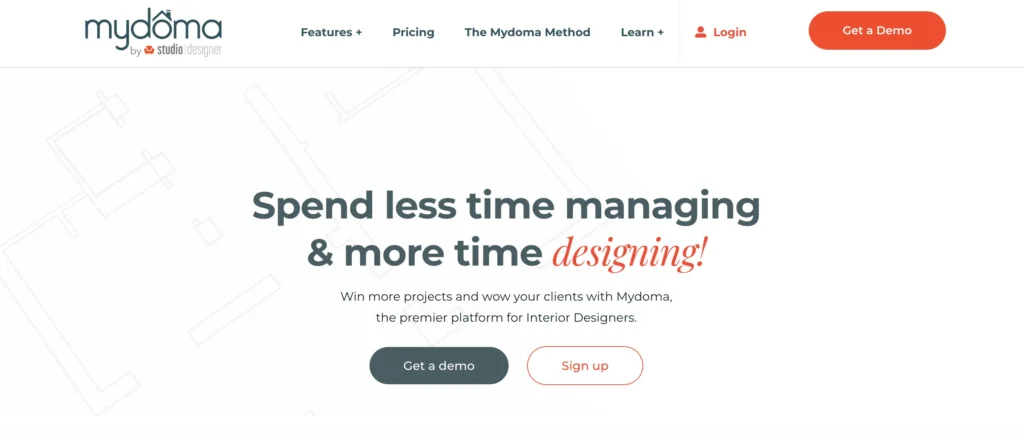
First, let’s break down the features of Mydoma and why so many designers chose this platform to begin with.
Mydoma positioned itself as an all-in-one interior design software with all the bells and whistles a designer might need. Notably, it also includes built-in design tools—something not all platforms offer. Because of this, I’ll be focusing on comparing Mydoma to other platforms that offer a similar range of capabilities.
Here are the key features which Mydoma offers that I’ll be evaluating across each platform:
- 2D and 3D Floor planner / 3D renderings
- Task management
- Client portal
- Design packages, credit card payments, and ACH payments
- Branded quotes and invoices
- QuickBooks integration
- Purchase orders
- Shoppable product lists
- Time tracking
- Mobile App
- Product Clipper
Mydomas Price: $58 per month when paid yearly (not including add-ons such as their 2D/3D floor planner and app integrations).
Comparing Three Mydoma Alternatives
Mydoma Vs. Houzz Pro

Houzz Pro is another popular software platform for interior designers, and it’s also widely used by contractors and other professionals in the industry. It offers a robust project management system designed to help firms streamline their operations and manage their business more efficiently.
Houzz Pro Features Similar to Mydoma
- 2D and 3D Floor planner / 3D renderings ✅
- Task management ✅
- Client portal ✅
- Credit card payments, and ACH payments ✅
- Branded quotes and invoices ✅
- QuickBooks integration ✅
- Purchase orders ✅
- Shoppable product lists ✅
- Time tracking ✅
- Mobile App ✅
- Product Clipper ✅
👉 What Mydoma does better than Houzz Pro:
- Cleaner, design-first workflow
- Better for sourcing + specing
- Supports design packages (huge for e-designers)
👉 Where Houzz Pro wins instead:
- Marketing + lead generation
- Business growth ecosystem
- LiDAR Technology
Houzz Pro Price: Variable (read more below)
My thoughts on Houzz pro
Houzz Pro is a powerful tool; however, it comes at a cost, and in many cases, that cost can be quite high for interior designers.
Pricing for Houzz Pro isn’t always straightforward, as it varies based on factors like location and team size. I’ve heard of designers paying around $150 per month, while others are paying upwards of $600+ per month. It really ranges, and quite significantly.
Because of this, I don’t always see it as the best value for interior designers. In my opinion, Houzz Pro is better suited for larger design-build or construction firms that can fully leverage its broader feature set, rather than solo designers or smaller studios who may not need everything it offers.
Mydoma Vs. Programa

Programa is another popular software for interior designers that has made a strong impact in the industry. With its sleek design, AI-driven automations, and competitive pricing, it’s definitely a platform worth exploring.
Is Programa really a Mydoma alternative? Well, I do think Programa can replace your Mydoma subscription; however, you may need a few additional tools to fully bridge the gap. Take a look below for a detailed comparison.
Programa Features Similar to Mydoma
- Task management ✅
- Client portal ✅
- Credit card payments, and ACH payments ✅
- Branded quotes and invoices ✅
- QuickBooks integration ✅
- Purchase orders ✅
- Shoppable product lists ✅
- Product Clipper ✅
👉 What Mydoma does better than Programa:
- Built-in design tools
👉 Where Programa wins instead:
- Spec sheets
- Interface design
- Client experience
- Pinterest integration
- Customer Support
Programa is priced at $47.20 when paid yearly.
My thoughts on Programa
Programa can replace Mydoma in many aspects; however, its main limitation is that it does not include built-in design tools. You can create beautiful, Pinterest-style mood boards, but beyond that, you’ll need to use a separate 2D or 3D floor planning tool.
Whether this is a dealbreaker really depends on your workflow and needs. Personally, I’ve enjoyed my experience on Programa much more than Mydoma, and it seems that many designer reviews online reflect a similar sentiment.
Mydoma Vs DesignFiles

DesignFiles is a software I’ve blogged about quite extensively, and for good reason. It’s one of the closest things to an all-in-one tool for interior designers, and certainly should make the list for Mydoma alternatives.
From its extensive template library to its 2D/3D floor planner, robust mood boards, project management tools, AI photo-realistic rendering tool, and strong customer support, DesignFiles offers a well-rounded platform for running a design business.
On paper, this software is one of the most comparable alternatives to Mydoma. Let’s take a closer look.
DesignFiles Features Similar to Mydoma
- 2D and 3D Floor planner / 3D renderings ✅
- Task management ✅
- Client portal ✅
- Credit card payments, and ACH payments ✅
- Branded quotes and invoices ✅
- QuickBooks integration ✅
- Purchase orders ✅
- Shoppable product lists ✅
- Time tracking ✅
- Mobile App ✅
- Product Clipper ✅
👉 What Mydoma does better than DesignFiles:
- Project initiation
- Mobile app
👉 Where DesignFiles wins instead:
- AI photo-realistic rendering
- Ease of use
- Mood boards
- Design tools
- Design Presentations
- Client experience
- Customer Support
Designfiles is priced between $55-$75 monthly.
My thoughts on DesignFiles
DesignFiles is my top platform for interior designers because of its friendly, intuitive user interface. Many software options in the industry feel cumbersome and difficult to learn, but DesignFiles has always stood out as being easy to navigate and quick to adopt.
I would say it’s the closest software to Mydoma in terms of overall functionality; however, it offers improved usability, stronger customer support, and more consistent product development.
The Best Mydoma Alternative…
Now that I’ve sat down and compared three notable interior design software platforms to Mydoma, it’s time to conclude my thoughts on which is thee Mydoma alternative and which platform is actually worth switching to.
To summarize, Houzz Pro is a powerful tool, but it comes at a high cost. In my opinion, it’s better suited for construction-based companies handling large-scale projects and significant revenue. The average interior design studio likely doesn’t need this level of complexity or expense.
Programa is a promising platform with a sleek, modern interface that feels very aspirational. It creates a high-end client experience and strong presentation layer; however, it doesn’t yet offer all the features required to fully replace Mydoma.
DesignFiles is certainly the most comparable platform when evaluating features and price point. When you compare them side by side, the tools are nearly identical, and based on user reviews, DesignFiles customers also appear to be more satisfied overall.
So, overall, I would say the clear winner—when comparing features, pricing, and user feedback—is DesignFiles: I’d name it the best Mydoma alternative.
Let me know in the comments below which software for interior design you use!
Also, read: DesignSpec: Is It The Best Spec Writing Software For Designers?
Click Here To Shop My Favourite Home Goods
Let’s design your space together, virtually.