The Best and Worst Interior Design Software
Last updated: August 30th, 2026.
If you’re an interior designer or an aspiring interior designer, this post is a must-read. Why? Because as a designer deeply immersed in all things interior design and tech, I’m here to break down the most popular and well-known interior design software catered specifically to professionals like us.
Let me be upfront—I’ve only extensively used two interior design software platforms, DesignFiles and Ivy (which has dissolved by Houzz Pro…which I have also dabbled in). However, I’ve done my research and feel confident enough to offer a fair comparison of these tools alongside others in the market.
Ready to dive in? Let’s go!
In this post, I’ll be breaking down the pros and cons of five top interior design software platforms for professionals:
Click to jump.
NEW: Click here for my review of Programa.

The rapid advancement of technology in the interior design industry has given rise to a plethora of software options aimed at simplifying workflows, improving client communication, and streamlining project management. Among the most notable are Houzz Pro, DesignFiles, and Mydoma, each offering unique features to cater to designers’ needs. This blog dives into a comparison of these tools and other comparable software to help you decide which one best suits your business.
1. Planify
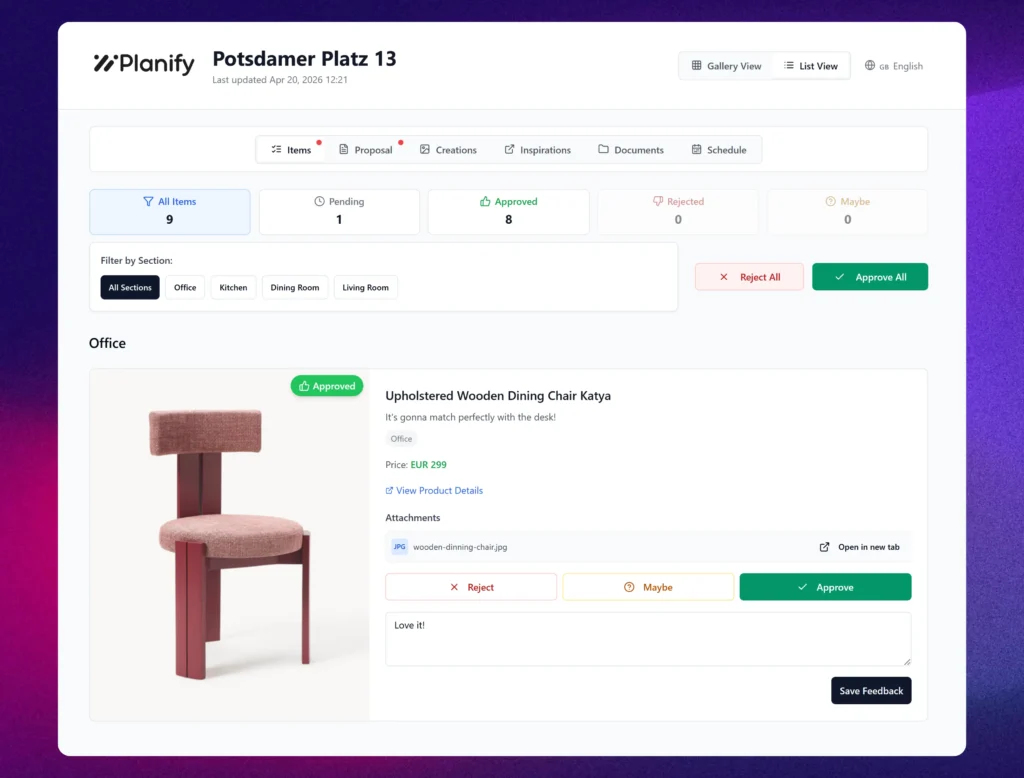
Planify is a newer interior design software that stood out to me for one specific reason: it’s built around the client experience in a way most established platforms aren’t. Despite being new, it introduces a few ideas worth noting for designers looking to streamline client collaboration and reduce manual work.
What Stands Out:
The standout feature is the Client Portal. You send clients a Magic Link – they click it, no account needed, no password – and immediately access their project: mood boards, product approvals, proposals, documents and schedule. Inside the portal, both you and your client can contribute to a shared Inspiration board, reducing the back-and-forth that usually happens across messaging tools and email. From a workflow perspective, products move from the mood board to client review, and once approved, they automatically flow into the FF&E schedule, live budget, and proposal. The AI Product Fetch speeds this up further – paste any supplier URL from IKEA, Westwing or anywhere else, and product details auto-populate instantly, which can save significant time on larger projects.
Key Features:
- Client Portal: Clients review mood boards, approve individual products, sign off on proposals, access documents, track project schedule – and collaborate on a shared Inspiration Board – all via a single Magic Link, no account required.
- FF&E Tracking: Build schedules with auto-populated product data and real-time budget updates.
- AI Product Fetch: Paste any product URL, and data fills in automatically.
- Proposal Builder: Auto-generated from approved FF&E items, shared directly in the portal.
- Canvas Builder: Create and present mood boards and visual concepts for client review.
- Client Questionnaire: Onboard clients with structured intake forms before the project begins.
At €24.99/month flat – with a 21-day free trial and no credit card.
Required, Planify is a strong option for designers looking for a modern, client-focused tool without the complexity of more established platforms.
2. DesignFiles

Overview:
DesignFiles is designed for designers looking for a simple yet comprehensive tool to manage projects, create mood boards, and collaborate with clients.
Spoiler alert: I have been using DesignFiles for years now, and it’s my top pick. Read my extensive review here: A Designer’s Review of DesignFiles: The Best Interior Design Software?
Key Features:
- Drag-and-Drop Mood Boards: Easily create stunning visual presentations.
- Client Portal: Share proposals, mood boards, and invoices in one place.
- Product Library Integration: Source products from popular vendors or add your own.
- Automated Proposals and Invoices: Speed up the financial aspect of projects.
- Enhance with AI Tool: Make your 3D visuals photo- realistic with the Enhance with AI Tool.

Pros:
- Affordable pricing compared to other platforms.
- Excellent for visual presentations and client collaboration.
- User-friendly interface that’s great for small to medium-sized businesses.
- Built-in AI-enhance tool.
Cons:
- The 3D rendering can lag at times.
What Designers Are Saying About DesignFiles
Designers who use DesignFiles are committed because DesignFiles offers so much more than just interior design software — it provides community, education, and real support. They have a very active Facebook group, and they take user feedback seriously. They offer both full-service designers and e-designers a wide range of webinars and resources tailored to help grow their businesses. This software continues to evolve, and the team is very transparent about what’s coming down the pipeline — including new AI integrations and expanded customization options.
3. Workroom
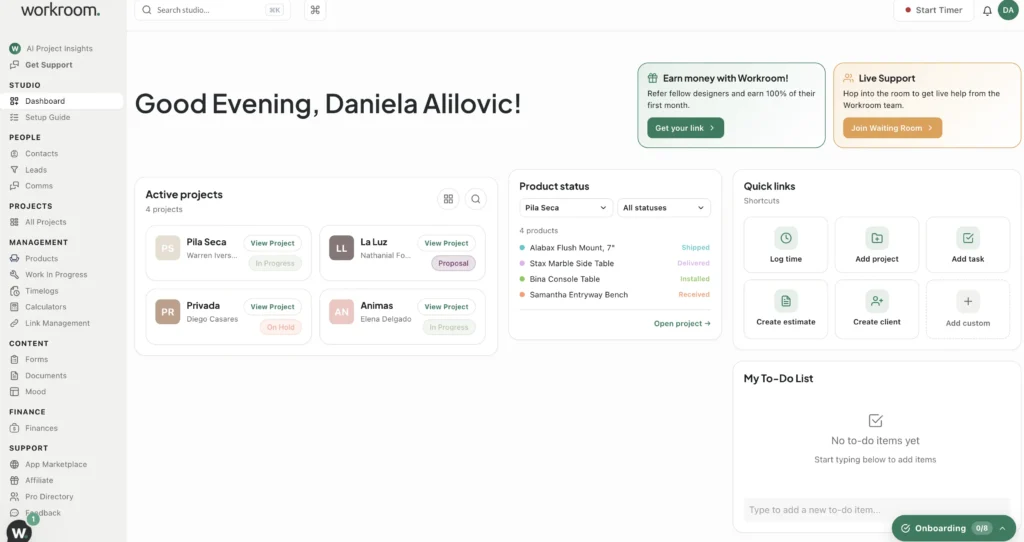
Overview:
Workroom, formerly known as Indema, is an interior design software platform focused on helping designers manage the business side of running a design studio. The platform brings together everything from project management and client and team collaboration to impressive mood board and presentation tools, billing, sourcing, and business expense tracking.
What really sets Workroom apart, in my opinion, is its thoughtful integrations and automation features, including its Claude integration and AI-powered tools. These capabilities can help streamline some of the more time-consuming administrative tasks that come with running an interior design business, giving designers more time to focus on the creative work.
Key Features:
- Mood Board Templates: Includes clean, modern and easy-to-use mood board and FF&E templates.
- Spec Writing: This software allows for easy creation of spec books and tear sheets with robust formatting options.
- Project Management: Create proposals, track invoices, and manage timelines.
- Client Communication: Offers a client chat to get approvals and send project documents.
- CRM Tool: Helps designers keep track of client touchpoints.
- Claude integration: Ability to sync with Claude AI.
- Expense Tracking: Track your business expenses across different projects and different categories.
Pros
- Plenty of helpful automations: Workroom streamlines tasks such as creating spec books and tear sheets, as well as converting estimates into invoices, helping reduce the amount of manual work involved in managing a project.
- AI integrations: The platform integrates with Claude and also includes AI-powered functionality to help designers work with their project and business data.
- Easy to use and competitively priced: The interface is designed specifically around interior design workflows, making it approachable for designers and teams.
Cons
- No dedicated floor-planning capabilities: If you’re looking for an all-in-one platform that also allows you to create detailed floor plans, this is one area where Workroom falls short. You would need to use a separate floor-planning or CAD tool alongside it.
What Designers Are Saying About Workroom
Workroom appears to have developed a loyal user base, and one of the recurring themes in user feedback is the platform’s frequent product updates and designer-focused approach. Because Workroom is built specifically for interior designers, its feature development is focused on the workflows and challenges designers actually encounter in their businesses.
Overall, I think Workroom has a promising future as a standout platform for interior designers and design teams, particularly as its integrations and capabilities continue to expand.
Want to take a deeper look at Workroom’s features? Read my full review here: Inside Workroom Interior Design Software: A Designer’s Review
4. Houzz Pro

Overview:
Houzz Pro, which has made Ivy now obsolete, is an all-in-one platform for interior designers and contractors. It’s tailored to combine project management, client communication, and marketing in one seamless tool.
My main issue with Houzz Pro lies in how it integrates product sales into its platform. It feels like Houzz Pro is more interested in selling items directly to designers’ clients. For instance, when you create a mood board, the software automatically matches products from their inventory, allowing clients to shop these items directly, potentially cutting designers out of the sales process. For me, that’s a dealbreaker.
That said, the software itself is well-designed and user-friendly, offering solid tools for project management and client collaboration. However, the focus on direct-to-client sales is something to consider carefully before diving in.
Key Features:
- Project Management: Create proposals, track invoices, and manage timelines.
- Client Communication: Offers a client dashboard for sharing updates, proposals, and designs.
- Marketing Tools: Helps designers generate leads through Houzz’s platform and track project analytics.
- Product Library: Extensive database for sourcing and linking products directly to projects.
Pros:
- Integration with the Houzz marketplace expands sourcing options.
- Built-in lead generation through Houzz’s established user base.
- Intuitive interface with visually appealing tools.
Cons:
- Pricing can be steep for small-scale designers.
- Primarily beneficial for designers already using Houzz’s ecosystem.
What Designers Are Saying About Houzz Pro
Well, word on the interior design street is that designers aren’t happy about Houzz Pro taking away Ivy, a platform that designers loved. Houzz Pro is less industry-specific, and from what I’ve seen, it’s not a platform many designers truly enjoy.
To read more on Houzz Pro, read: The Truth About Houzz Pro for Interior Designers
5. Mydoma Studio
Overview:
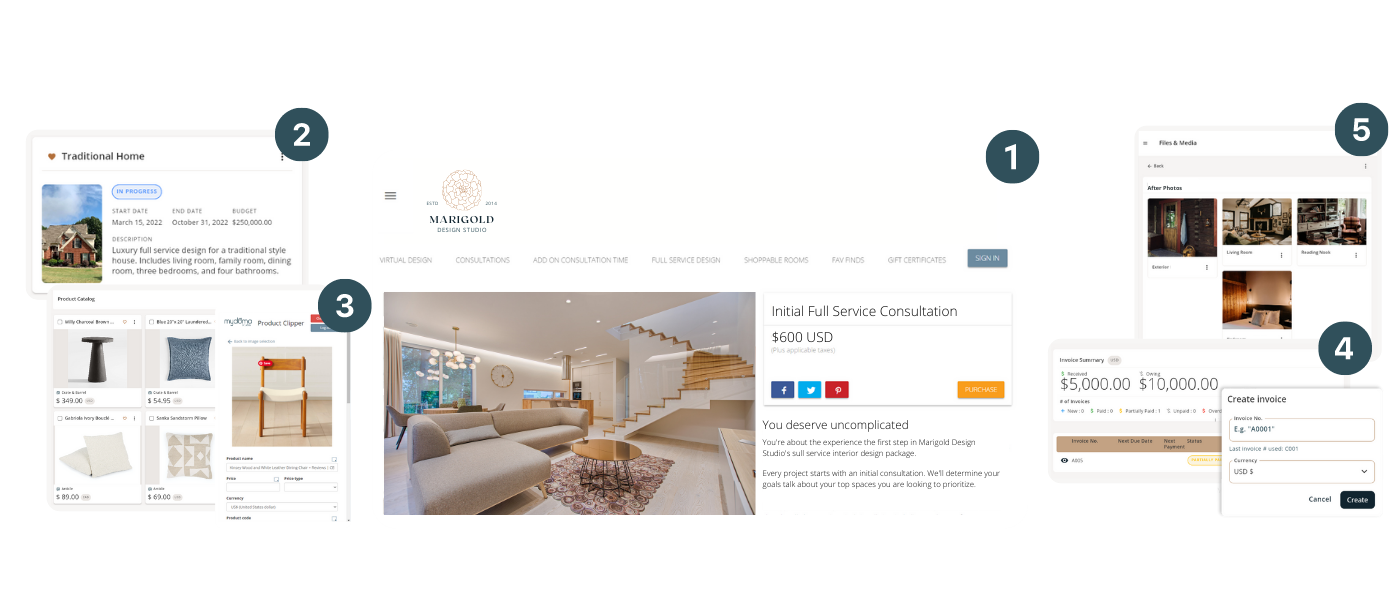
Mydoma Studio is a robust interior design software focused on streamlining workflows and improving client communication. It caters to designers looking for an all-in-one solution. Mydoma’s focus on delivering exceptional solutions for lead generation, project management, and time tracking has led the company to great success, particularly with smaller firms or those that have recently formed.
Key Features:
- Project Management: Track milestones, timelines, and deliverables.
- Client Collaboration: A centralized portal for sharing designs, documents, and feedback.
- Product Library and Proposals: Build custom product lists with pricing and easily create proposals.
- Integrations: Compatible with tools like QuickBooks and Zapier for additional functionality.
Pros:
- Strong emphasis on client collaboration.
- Excellent integration options for expanding functionality.
- Ideal for designers who prioritize detailed project tracking.
Cons:
- The learning curve can be steep for beginners.
- Advanced features may not be necessary for smaller projects.
What Designers Are Saying About Mydoma
Word on the street is that Mydoma has changed — and not for the better. Designers are saying it has become glitchy and difficult to use. So, while Mydoma has been a strong contender for years, it seems many designers are now leaving the platform in search of something less clunky and more reliable.
6. Insight Design Studio
.png)
Overview:
Insight Design Studio stands out from the others on this list. Rather than being traditional software, it offers a collection of robust templates for interior designers, most notably The Design Studio HQ V2.0. This all-in-one Notion workspace covers everything from project management and client portals to feedback systems, contractor communication, team scheduling, and FF&E tracking. Instead of paying a recurring software subscription, you make a one-time purchase and get everything in one centralized place.
Key Features:
- Project Management: Track milestones, timelines, and project phases all in one place.
- Client Portals: Provide clients with their own space for mood boards and project updates.
- Client Feedback Flows: Organized systems to collect and manage client revisions efficiently.
- Contractor Communications: A centralized hub for RFIs and contractor information.
- Team Workload Tracking: Monitor task assignments and keep track of team members’ vacation time.
- FF&E Scheduling: Organize products room by room, complete with cost tracking.
Pros:
- One-time cost: No recurring subscription fees.
- Everything in one place: No more juggling multiple apps.
- Customizable: Tailor it yourself—no waiting on developers to add the features you need. Build it yourself or get help.
- Designer-made: Created by a designer who truly understands your workflow.
Cons:
- Dependent on Notion: If their servers go down or they make changes, you’re affected too.
- Learning curve: Notion can feel intimidating at first, but once you get the hang of it, it’s pretty easy to navigate.
- Printing challenges: Exporting to PDF can be tricky—Notion is really designed for online use, not for printing.
Which Interior Design Software Should You Choose?
Choosing the right software depends on your business needs, client base, and budget. My pick is DesignFiles or, if you are just starting your business, a template from Insight Design Studio.
DesignFiles, it is user-friendly, versatile, and my clients are impressed by the platform I use, and my abilities, of course. The platform caters to both e-designers and full-service designers, allowing you to invest in the tools that best suit your business needs.
Insight Design Studio templates, notably The Design Studio HQ V2.0 is an amazing option if you are just starting and feel intimidated by a recurring cost.
NEW Read my comparison on the 10 most popular software for interior designers: The Best All-In-One Software For Interior Designers
Each tool has its strengths and weaknesses, so identifying what matters most to your workflow will help you make the right choice. Whether you’re an experienced designer managing a large team or a solo entrepreneur just starting out, there’s a software solution designed to support your unique needs.
Also read: DesignSpec: Is It The Best Spec Writing Software For Designers?
Click Here To Shop My Favourite Home Goods
Let’s design your space together, virtually.