Inside Workroom Interior Design Software: A Designer’s Review
Formerly known as Indema, this interior design software recently rebranded as Workroom, and it has been on my radar since before the rebrand. Workroom was built by designers, for designers. It offers a range of features, automations and integrations that help set it apart from other interior design software, making it a platform I couldn’t resist putting to the test.

In this post, I’ll take a closer look at Workroom’s capabilities. Explore what makes the platform stand out and share my firsthand experience using the software. I’ll also break down which types of interior designers may benefit most from Workroom and whether it’s worth considering for your own design business.
Workroom Features
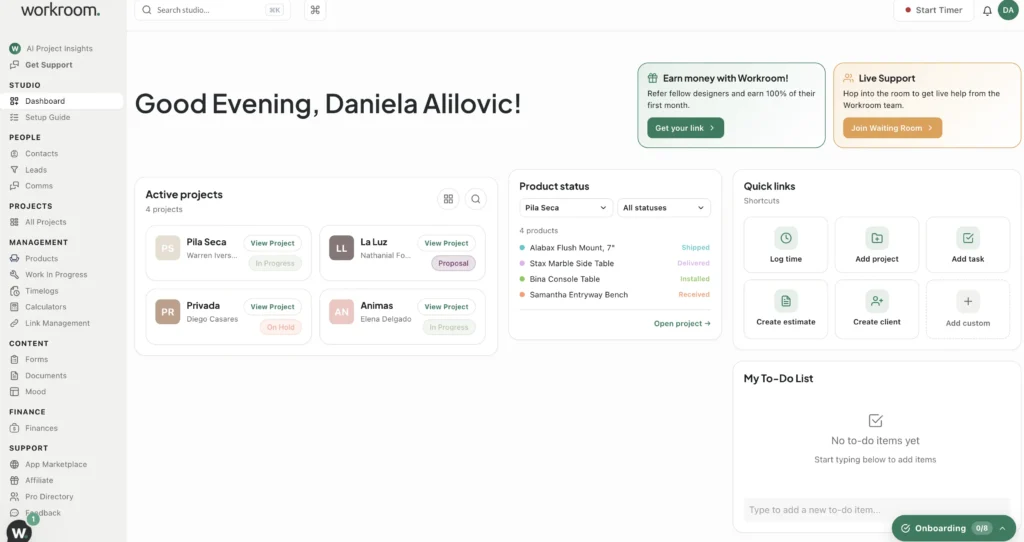
Business Management
Workroom positions itself as an interior design software platform designed to support the business management side of running a design studio. If you’re a fellow designer, you know that there’s a lot more to this job than simply designing beautiful spaces.
Between managing client inquiries, organizing projects, creating proposals, sending invoices, tracking time, communicating with clients, and keeping up with endless administrative tasks, the business side of interior design can quickly become overwhelming. That’s why so many designers are looking for software that can take some of the repetitive work off their plates. Designers want to focus on the fun side of the business: design.
So, what exactly does Workroom offer? Here’s a breakdown of some of its key features.
Client CRM + Client Management
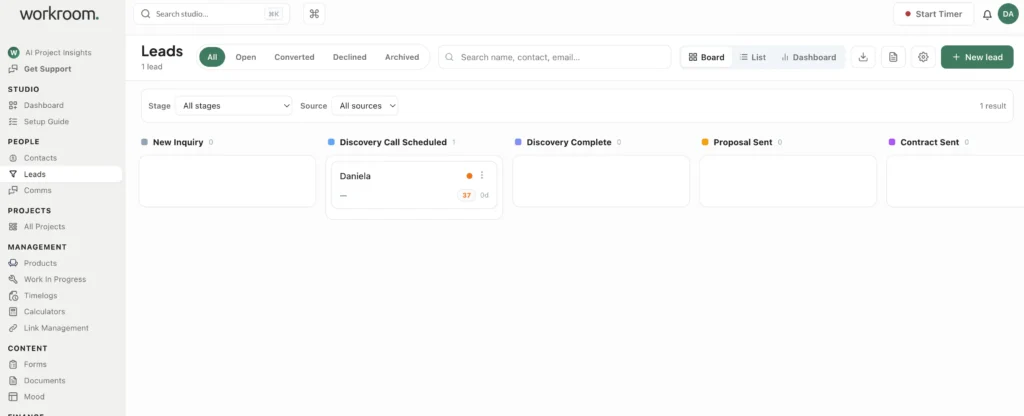
Workroom includes CRM functionality to help designers manage their client relationships and keep track of new inquiries. This feature is one that most interior design software is missing, and for high volume design firms, this is essential to keep track of client touchpoints.
The platform also includes client and designer chat, and the ability to share project documents via live link. So, you may communicate with clients directly within the software and keep product approvals organized.
Project Management
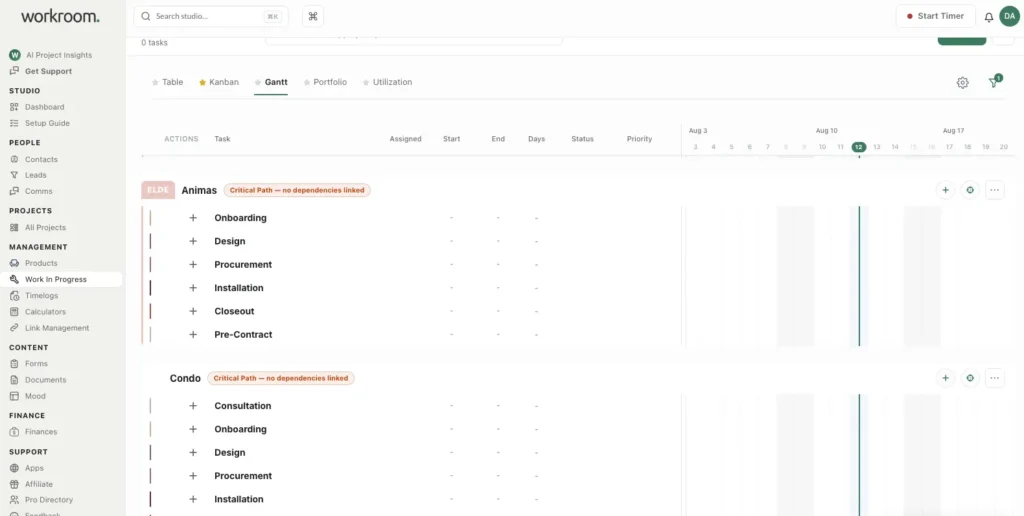
Workroom incudes tools designed to help designers organize projects from start to finish.
You can create project phases, tasks, and timelines, giving you a way to break larger projects into manageable stages. Project progress can be viewed in different formats, including Kanban boards and Gantt-style timelines, as well as organized according to different design phases.
Another useful feature is the ability to create punch lists. Which helps you keep track of outstanding tasks and items that need to be completed before a project is wrapped up.
Asana Integration
For designers who already use Asana, Workroom also offers an optional Asana integration. Allowing you to connect your existing project management system within the platform.
Design Tools
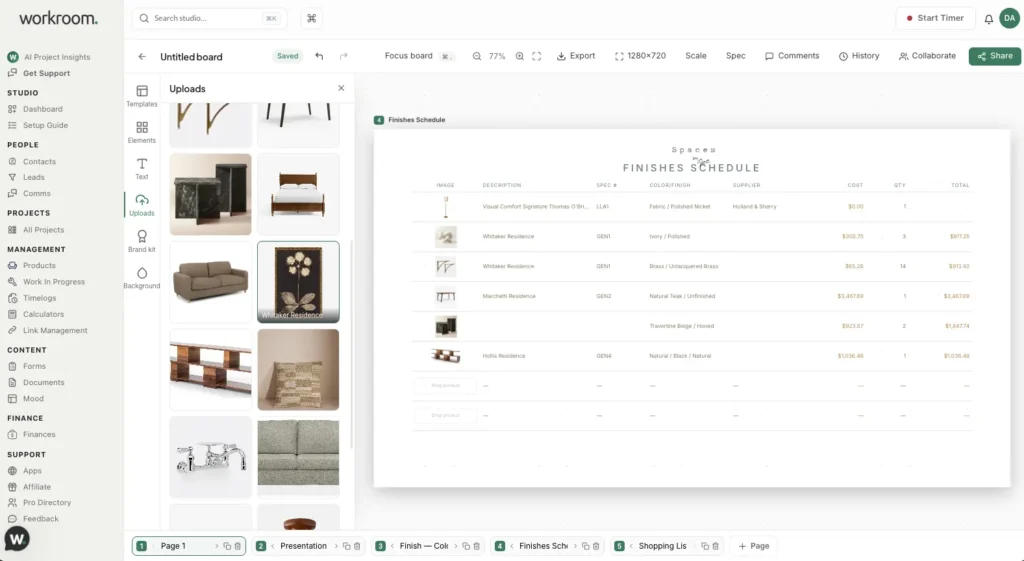
While Workroom is heavily focused on the business side of interior design, it also includes impressive tools for creating visuals.
One feature that caught my attention is the ability to create mood boards and presentation boards using Workroom’s pre-populated templates. These include templates designed for FF&E presentations, product selections, and selection boards
I was honestly pleasantly surprised by how robust and easy the mood board tool is. It works a lot like Canva, which is fantastic, as many designers rely on Canva for their design presentations. This means designers could ditch their Canva subscription by adopting this software.
Sourcing, Tear Sheets & FF&E Schedules
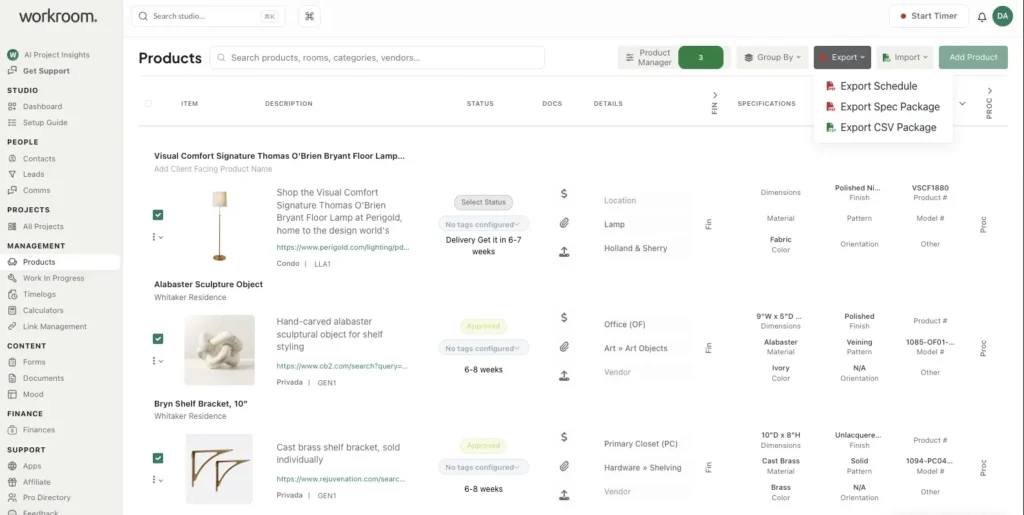
The mood board capabilities include some impressive automation features. Including the ability to easily create FF&E schedules by simply dragging and dropping products from your product library into the schedule template. I was honestly blown away by how quick and seamless this process was.
Adding products is easy with Workroom’s Product Clipper, which allows you to seamlessly build and organize your product library.
From the Products tab, you can also create a variety of schedules and specification packages with ease. You can customize these documents to suit your needs by adjusting the page sizing and choosing which information fields you want to display. This level of customization makes it easy to create polished, client-ready documents. Eliminating the need to spend time formatting everything manually, and without ever opening Excel.
Financial Management
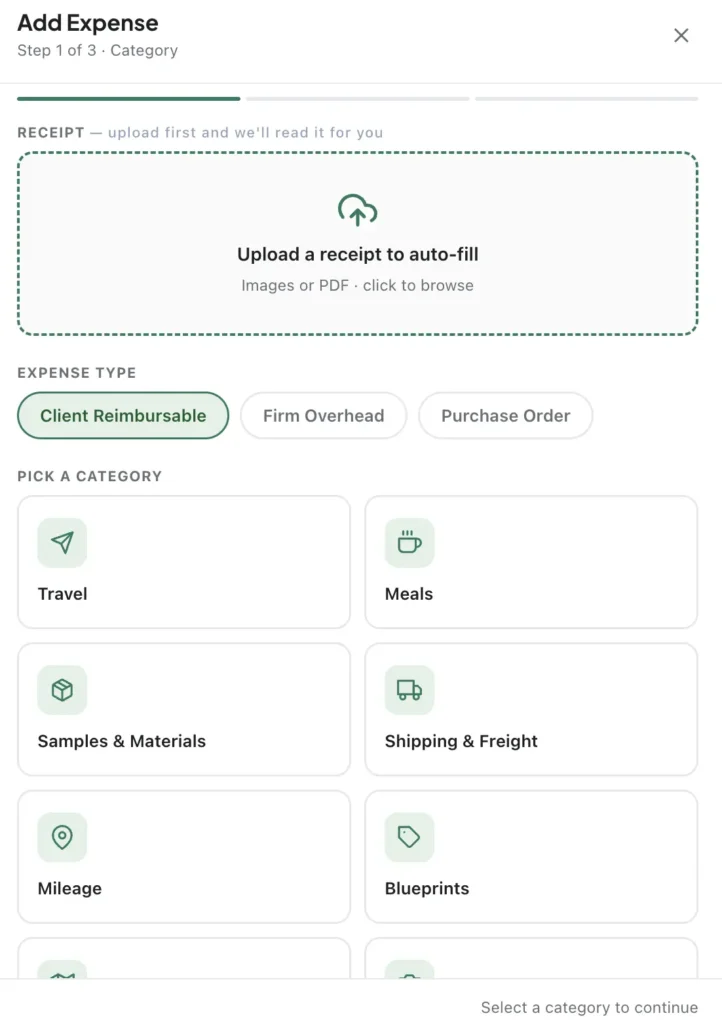
The financial tools are another major component of Workroom. Designers can create and send invoices, estimates, retainers, process payments, and change orders directly through the platform.
You can also enable specific automations to streamline your workflow. For example, once a client approves an estimate, the system can automatically convert it into an invoice and even prompt the client for payment. This helps reduce the delays between getting approval and actually receiving payment, while taking another administrative task off your plate.
You can even keep track of project and business expenses, which is a feature most interior design softwares dont offer.
Notably, the software also integrates with Quickbooks for more robust financial reporting.
AI Integrations
Workroom also incorporates AI into the platform, including an integration with Claude. This allows you to ask Claude questions related to your projects.
In addition to the Claude integration, Workroom has its own built-in AI assistant. It’s designed to help answer questions about using the software. For real-person support, you can enter their waitroom where you can speak with a person on the Workroom team.
My Final Thoughts on Workroom
After testing Workroom’s features and comparing it to other interior design software platforms, I can say that I am genuinely impressed by this platform’s range of features and clever integrations. There are plenty of clever features and integrations that simply don’t exist on other comparble platforms.
Overall, I think Workroom is a robust interior design software platform with clever features that were clearly designed by designers.
I think this software is one that will continue to impress me. Particularly with more exciting integrations already on the product roadmap.
Designers looking for a competitively priced solution that can help streamline the business management side of their studio, be sure to check out Workroom.
I’ll definitely be keeping an eye on how the platform continues to evolve.
Who is Workroom for?
I’d say that Workroom is particularly beneficial for design teams of 4+ working on medium- to large-scale projects. Having these tools integrated into one platform could make a significant difference in keeping everything organized and moving efficiently.
Click Here To Shop My Favourite Home Goods
Let’s design your space together, virtually.