
The Best LiDAR Scanner App
It’s 2026, and I am here to say it: traditional site-measuring methods are outdated.
And honestly? I don’t think most designers are upset about it.
As I’ve shared on my blog before, LiDAR scanner apps are rapidly changing the way interior designers and other industry professionals work, and as a virtual interior designer and tech enthusiast, I, of course, am embracing it.
In this post, I specifically want to talk about one of the most tedious parts of our jobs: site measurements and how a LiDAR scanner app may be the solution to our designer woes.
Because if you’re anything like me, this was probably never the part of interior design you dreamed about.
Also, read until the end for an exclusive promo code. 👀
What I Thought Being an Interior Designer Would Look Like

When I decided to pursue interior design, I imagined a career filled with:
- sourcing beautiful furniture
- selecting stunning materials
- designing inspiring spaces
- watching creative visions come to life
What I didn’t imagine was spending hours measuring walls, sketching floor plans, and rebuilding homes in multiple design softwares.
Yet when I launched my boutique interior design firm, I quickly realized how much of the job depended on accurate site measurements — and how exhausting that process could be.
The Reality of Traditional Site Measures
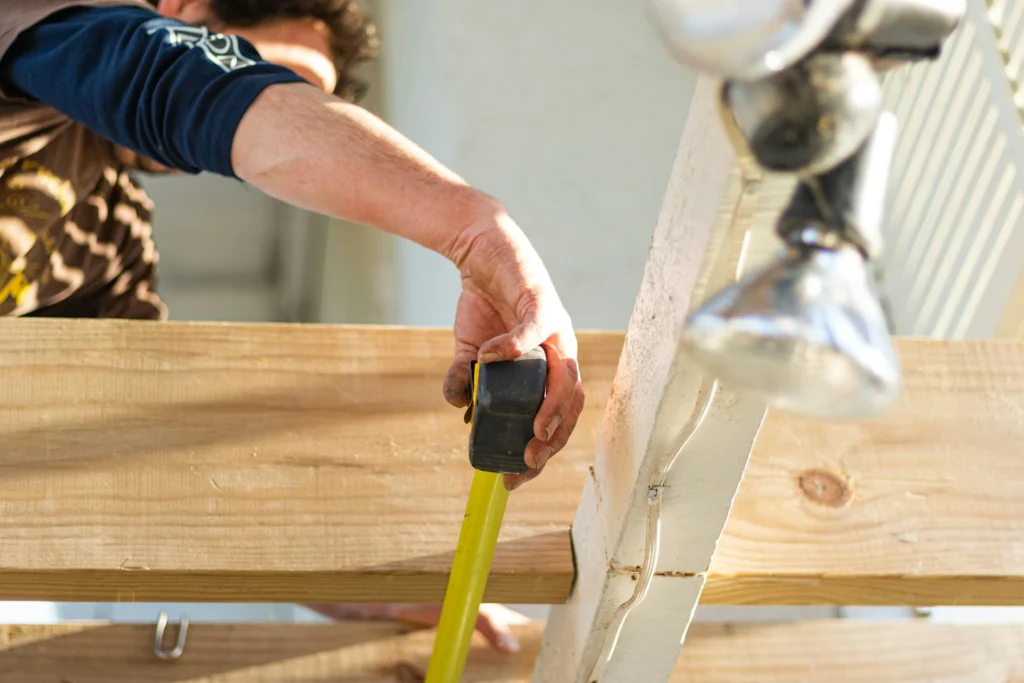
If you’re an interior designer, this situation probably sounds painfully familiar.
You book a new consultation (yay!), head to the client’s home, and spend the next couple of hours:
- understanding their vision
- discussing the functionality of the space
- brainstorming ideas
- building excitement around the transformation
- trying to wow the client while mentally processing a thousand details at once
Walking through a home, hearing how clients wanted to live, storytelling through design ideas — that’s where my creativity really came alive. I’ve always felt like interior design requires a certain level of improvisation and performance. (Former drama kid here who thankfully traded Hollywood dreams for floor plans.)
But then came the part I dreaded every single time:
The site measure.
Honestly, it felt like a massive energy drain before the real creative work could even begin.
Plus, after measuring a home, we designers still need to create as-built drawings, typically in multiple software, usually AutoCAD and SketchUp.
For an average-sized home, this could easily mean:
- 2–3 hours onsite measuring
- 3–4 hours drafting in AutoCAD
- another 4+ hours building a detailed 3D model
You can easily be spending 10+ hours on this process alone.
And as much as technical documentation is necessary, most designers didn’t enter this industry because they love measuring or drafting as-builts.
We became designers because we love re-imaging spaces, not measuring and building out the current space.
How LiDAR Technology Changes Things
This is exactly why I’ve become so passionate about smarter design technology.
My mission has always been to find ways to reduce the repetitive, time-consuming parts of interior design so designers can spend more time focusing on creativity, client experience, and growing their businesses.
And that’s where LiDAR scanning apps come into play.
Twindo is completely changing the game for interior designers and design-build professionals by dramatically simplifying the site measurement process.
Another standout feature is the Plan to CAD service, which allows you to convert a 2D PDF or CAD floor plan into editable as-built models for SketchUp, Revit, or Chief Architect, or into a design-ready AutoCAD drawing.
A Game-Changing Tool for E-Designers
While this technology is a game-changer for all interior design professionals, it’s especially valuable for e-designers.
One standout feature is the Invite to Capture feature, which allows you to send a link to your client so they can scan their own space directly from their phone. As the designer, you then receive access to the scan and can order as-built files.
For virtual designers like myself, this creates a much smoother workflow and eliminates the need to rely on client-provided measurements (phew).
My Experience & Review of Twindo
Twindo (formerly known as Canvas) is a LiDAR-powered scanning app designed to simplify one of the most dreaded parts of the design process: site measurements. Not only does it help capture spaces quickly, but it also streamlines the creation of as-built drawings with the ability to export models into software like AutoCAD, SketchUp, Revit, and other commonly used design softwares.
Obviously, I had to test it for myself.
So, I decided to put Twindo through a real-world case study and document my experience throughout the process.
Testing Twindo in a Real-Life Space
I downloaded Twindo onto my iPhone and decided to scan my own condo.
My condo wasn’t empty or staged — it had furniture, decor, tools, and random items throughout the rooms. In other words, it looked like a real home people actually live in.
And this is important because, realistically, most client homes are not empty either.
Nine times out of ten, when interior designers conduct site measures, clients still have furniture, clutter, and everyday life happening inside the space. Traditional site measuring around these obstacles can be frustrating, time-consuming, and sometimes inaccurate.
However, Twindo claims that these challenges become far less problematic thanks to LiDAR technology’s ability to scan around furniture and still produce accurate spatial data.
Naturally, I was curious to see if it actually worked.
First Impressions of this LiDAR Scanner App
After downloading the app, the setup process felt extremely intuitive.
The app immediately prompted me to start a new scan and walked me through a quick tutorial demonstrating the proper scanning motion needed to capture the space accurately. Essentially, it teaches you how to slowly move through the room while capturing every corner, opening, and transition point.
The instructions were straightforward and beginner-friendly, which I appreciated.
Once I understood the motion, I started scanning my condo.
The Scanning Experience
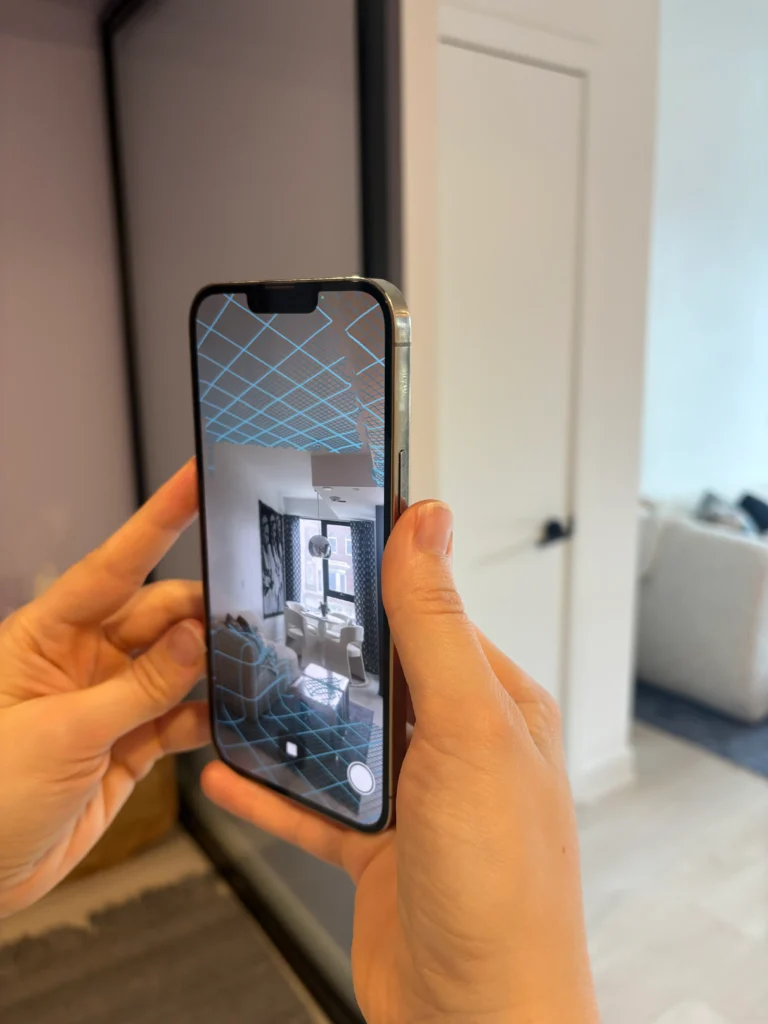
As you scan, the LiDAR app begins building a live digital grid of the space in real time — and honestly, this part was incredibly cool to watch.
You can physically see the rooms forming as you move through them, which makes the entire process feel surprisingly immersive and futuristic.
What immediately stood out to me was how fast the scanning process was.
I scanned my bedroom, living room, and kitchen in under 10 minutes — possibly even faster — and unlike traditional site measurements, I didn’t leave feeling exhausted or mentally drained.
No sketching.
No frantic note-taking.
No second-guessing dimensions.
No crawling around with a laser measure trying to capture awkward angles.
Just scanning.
And for someone who has spent years doing traditional site measures, that alone felt revolutionary.
Ordering As-Built Files
Once the scan was complete, I submitted the project through Twindo to have the space converted into a SketchUp model and an AutoCAD drawing. Since these are the primary tools that many interior designers already use.
After submitting the scan, the files took just a few days to process before they were delivered back to me.
And of course, this led to the real question:
But Was the Scan Actually Accurate?
While the scanning experience itself was impressive, what really matters to designers is accuracy.
Did it capture the details with accuracy?
Could this LiDAR scanner app actually replace traditional site measurements?
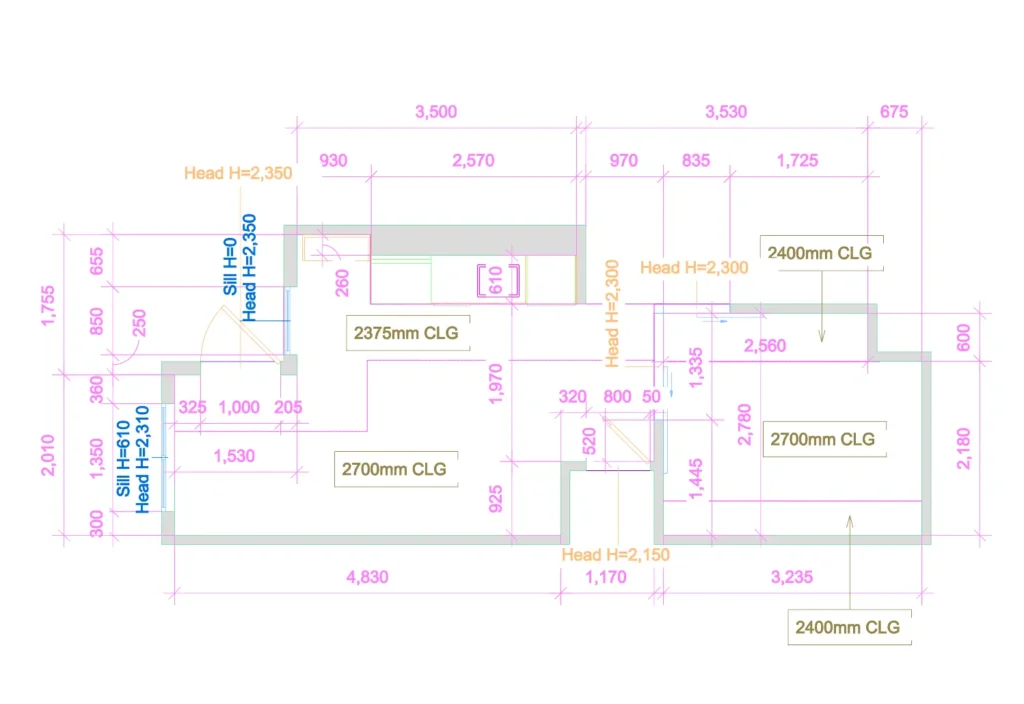
When I opened the CAD file, I was genuinely impressed. The scan captured the space with an incredible level of detail. It picked up the glass sliding doors in my bedroom, cabinet depths, window sill heights, bulkhead dimensions, and so much more.
In terms of measurement accuracy, I double-checked the most critical dimensions, and the LiDAR scan captured them with impressive precision.
There is something deeply satisfying about opening a well-organized drawing set, and I immediately felt that reaction here. My designer brain was very happy.
Next, I opened the SketchUp file and switched it into X-ray mode to inspect the model further — and once again, I was blown away by the amount of detail captured.
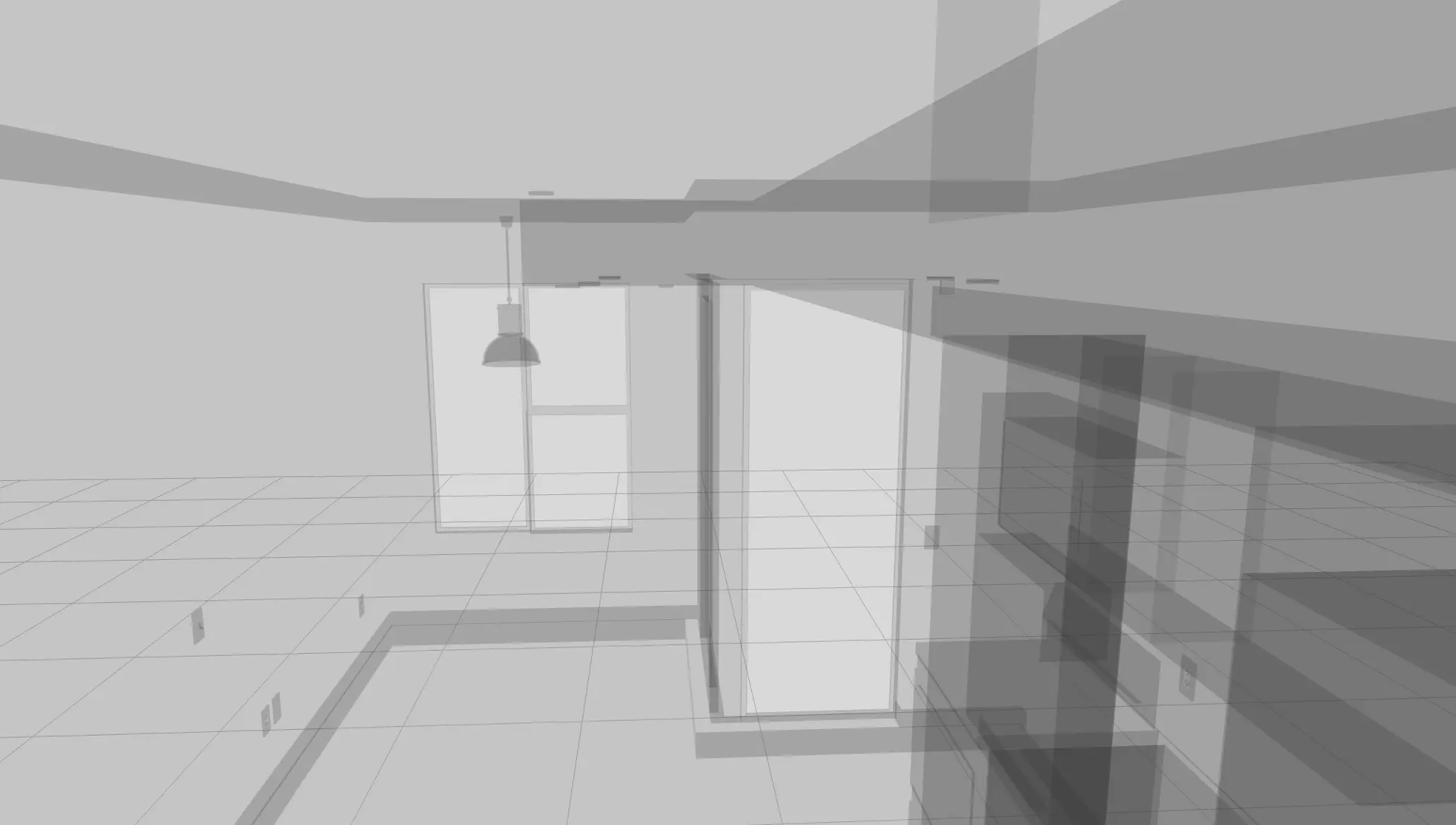
The model included:
- receptacles
- light fixtures
- switches
- bulkheads
- millwork details
- architectural elements
Honestly, seeing all of that accurately modeled from a simple iPhone scan felt kind of surreal.
I genuinely had a moment of relief, and I thought:
Where has this been my entire career?
Because for the first time, it felt like there was finally a realistic solution to one of the most tedious and time-consuming parts of the interior design process.
Click here to see the 3D model.
Click here to download the SketchUp File, CAD file, and PDF.
My Final Thoughts on Twindo, Is It The Best LiDAR Scanner App?
Twindo truly blew me away with both its ease of use and the incredible level of detail it was able to capture. It is a fantastic tool for interior designers, construction professionals, and other industry experts who regularly deal with site measurements and as-built documentation.
Not only does it save hours upon hours of tedious work, but it also elevates the overall client experience. Instead of fumbling around with tape measures, spending hours sketching floor plans by hand, and manually rebuilding spaces afterward, you’re leveraging modern technology to capture the details you need quickly and efficiently.
By streamlining the site measure and drawing process, designers can move into the creative phase of a project much faster. That means quicker turnarounds, more efficient workflows, and a more polished professional experience for both you and your clients.
After using it firsthand, I can confidently say this LiDAR scanner app completely changed the way I think about site measurements. Personally, I have NO desire to go back to traditional methods.
The team at Twindo has generously offered my readers $100 off their first scan. Simply use this link or enter code DEE100 at checkout to try Twindo for yourself.
*Only valid on your first order. Only one promo code can be used per order. If your order is less than $100, the remainder of the promo is forfeited. Code expires on 12/31/2026.
Click Here To Shop My Favourite Home Goods
Let’s design your space together, virtually.

Disclaimer: This review was sponsored by Twindow, but all thoughts, opinions, and wording are entirely my own.


