DesignSpec: Is It The Best Spec Writing Software For Designers?
If your interior design and architectural firm is still using Excel as your spec writing software…you are well overdue for a software upgrade.
Spec writing can be a tedious task for designers and architects. When spec writing is done using software that isn’t intuitive (cough, cough, Excel), specs quickly turn into an organizational nightmare. Endless copy-and-paste, formatting headaches, and spreadsheets that never quite line up.
That’s where an intuitive, designer-built software known as DesignSpec comes in. True to its name, DesignSpec is a specification-writing software built specifically for interior designers and architects.
The Story Behind DesignSpec

What initially caught my attention about DesignSpec is the story behind it. The company was founded by a Canadian brother-and-sister duo—Fiona, a professional in the interior design and architecture industry, and her brother, a software engineer. Together, they created a powerful combination of industry expertise and technical execution.
While working at large interior design firms, Fiona noticed significant gaps in the way spec sheets were created and managed. The process was time-consuming, inefficient, and outdated. After countless late nights and collaborative problem-solving with her brother, DesignSpec was born in 2014.
The beta version launched, and Fiona partnered with several esteemed design firms to gather real-world feedback. From there, the software was refined, improved, and expanded based on actual designer workflows.
Fast-forward to today: DesignSpec has a fully remote team and is recognized as a leading solution for spec writing, procurement, and team collaboration. The platform is now used and beloved by over 700 design firms and independent designers worldwide.
Trying Out DesignSpec
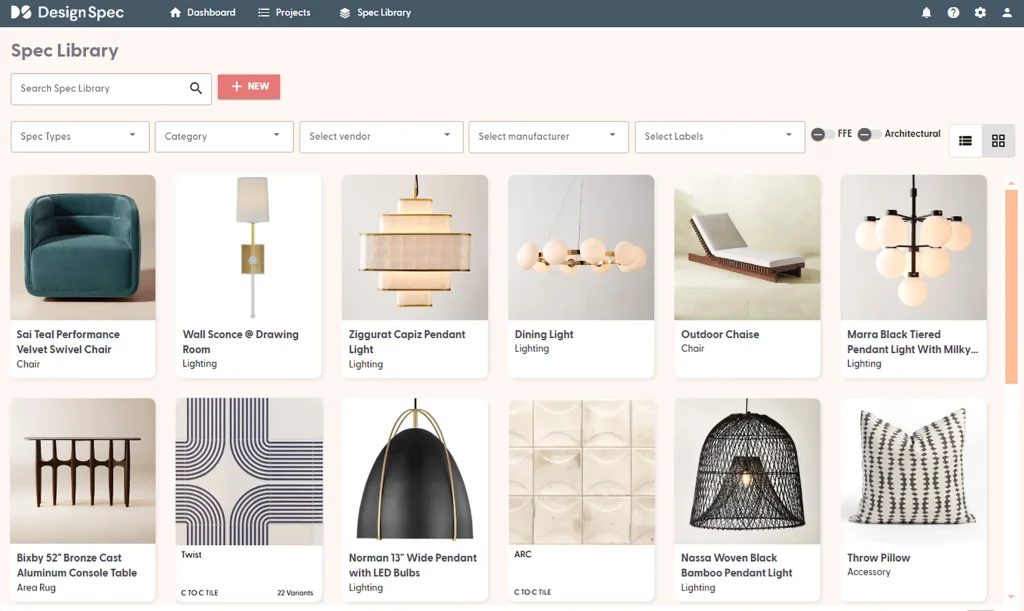
Naturally, I had to give DesignSpec a try.
At this point, I’ve tested—or at least demoed—nearly every interior design software on the market. When I approach a review, I always look at it through a specific lens:
- Who is this software best suited for?
- What problem does it solve better than the rest?
- And how does it fit into a real designer’s workflow?
- What’s unique about this software?
DesignSpec immediately stood out as a tool built with intention—for designers who are ready to move beyond spreadsheets and into a more efficient, professional spec-writing and spec management process.
DesignSpec Features
Spec Writing Made Easy with DesignSpec
When it comes to spec writing, DesignSpec does the heavy lifting for you.
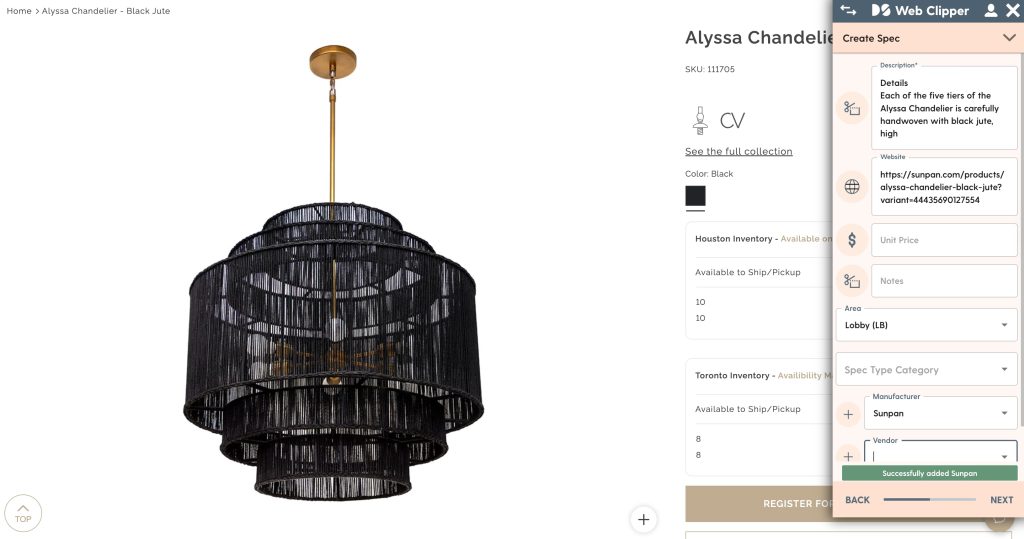
One of its standout features is the web clipper, which makes sourcing incredibly efficient. While browsing a vendor’s product page, you can open the clipper and choose to:
- Create a new spec (architectural or FF&E, with specific product types)
- Update an existing spec
- Create a new vendor or manufacturer
You can also assign room placement while clipping. As you add a product, you’ll input all relevant details—material, finish, dimensions—and the tool intelligently prompts you for additional information based on the product type. For example, when clipping a light fixture, it automatically includes a field for bulb type.
This clipper keeps everything organized and efficient. You can even clip and save spec sheets directly from vendor websites. Once saved, the product is stored within the specified project and can be easily pulled into your spec sheets later.
Honestly, this clipper tool is a must for designers.
Consistent Spec Writing (Without the Repetition)
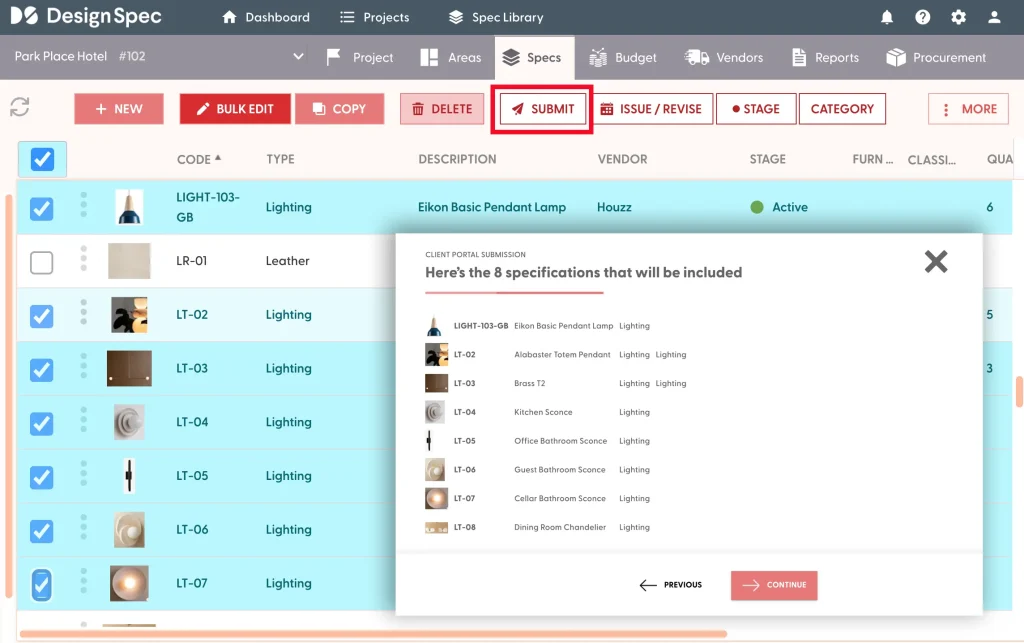
Once sourcing and clipping are complete, you can create spec instructions tied to specific spec types. For example, if you want a standard instruction applied to all banquette specs, you can add something like: “All built-in items shall be field dimensioned and site conditions must be verified prior to fabrication. Items shall take up the maximum wall-to-wall length possible or be evenly sectioned as required or noted.”
This ensures consistency across all your documents, keeps designers covered, and eliminates the risk of missing key notes. Best of all, once you set it up, you don’t have to think about it again.
Customizable Spec Types and Templates
DesignSpec comes preloaded with a full spec template that includes all the necessary categories, but everything is customizable. You can edit existing spec types, add new ones, and even link spec types together. For example, you might link a banquette spec directly to a fabric spec for better organization and clarity.
Spec History + Editing
This software intelligently keeps a log of all changes made to the specs. It logs what was changed, who made the change, and when—so you’re never guessing or backtracking.
You can also filter by spec type and batch edit specs all at once for speed and efficiency.
Professional, Branded Spec Sheets
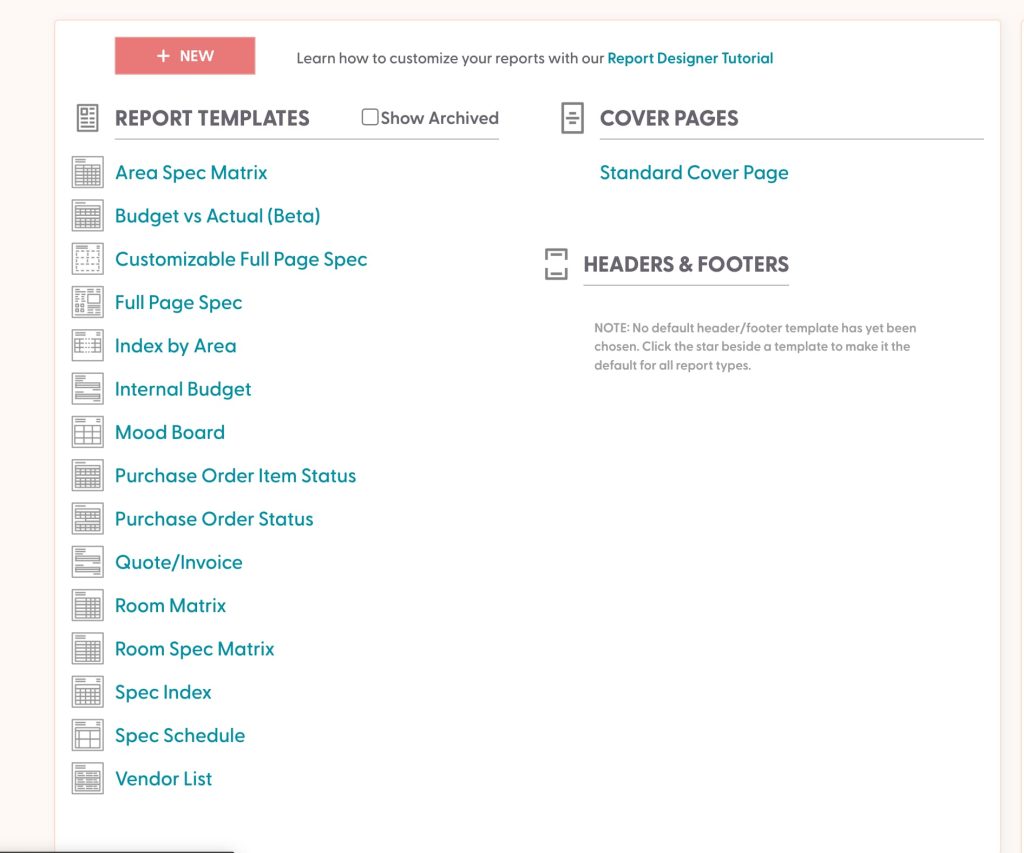
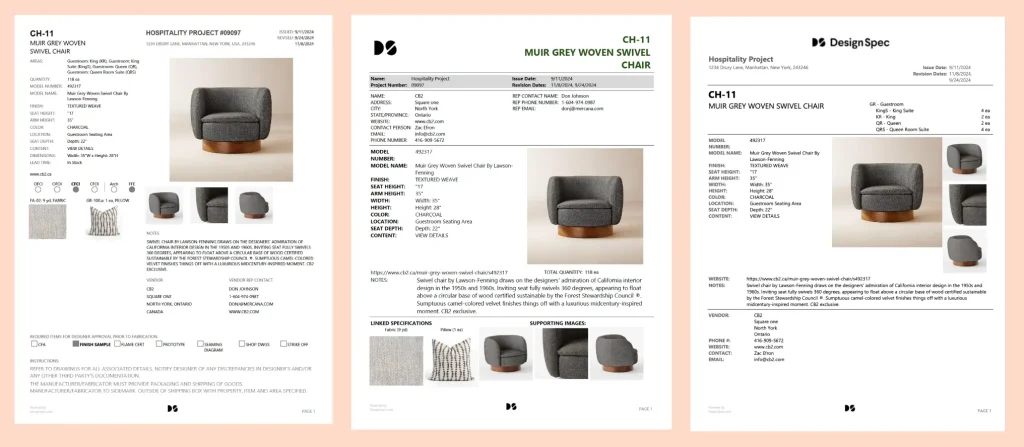
When it’s time to generate spec sheets, you can filter exactly which specs you want to include in each document. DesignSpec offers a wide range of professionally designed spec templates, so there’s no need to jump into other software to tweak spacing, alignment, or formatting.
All documents are branded to your firm, keeping everything cohesive and presentation-ready. You can easily choose the template format that works best for your team or your client.
Spec Stages & Project Tracking
DesignSpec also includes spec stages, which are exactly as intuitive as they sound. These allow you to track project progress and understand where each spec sits within the overall workflow. The software has the ability to automate updating the spec stages as specs are approved and invoices are paid.
Budgeting + Procurement
DesignSpec also includes a budgeting feature, which is surprisingly uncommon among interior design software platforms. We all know how critical budgeting is to any project, and with DesignSpec, you can manage your budget and view projected totals directly within the software—so there’s no need to crack open Excel for this either.
Beyond spec writing, DesignSpec supports procurement. You can filter through your specs to create a PO, which can then be sent to your vendor.
DesignSpec Integrations: Revit
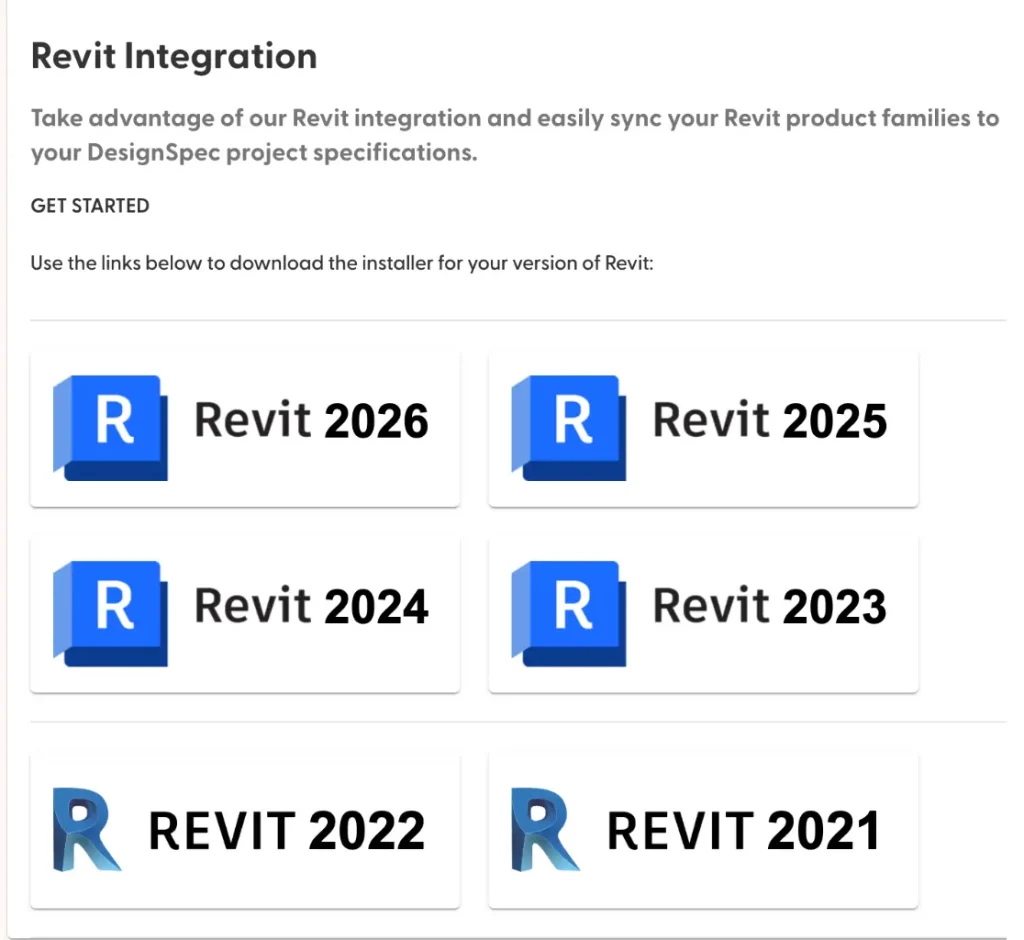
One feature that truly stood out to me is DesignSpec’s Revit integration. I haven’t seen this level of integration in any other spec-writing software, so it immediately caught my eye.
This integration syncs your product specs with Revit tags. You can link your DesignSpec project to Revit, map product parameters to matching model fields, and even align Revit rooms with the rooms created in DesignSpec.
What does this mean in practice?
Your Revit model and your specs stay fully aligned—by product type, category, and room. If a change is made in Revit, it syncs directly into DesignSpec. For designers and architects, this is a game-changer.
QuickBooks Integration
DesignSpec also offers a QuickBooks integration, allowing you to track invoice payment progress directly within the platform. You can generate invoices and purchase orders through the DesignSpec portal, keeping your financial workflow streamlined and centralized.
Slack Integration
DesignSpec also integrates with Slack, making team collaboration even easier. Fewer tools, fewer interruptions, and fewer tabs to manage.
Who Is DesignSpec For?
DesignSpec is an excellent solution for interior design and architectural firms that:
- Work on large, detailed commercial and/or residential projects
- Require seamless team collaboration
- Need a reliable, efficient approach to specification writing
- Want their drawings, specifications, and procurement to stay fully aligned
It’s especially well-suited for:
- Studio principals
- Procurement leads
- Solo, full-scope interior designers
If Excel is still part of your workflow, DesignSpec might be the upgrade you didn’t know you needed. Trusted by hundreds of firms worldwide, DesignSpec helps streamline and professionalize the specification process.
Learn more or start a free trial here.
Also Read: The Best and Worst Interior Design Software
Click Here To Shop My Favourite Home Goods
Let’s design your space together, virtually.