
The Best Home Design App to Replace SketchUp
When it comes to 2D and 3D floor planners, plenty of tools have entered the software space. As a designer who reviews tech, I often find myself comparing these applications to the once-industry standard: SketchUp.
SketchUp gained popularity—and is still considered a strong tool today—because of its flexibility and high level of customization. However, ease of use and the time commitment required to truly master SketchUp are something many designers don’t always appreciate (myself included).
Most comparable software claims to replace SketchUp, but very few come close.
Live Home 3D caught my attention as a tool to compare with SketchUp, as it shares access to the SketchUp Trimble 3D Warehouse, which naturally sparked my interest. Another aspect that stood out to me was its versatility. It works across Apple, Android and Windows devices, including the iPad and iPhone. This means designers can potentially use it seamlessly, whether they’re working on-site with an iPad or back at the office on a desktop. Which is a feature I know plenty of designers would appreciate.
I was also intrigued by this home design app because, aside from the Pro version, it also offers a free version. This is a great way to test the waters before committing to a new tool.
For the purpose of this review, I will be testing the Pro version.
So, let’s get into this review and see if this software really stacks up.
Live Home 3D Pro Features
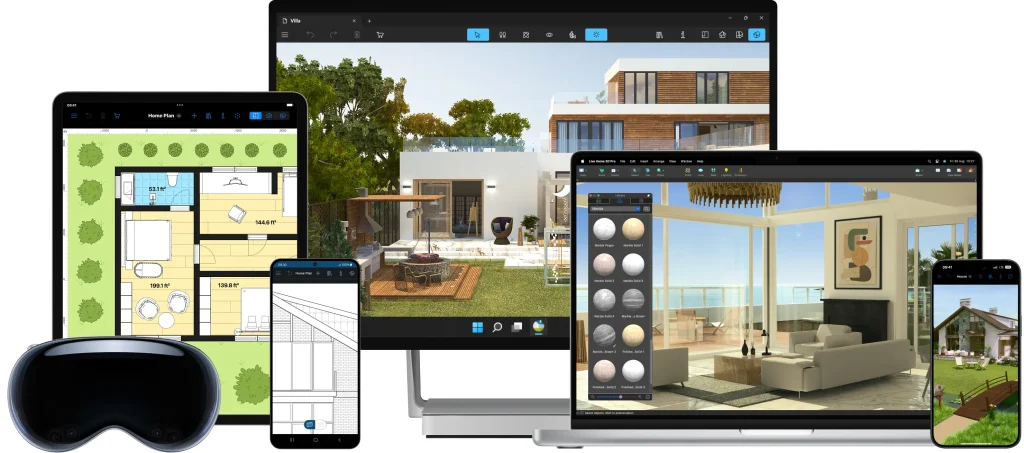
1. 2D and 3D Floor Planning
- Create detailed 2D floor plans and 3D models
- Upload and scale floor plans
- Unlimited floors for multi-story homes or large projects
- Elevation view for working on walls, openings, and details
- Custom 3D structures
2. Furniture & Object Library
- 5,000+ furniture and object models
- 3,000+ materials and textures
- Import additional models from Trimble 3D Warehouse
- Customize materials with advanced editing tools
3. Exterior Design
In addition to interior design, this home design app supports detailed exterior modelling, making it a versatile tool for interior designers, architects, and other professionals who need to create outdoor scenes as well.
- Terrain editing tools for outdoor spaces and gardens
- Add driveways, paths, and landscaping elements
- Design homes on slopes or uneven ground
- Custom roof designs with editable segments
- Building Block tool for custom structures (columns, porches, furniture)
4. Visualization
- Switch between 2D plans and fully rendered 3D views
- Walk through your design in real time
- Create flyover videos and renderings
- Augmented Reality (AR) to view designs in real space
5. Space Measuring Tool
- Room scanning with LiDAR (on supported devices)
6. Rendering
- Adjust natural lighting based on time of day and location
- Add and customize artificial lighting
- Light Source Editor for realistic interior scenes
7. Export & Sharing
- Export floor plans as PDFs
- Export 3D models in formats like OBJ, FBX, USDZ
- High-resolution images and 360° panoramas
- Create Ultra HD videos and presentations
At first glance, this feature list sounds impressive—but does this home design app actually deliver?
As I mentioned earlier, plenty of tools claim to offer powerful features, but they don’t always perform in real-world use.
So, I downloaded the app to my MacBook Air and put it to the test to see if it truly earns my stamp of approval.
Designer Tests Live Home 3D
I downloaded Live Home 3D from the Apple IOS Store.
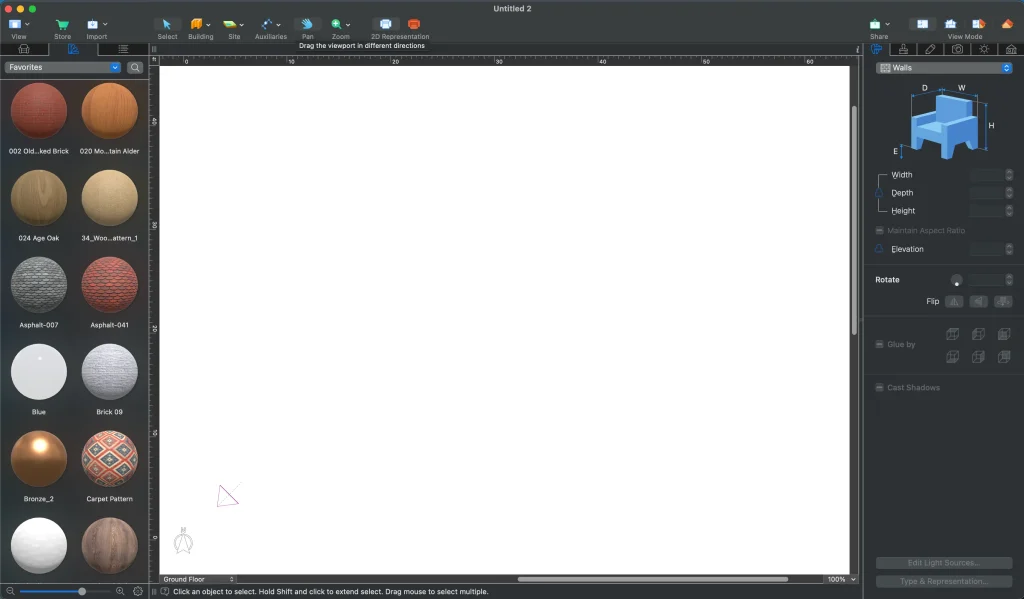
Is this home design app comparable to SketchUp?
I opened the app and was immediately met with a clean interface. If I had to draw a comparison to other tools, this home design app feels like a mix between SketchUp and Photoshop. However, it’s a much simpler design than SketchUp, which I often find can feel cluttered—especially when multiple toolbars and panels are visible at once.
One noteworthy point is the comparison to SketchUp, which is especially interesting because both platforms share a key similarity: the ability to import 3D models from the Trimble 3D Warehouse.
Which, I think, is awesome—especially for designers who are looking for a familiar workflow or potentially a SketchUp alternative.
The Trimble 3D Warehouse hosts more than 5 million models, making it a powerful asset for any 3D modelling or home design workflow.
Now, the real question is: Is this home design app easier to use and less time-consuming than SketchUp?
Keep reading to find out.
Designing In Live Home 3D

I started playing around with the floor plan and immediately noticed how easy it was to draw walls and rooms. With some software (SketchUp included), you need to adjust to awkward mouse movements or unintuitive controls, but with this app, it felt much more intuitive and not cumbersome or finicky.
Each wall is fully customizable. If you want to edit a wall, you simply double-click it, and a detailed settings panel opens on the right side. From there, you can adjust specifics like wall thickness, length, and wall type, etc. You can even add more advanced features like curvature and mouldings, which add a lot of flexibility when designing custom spaces.
Adding doors, windows and furniture is just as simple. The app includes a large built-in library of objects (even in the free version of this home design software), and you can simply drag and drop these objects into place.
The different view Modes
While working on the 2D floor plan, one feature I really enjoyed was the different viewing modes available in this home design app. This is where it starts to stand out from other home design software I’ve tested.
There are four main viewing modes.
2d Plan Mode
The first is the standard 2D plan view, which I personally find the best place to start when building out the structure of a space. Within the 2D mode, you can also switch between a grayscale and a colored viewport.
3d View
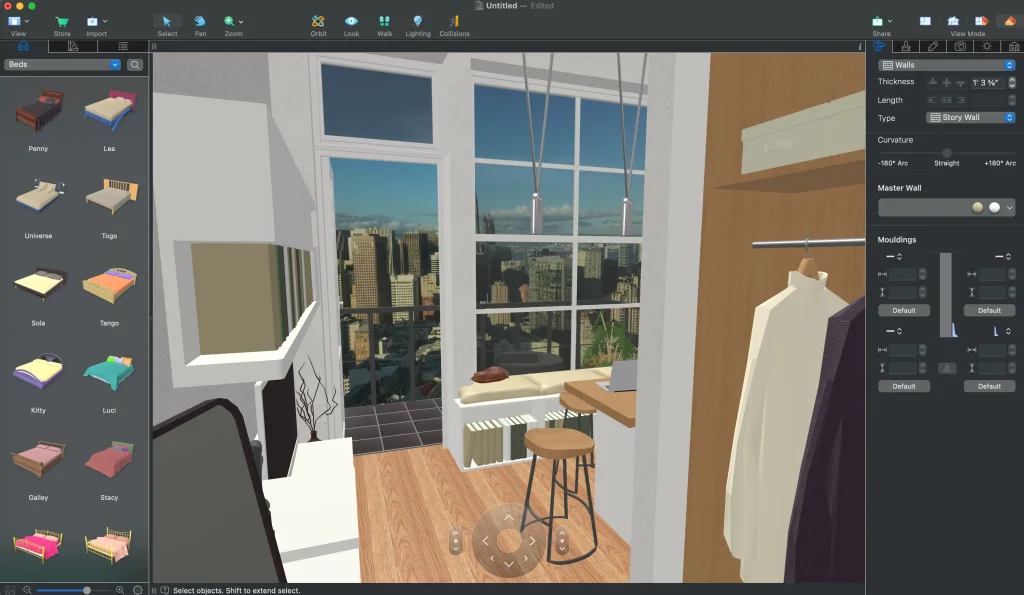
Once you start adding finishes, furniture, and materials, you’ll naturally want to see how everything looks in a more realistic format. That’s where the 3D view comes in, allowing you to instantly visualize your home design in a fully rendered environment.
2d Elevation view and split-screen mode
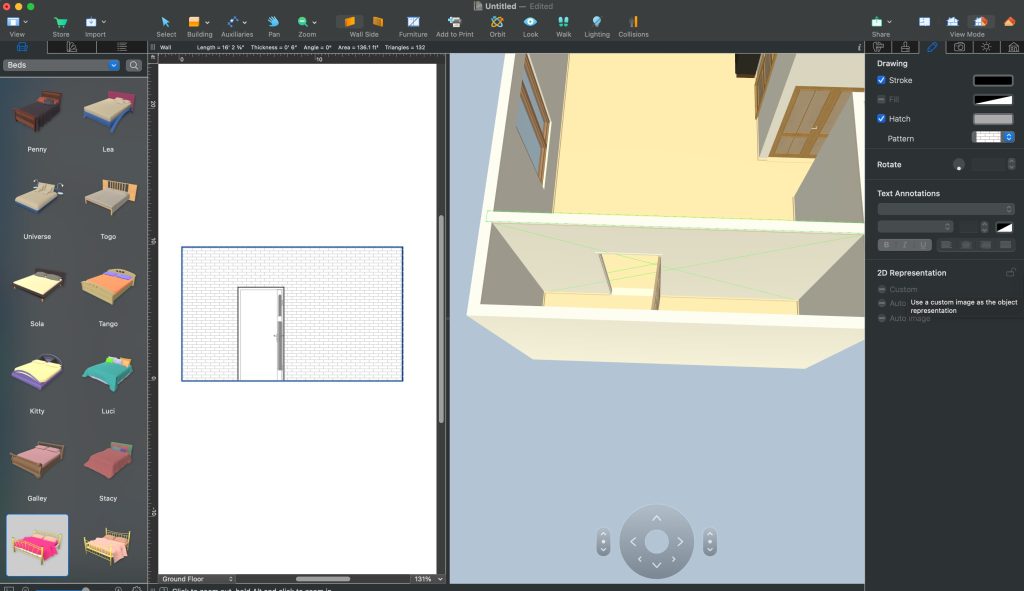
There are also two additional workflow-focused modes that I think are particularly useful for interior designers. The app includes a 2D elevation view, as well as a split-screen mode that lets you view both the 3D model and 2D elevation side by side. This is especially helpful when working on professional drawing sets, where you need to coordinate multiple views at the same time.
Overall, these multiple view modes make this home design app a strong option for designers who want a more flexible and efficient workflow across both conceptual design and technical drafting.
How User-Friendly is Live Home 3D?
After spending the better part of a day in this software, I found myself reflecting—like I always do when writing a software review—and asking: how user-friendly is this home design app? Is it beginner-friendly, or do you need to be well-versed in computer software and design tools to use it effectively?
This app is straightforward and allows for easy customization of both interiors and exteriors. It’s very easy to get started on a project and quickly find all the tools you need to add or adjust textures, shapes, sizes, and more. The toolset feels simple on the surface, but it is actually quite robust, offering everything an interior designer would need to produce detailed floor plans and 3D visualizations.
So, to answer the question: if you are already familiar with a program like SketchUp, this home design app will feel like a breeze to navigate.
If you are just getting started with 2D and 3D floor planning, this tool is also a great option to consider, as it is intuitive and does not require extensive training. The toolbars are clearly labelled, the different viewports make it easy to switch between perspectives, and it works seamlessly across different devices.
Bonus points for this app as they create very easy-to-follow YouTube tutorials, which I did refer to a few times when I did get stuck. This is an amazing resource for designers looking to utilize this tool.
Does This Home Design App Really Compare To SketchUp?
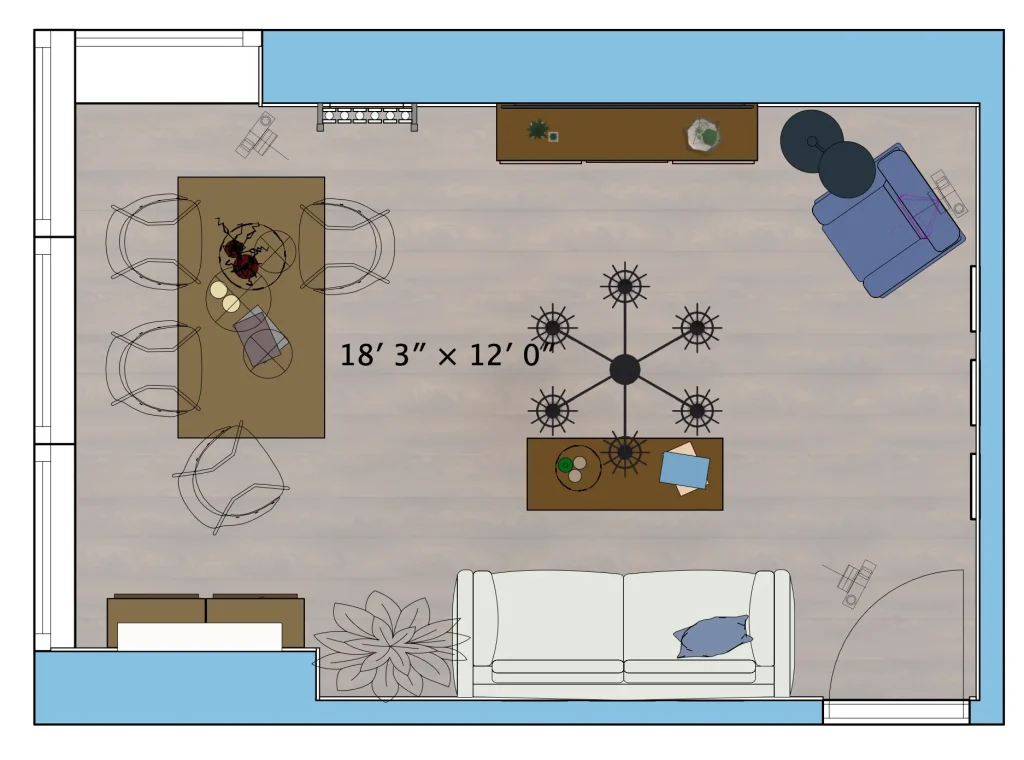
I would consider this home design app to be a SketchUp equivalent, but without the fuss.
Many of the tools and features operate in a similar way to SketchUp; however, it is much simpler to draw and build within this software compared to SketchUp.
Here is a quick comparison:
Ease of Use
Live Home 3D is much more beginner-friendly and intuitive. SketchUp has a steeper learning curve and takes more time to master.
Workflow Speed
Live Home 3D is faster for creating basic floor plans and interior layouts. SketchUp is more powerful but slower for quick design work.
Customization & Control
SketchUp wins for advanced modelling and deep customization. Live Home 3D is more guided, which limits complexity but makes it easier to use.
Library & Assets
Both support 3D model imports (including Trimble 3D Warehouse), but SketchUp has a larger ecosystem overall.
So, this app could very well be the versatile 2D and 3D home design app you’ve been looking for. I was genuinely impressed by how easy it is to use, as well as the robust feature set it offers for both interior and exterior design.
While SketchUp still leads in advanced modelling, Live Home 3D offers something many designers actually need more: speed, simplicity, and flexibility across devices.
It won’t replace SketchUp for every designer—but for many, it might be the more practical tool.
Click Here To Shop My Favourite Home Goods
Let’s design your space together, virtually.

Disclaimer: This post was sponsored by Live Home 3D, but all thoughts and opinions remain my own.


