
The Most Powerful Interior Design AIs
It seems like all interior design projects now start with AI. More and more of my clients are coming to me after experimenting with interior design tools, and as someone who’s been dubbed the queen of interior design AI, perhaps that’s not so surprising.
Recently, a client booked me to review renovation plans for the interior of his yacht. Yes—that’s correct, yacht design is officially making its way onto my resume. He mentioned that he had experimented with Claude to generate interior design concepts. This is his exact message:
I’ve been using Claude (Anthropic’s AI) extensively to develop the palette logic, research design references like Armani’s interiors and Riva’s signature palettes, and build comparison boards. I found your work specifically because of your expertise at the intersection of AI tools and professional design. I’m a strong believer that AI augments human intelligence rather than replacing it, and your perspective on that resonates with how I’ve been approaching this project.
That said, I know I’m at the point where I need a trained designer’s eye to validate what we’ve built and catch what AI can’t — things like how these colors will actually behave under the salon’s recessed lighting, fabric hand and texture, and sourcing real products that match the palette.
A few questions I’d love to discuss on our call:
Given your experience with AI visualization tools, would it be useful to generate some AI renderings of the salon with different upholstery colors applied to the actual space? If so, which tool would you recommend for that?
He attached this reference photo, which was generated by Claude:
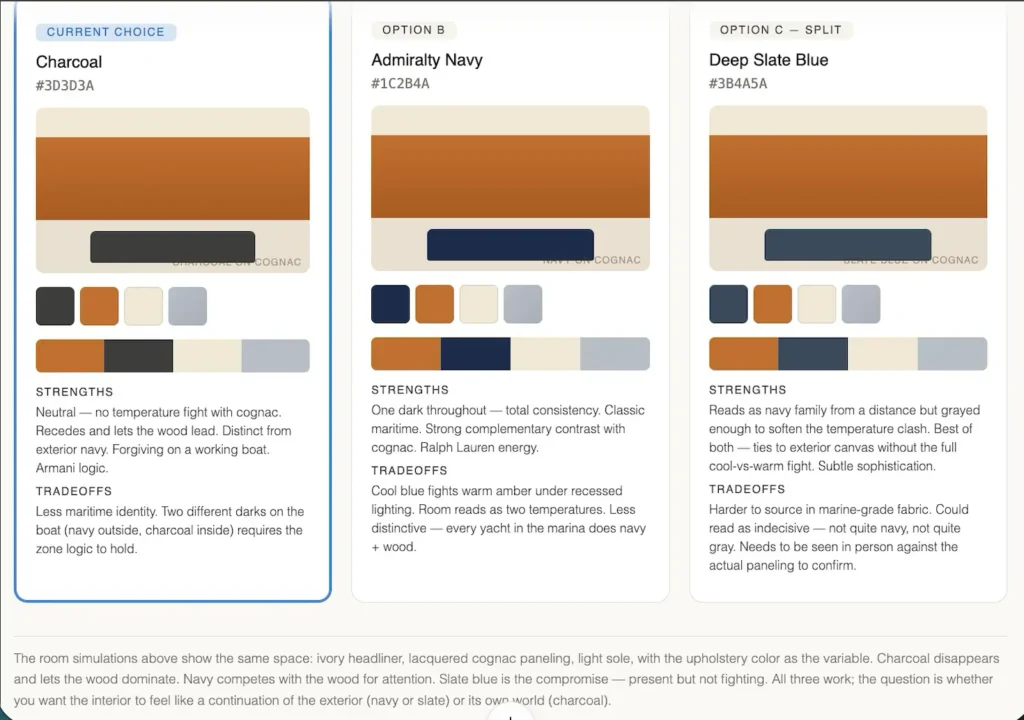
Interior design ais have changed the interior design process
I wanted to share this introduction story because it perfectly illustrates how interior design AI is changing the way people approach their design projects. This story is just one of many. Simply put, people are now using AI as a tool, not to replace the human touch, but to gather ideas, develop colour palettes, brainstorm initial concepts and for selection visualization.
With that in mind, I’ve put together a list of some of the most powerful interior design AI tools to support you in the different phases of the design process.
The Most Powerful Interior Design AIs and Why

Claude
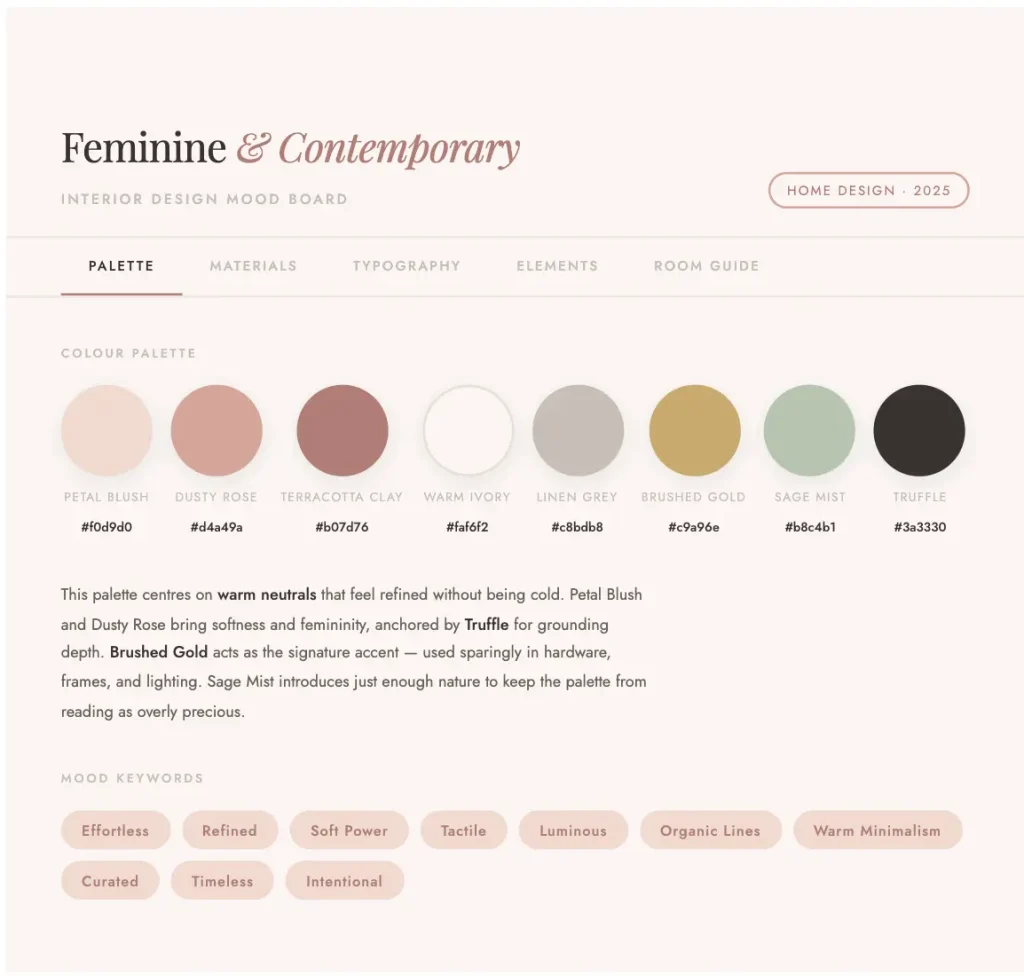
Claude makes this list of interior design AIs because it’s quickly becoming one of the tools people are gravitating toward. As I mentioned in my introduction, my client was able to research reference interiors they liked and extract comparable elements to begin shaping their design ideas. Claude is a clever tool for building colour schemes and researching what works based on your taste and space. It can even generate an interactive mood board that explores colour palettes, fabric suggestions, and overall room direction.
What it’s best for
Although not specifically built for interior design, Claude has become a popular tool in the space. It’s best used for brainstorming and research. If you’re trying to develop a particular colour palette, style, or overall vibe—and need help refining your ideas—this tool can help lay the groundwork for a successful interior design project.
Who it’s for
Claude works wonderfully for design enthusiasts who are looking to refine their taste, explore options, and build a strong starting point for their project.
When it comes to using Clause as an interior design professional, it falls a bit short for me. If you want to read my review on testing Claude for interior designers’ use, click here.
Planner 5D

Next on this list of interior design AIs is Planner 5D. Planner 5D is one of my favourite tools for interior design—it’s a robust platform that can be used for space planning, creating 3D interior models, exploring design ideas, testing wallpaper, and more. It’s a tool that’s widely used by both professionals and design enthusiasts alike.
What it’s best for
This interior design AI is especially strong when it comes to generating 3D models of your space. One standout feature is the ability to create a 3D model from a 2D floor plan in just minutes. Another feature I love is the generative redesign tool—it produces genuinely impressive outputs that feel high-quality and achievable. To see a indepth review of Planner 5D‘s features, click here.
Who it’s for
As mentioned, Planner 5D sits nicely between amateur DIY designers and professionals. I know a few contractors and designers who use it. If you’re a homeowner looking to experiment with a powerful interior design tool, this is a great option. This AI offers a wide range of features and allows you to properly plan and visualize your space for a renovation.
For professionals in the interior design field, Planner 5D provides a robust enough toolkit to create 3D visuals for clients, with a good level of customization depending on the needs of the project.
Roomform.ai
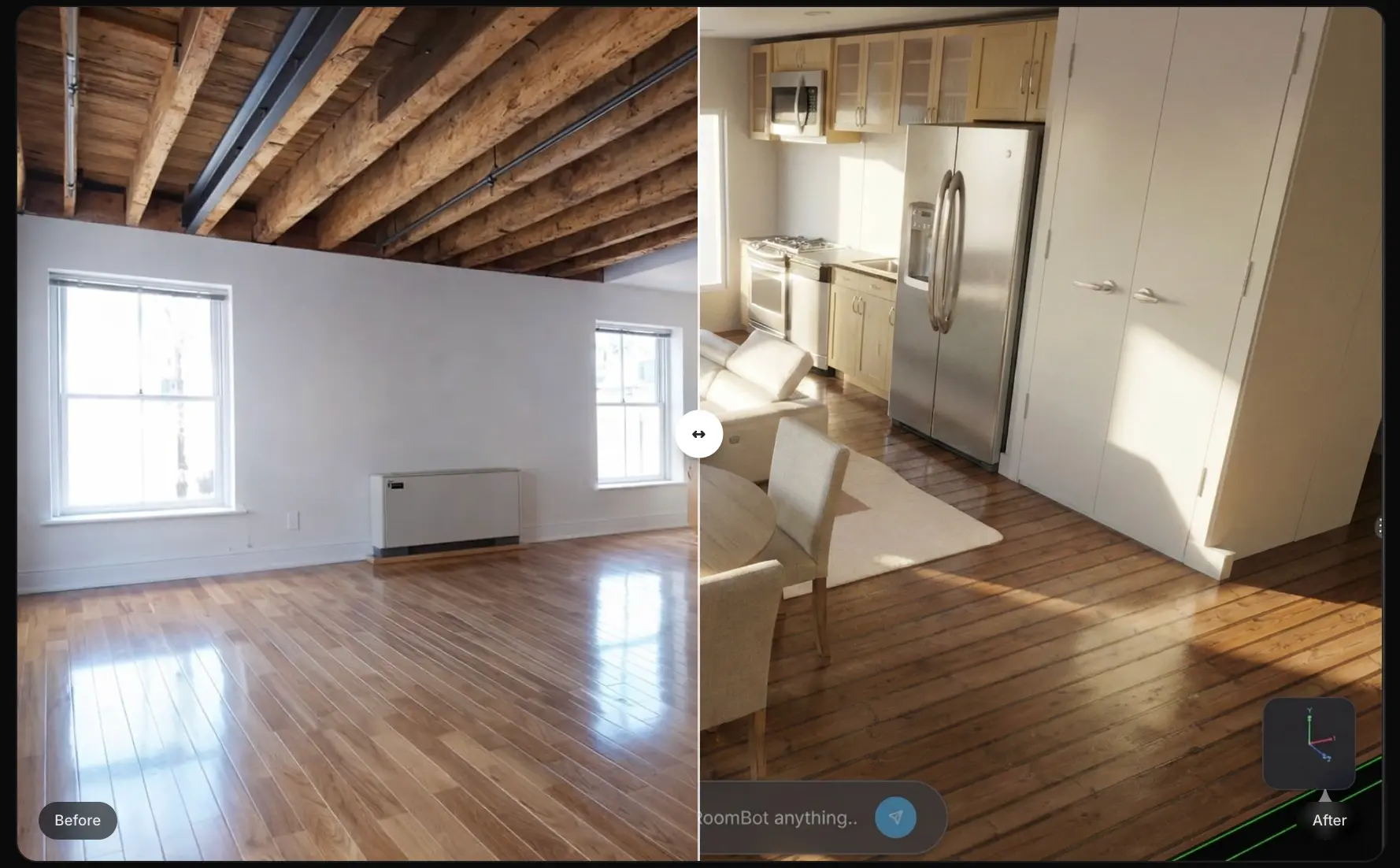
Roomform.ai is a newer AI tool I’ve tested. It stands out because it integrates LiDAR technology directly into the app. This means you don’t have to deal with manual room measurements. You can simply use your phone to scan the space, and the AI will instantly generate a model for you. From there, you’re ready to move into the next steps of the interior design process, including furniture and decor sourcing, which the app can also assist with.
What it’s best for
This AI app is ideal for space planning and quickly generating 3D models. It’s also great for gathering ideas for products, furniture, and decor, as it can support you in sourcing and visualizing selections.
Who it’s for
This tool is perfect for design enthusiasts looking for an easy way to create 3D models while leveraging LiDAR technology to simplify the measuring process. It has little to no learning curve and is very user-friendly.
It can also be a valuable tool for design professionals. Especially those working in a virtual environment (e-designers), who want to take advantage of LiDAR technology and collaborate more effectively on interior design projects.
To read more on this AI tool, click here.
If you want to try Roomform.ai, use code DEE50 at checkout for 50% off your first month’s subscription.
Frameshift

Frameshift makes this the most powerful interior design AIs list because it is a tool that truly shocked me—and for good reason. Although it’s still in beta, it’s an extremely powerful platform. It has the potential to completely change how interior designers create 3D visuals. One of its standout features is the ability to upload a floor plan, define the space, and generate visuals that resemble the intended scheme. From there, you can quickly iterate on the design—much faster and more intuitively than traditional tools like Photoshop.
What it’s best for
This AI is all about efficiency. It’s ideal for interior designers who want to create 3D visuals for clients without the time-consuming process of building out full 3D models. It’s especially useful for quickly producing client-ready mockups.
Who it’s for
This tool is geared toward professional use. It’s best suited for designers who want a powerful, floor plan-based workflow with built-in AI capabilities to generate 3D visuals more efficiently than traditional methods.
To explore the full feature list of this game-changing AI tool, click here.
More On Interior Design AIs
If you found this post informative, check out more posts below and/or leave me a comment and tell me which interior design AI you find most impressive!
Designing Your Home With AI? Don’t Skip This Warning
Free AI Interior Design Tools You Can Use Right Now
Click Here To Shop My Favourite Home Goods
Let’s design your space together, virtually.




