
I Tried The Newest and Hottest Interior Design AR Tech
Interior design tech has been all the rage lately, and something that continues to gain momentum is interior design AR. You might be wondering—what the heck exactly is AR? Augmented Reality (AR) is revolutionizing the way we experience interior design by blending digital elements with real-world spaces. With AR, you can visualize furniture, decor, and finishes in your home before making a purchase, creating a more interactive and confident shopping experience. This technology enhances e-commerce for both consumers and sellers, reducing uncertainty and making online shopping feel more like an in-person experience.
AVOID COSTLY (AND UGLY) DESIGN MISTAKES
What is AR in Interior Design?
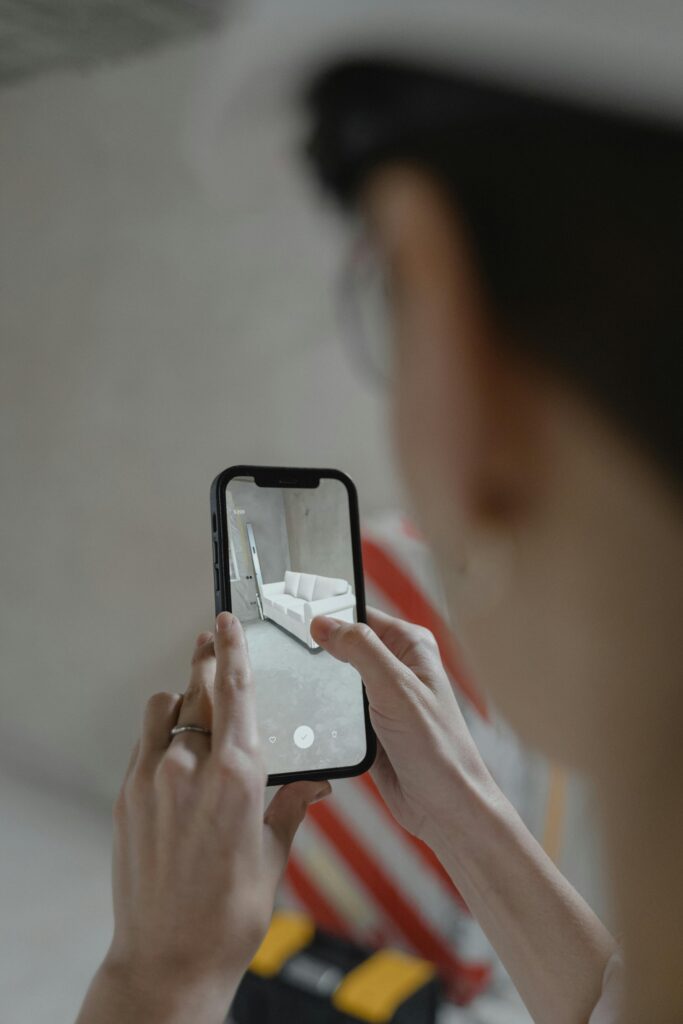
Augmented Reality allows users to overlay digital elements onto the real world through a smartphone, tablet, or AR headset. In interior design, this means you can visualize furniture, decor, and even paint colours in real-time, helping you make informed decisions before committing to a purchase. Unlike traditional mood boards or static 3D renderings, AR provides an interactive and immersive experience.
Testing Out Interior Design AR
Two AR companies have recently caught my eye—Planner5D and Roomvo—both of which are making significant strides in the world of interior design technology. Planner5D, which I previously reviewed, read my review here, offers a user-friendly platform that allows homeowners and designers to create and visualize spaces using augmented reality. Its ability to generate realistic room layouts and designs makes it a powerful tool for both professionals and DIY enthusiasts.
The second company, Roomvo, specializes in product visualization, helping consumers see how flooring, rugs, and other home decor items will look in their space before making a purchase. This technology enhances the online shopping experience by reducing uncertainty, minimizing returns, and boosting buyer confidence.
Both of these companies showcase how AR is reshaping the future of interior design, making it more interactive, efficient, and accessible for everyone. Keep reading to get my thoughts on both applications.
Planner5D AR Review
If you want to read my full review of Planner5D and explore all the features this app offers, click here.
For this test, I experimented with AR in a small corner of a space. Not exactly the best setup—but as with all my reviews, I like to challenge technology. When you open Planner 5D’s AR feature, your phone camera launches, allowing you to add virtual home items like chairs, rugs, and artwork into your real space. To put it to the test, I decided to add a chair.
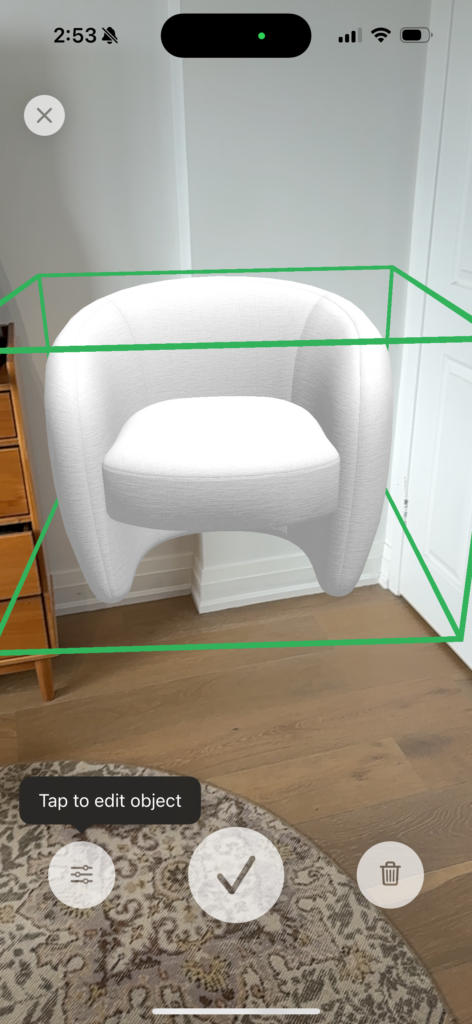
This is what you see: You can place the item in the room, and from there, you can edit its colour, scale, and other details to fit your space. From here, I decided to add a decorative cushion to this chair.
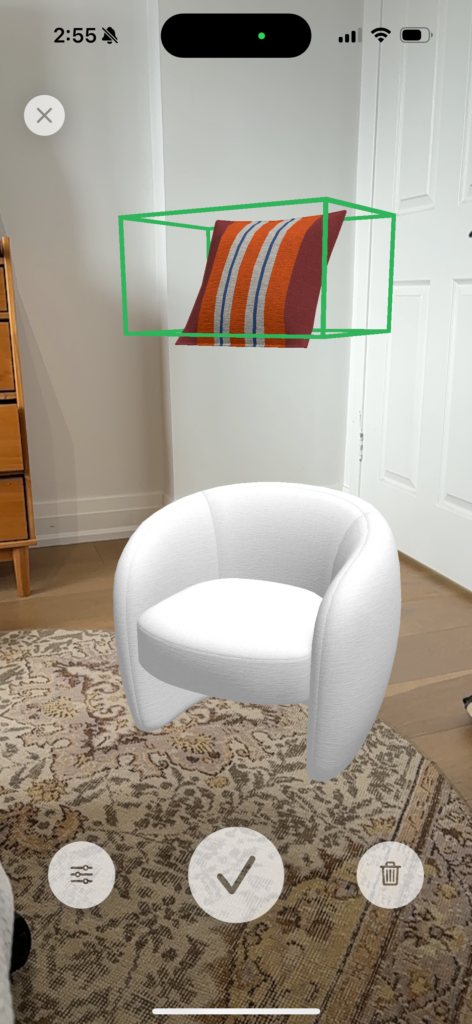
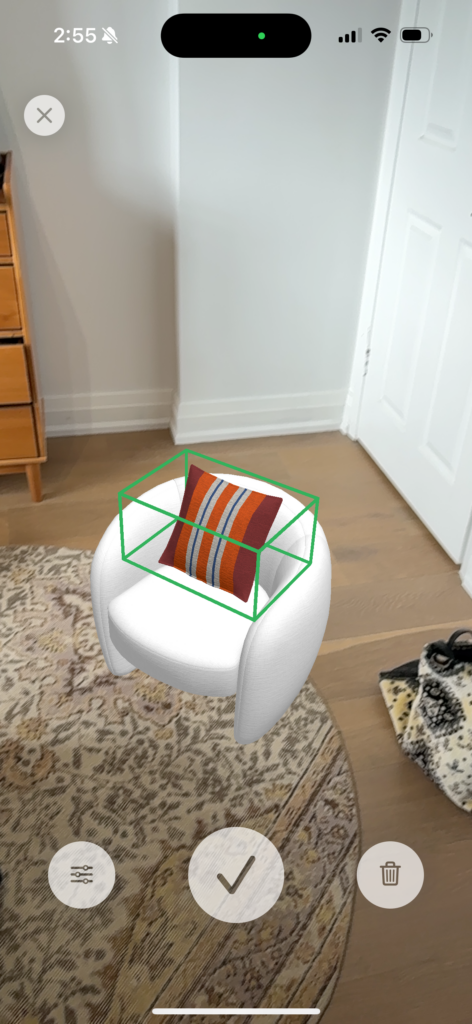
Getting this cushion in the right spot was challenging; it felt like playing a video game or one of those claw machines where you try to grab a stuffed animal. The AR places the cushion, but you have to adjust and reposition it a few times to get it just right.
I played around with different home items, such as wall decor and furniture, and found that some items worked seamlessly with AR, while others were more challenging to place. There’s definitely a bit of a learning curve here. However, considering that this technology is still evolving, it does a pretty solid job. In fact, it genuinely helps with visualization, despite my test not being perfectly to scale.
AR for Outdoor Use
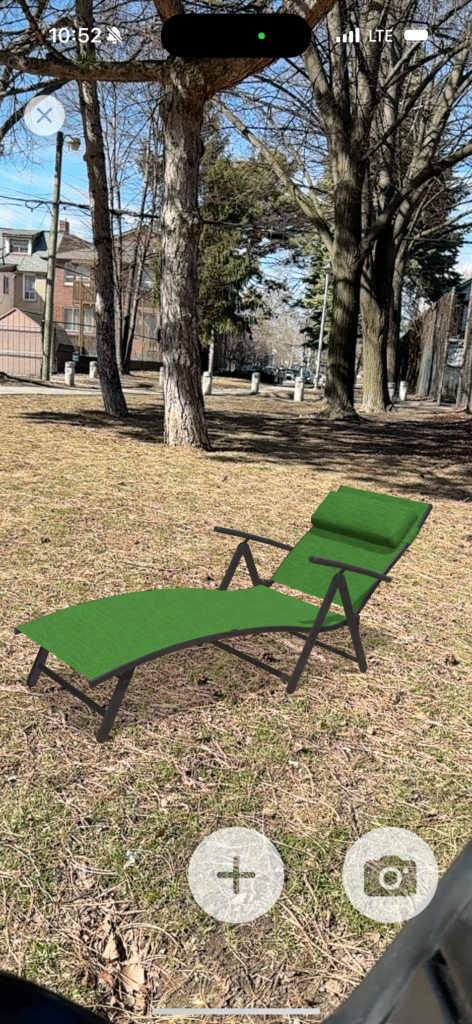
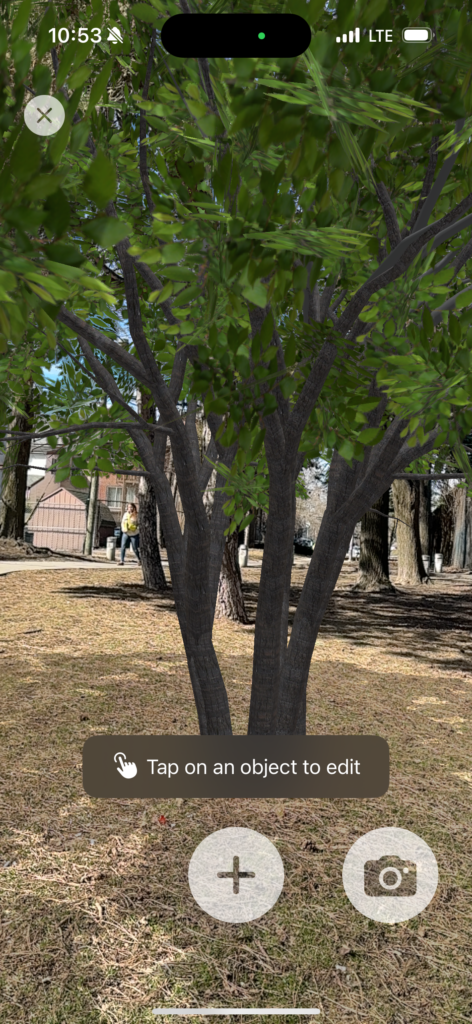
I even played around with Planner5D’s outdoor AR function, and I have to say it’s pretty cool! This feature is especially useful if you’re planning a landscaping project, as it allows you to visualize outdoor furniture, greenery, and other exterior elements in real-time. Whether you’re designing a patio, garden, or backyard space, this tool can help you experiment with layouts and materials before making any commitments.
Roomvo AR Review
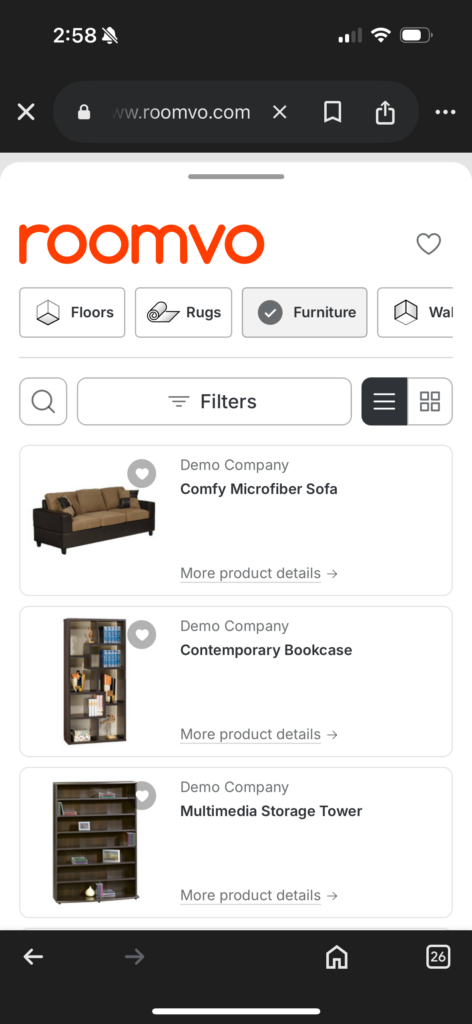
I tested Roomvo’s AR function, and it works a bit differently than Planner5D’s. With Roomvo, you take a photo of a space and then add elements to it. The AR feature is more focused on finishes rather than furniture placement. So, I experimented with different finishes in this corner. Their furniture gallery is quite limited, so I placed a random chair for testing purposes. Please don’t judge these tests as a reflection of my interior design skills—or lack thereof – I’m just playing around here.
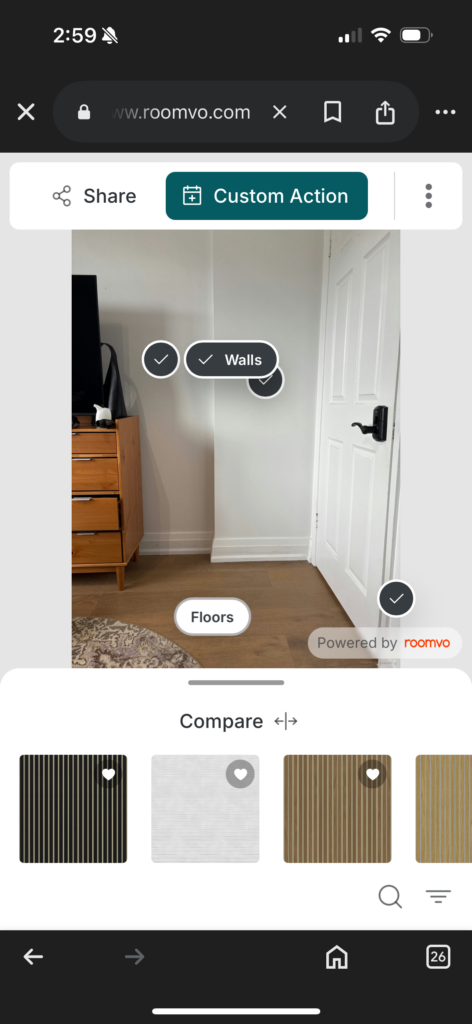
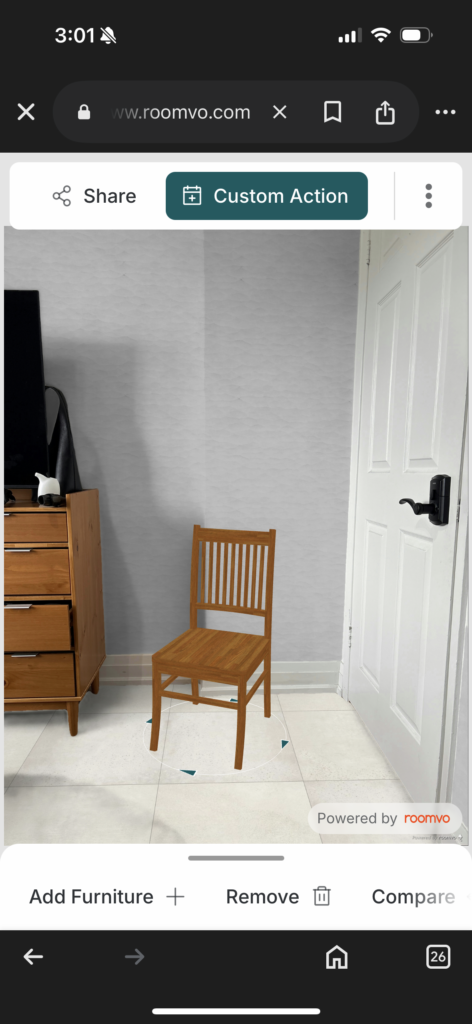
The way Roomvo was able to easily distinguish the floors from the walls and change materials instantly was very impressive. This level of precision and ease in customization shows the potential of AR in transforming how we approach interior design
My Review on Interior Design AR
Overall, what do I think about these interior design AR apps after using them? Well, I think they’re super cool and useful. They definitely have room for improvement, but I believe this technology will be incredibly beneficial as more people choose to buy furniture online. It offers reassurance by helping users visualize how something will look in their space. Even though it’s not perfect, it’s something people can use to make more informed choices for their homes.
Other Popular AR Tools for Interior Design
- IKEA Place – Lets users visualize IKEA products in their homes with accurate sizing.
- Houzz AR – Provides interactive design experiences for home remodeling.
- DecorMatters – Helps users design rooms using real furniture from major brands.
- Sherwin-Williams ColorSnap – Allows users to test different wall paint colours in real time.
The Future of AR in Interior Design
As AR technology continues to evolve, we can expect even more sophisticated features such as AI-driven design recommendations, voice-assisted AR tools, and integration with smart home technology. The combination of AR and AI will likely redefine the way we approach home improvement, making design more accessible, efficient, and enjoyable.
Final Thoughts on Interior Design AR
Augmented Reality is no longer just a futuristic concept, it’s a game-changer for interior design. Whether you’re a professional designer, a retailer, or a homeowner, embracing AR technology can enhance the way you visualize and create spaces. As the industry continues to innovate, AR will become an essential tool in designing homes that are both functional and beautiful.
Have you tried using AR for interior design? Share your experiences in the comments below!
Read The Best and Worst Interior Design AI,A Designer’s Review.
Click Here To Shop My Favourite Home Goods
Let’s design your space together, virtually.




