How To Use Sora For Interior Design Presentations
The world of interior design AI and technology is one I’ve fully immersed myself in, and it feels like AI is advancing by the minute. This rapid progress is transforming the way designers work and present their designs. The latest advancement is image-to-video technology, which is where Open AI’s Sora 2 comes in.
Sora which is available on the platform OpenArt, can be used for interior design, as it can elevate your presentations to the next level. Instead of showing clients static photos of interiors, you can now offer an immersive experience where your designs truly come to life—creating a more memorable and impactful presentation.
Let’s dive into Sora for interior design and what you need to know to use this powerful tool.

What Sora AI Can Do For Interior Designer’s
1. Animate Your Concept Presentations
Mood boards are a great starting point for any interior design project. But let’s be real—mood boards aren’t that impressive anymore. Anyone can make one. As a designer trying to stay ahead during the AI revolution, it’s time to level up your presentations. One way to do that is by presenting your ideas in a more dynamic and engaging way.
With Sora, you can take your mood boards to the next level by making them animated. Simply drop in your mood board or finished palette, and watch it come to life—materials shift, lighting changes, and textures transition. This gives clients a more dynamic understanding of your vision and makes them naturally more drawn to your selections.
2. Create Mini Walkthroughs
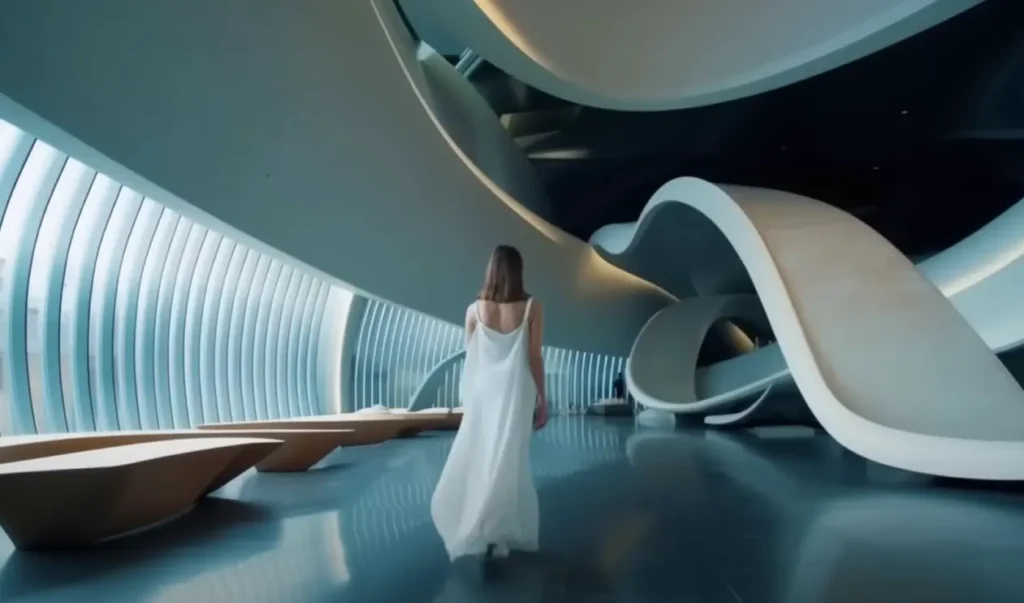
Now, this is probably the most impressive way to showcase your design work to a client. Creating a static render with MidJourney or Nano Banana is great, but if you really want to amp it up, a video walkthrough will capture your client’s attention far more effectively. You can take the render you’ve already created and prompt Sora to perform a slow camera pan, bringing your design to life in a way that’s immersive and engaging.
3. Pitch with Storyboards
You can create cinematic clips—whether it’s a virtual walkthrough of someone moving through your design or a scene that shows how different lighting conditions interact with the space. This allows you to tell a story with your design, engaging the client and making your presentations truly stand out.
4. Seasonal or Event-Based Content
You don’t always have time to stage and shoot new videos. With Sora, you can quickly create content like “Cozy Winter Living Room,” “Fresh Spring Palette,” or “Modern Office with Holiday Décor.” AI can help you inspire, build content, and visualize ideas, making the design process faster and more creative.
5. Studio Storytelling
Sora’s Cameo feature lets you place yourself directly into a scene—sketching, walking through a space, or presenting to a client. You can use this to create a looping brand film for your website that showcases your process from sketch to installation.
How To Prompt Sora 2
If you’ve ever used AI, you know that the quality of the output really depends on how well you prompt. Leave out details or get lazy with your wording, and you probably won’t be thrilled with the result. So, here’s a prompt guide to help you get the most out of Sora.
Prompt Framework
Think of prompting like briefing a cinematographer who has never seen your storyboard. If you leave out details, they’ll improvise—and you may not get the vision you had in mind. By being specific about what the “shot” should achieve, you give the model a clear framework for control and consistency.
That said, leaving some elements open can be just as powerful. Giving the model more creative freedom often leads to surprising variations and unexpectedly beautiful interpretations. Both approaches are valid: detailed prompts give you precision and consistency, while looser prompts invite artistic exploration. The right balance depends on your goals and the story you’re trying to tell through the design.
Above all, be ready to iterate. Small changes in camera angle, lighting, or action can completely transform the mood and message of your scene. Think of this as a collaboration—you bring the design direction, and the model brings creative variation.
Sora Prompt Anatomy That Works for Interior Design

Think of a Sora prompt as your digital storyboard — you’re describing a design scene the way you’d sketch or brief a videographer. A strong prompt paints a clear visual picture: define the camera angle, depth of field, action or movement, and the lighting and color palette. Ground your design with a few distinct details—like material finishes, key furnishings, or architectural elements—so the space feels cohesive and recognizable. A simple, realistic action (for example, “sunlight shifting across the sofa” or “a designer walking through the space holding samples”) helps make the shot feel intentional and natural.
You can also describe multiple scenes in one prompt if you’re aiming to capture a sequence, such as a full walkthrough or a transformation moment. Just keep each scene clearly separated: one camera setup, one design moment, and one lighting concept per section. This structure gives you flexibility—whether you want to create short cinematic clips for social media or a continuous walkthrough for a full presentation. Treat each shot as its own creative unit—you can later edit them together for a seamless story or use them individually to highlight design concepts.
Shorter prompts give Sora more room to interpret and often lead to unexpected, creative variations—great for early concept exploration.
Longer, detailed prompts give you more control, guiding the model to closely match your design vision, though results may vary depending on how much context you provide.
Example for Interior Design:
Prompt:
A cinematic shot of a minimalist living room with warm afternoon light filtering through sheer curtains. The camera slowly pans across the room, revealing a boucle sofa, marble coffee table, and brass lighting fixture.
Here’s why this works:
- “Cinematic shot” sets the tone and pacing.
- “Warm afternoon light” defines the lighting style.
- The camera pan describes motion.
- Specific elements like boucle sofa and brass fixture anchor the design details while leaving room for the model to interpret materials and composition creatively.
To refine your vision, you can always add or adjust details—time of day, atmosphere, texture emphasis, or camera movement—to create different moods or versions of the same design.
Think of each prompt as a collaboration between your design intent and the AI’s creative lens. The more you experiment, the more fluent you’ll become in visually directing your digital interiors.
Click here for more on Sora 2 Prompting.
Create Better Interior Design Presentations With Sora
Being an interior designer in 2025 and beyond means embracing AI tools to grow and stay relevant in the industry. While 3D models and mood boards can still communicate design ideas, today’s clients expect exceptional presentations—they want to be inspired and impressed. The days of simple, static presentations are behind us. Designers now need to adapt to a new landscape that blends AI, software, and storytelling to truly wow their clients.
With tools like Sora and other AI design platforms, it’s easier than ever to create immersive, high-impact visuals. Once you get past the initial learning curve, you’ll find yourself using these tools effortlessly to elevate your presentations and stand out as a forward-thinking designer.
So, use Sora for interior design—and start wowing your clients.
More On the ai topic for interior designers
Is Midjourney Really The Best AI For Interior Designers?
The Best AI Tools For Interior Designers’ Workflow
How To Use Nano Banana AI To Interior Design
Click Here To Shop My Favourite Home Goods
Let’s design your space together, virtually.