
The Ultimate AI Tool for Interior Designers and Architectural Rendering
Interior designers and architects, listen up (or rather, read up). In this post, I will be reviewing an AI tool for us interior designers—Spacely AI. This AI tool for interior designers and architects caught my eye because of its unique capabilities, as, it’s an AI tool created with the needs of interior designers and architects in mind. Naturally, this was right up my alley, not just as a designer, but also as someone who blogs about AI tools in the broader AEC (Architecture, Engineering, and Construction) space.
What stood out to me is that Spacely AI sits at the crossroads of interior and exterior design tools. That made testing it a very different experience compared to the other AI interior design platforms I’ve tried and featured on my blog. So keep reading if you’d like to learn about this AI design software that can help you as a designer or an architect.
AVOID COSTLY (AND UGLY) DESIGN MISTAKES
Disclaimer: This review has been sponsored by Spacely AI. However, all thoughts and opinions are 100% my own, as always.
AI Tool for Interior Designers: What Can Spacely AI Do?
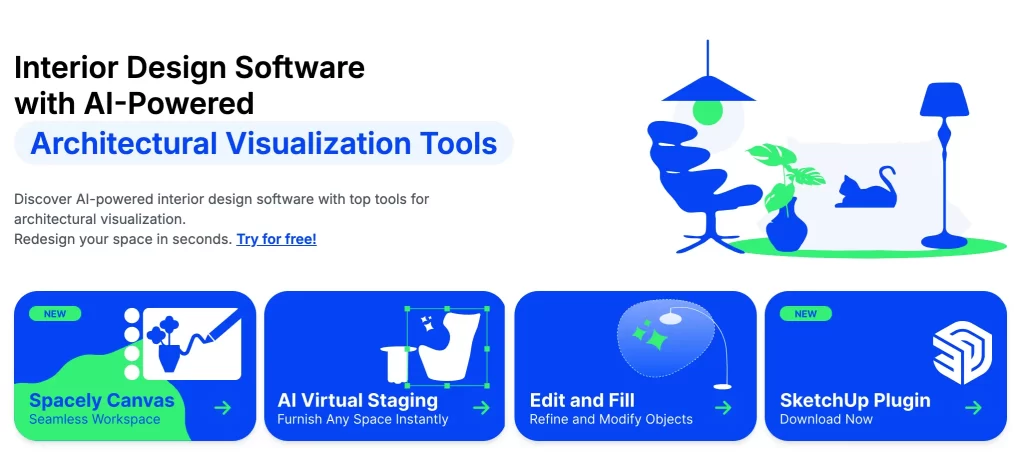
Spacely AI offers an extensive toolkit geared towards architectural visualization and interior design. Let me break down its features before diving into my personal testing.
- AI Design Canvas – An AI-powered interior design workspace that helps users instantly visualize, style, and transform room photos all in one place using advanced rendering tools. (also tested in my post: The Best and Worst Interior Design AI: A Designer’s Review)
- Render Interiors – Converts a sketch or model into high-quality interior visuals
- Magic Edit – Type in your desired changes and the AI instantly transforms your design
- Style Transfer – Apply styles from reference images to quickly render your design
- AI Virtual Staging – Decorate and furnish empty rooms
- Render Exteriors – Produce high-resolution exterior images from architectural sketches
- Enhance Quality – Upgrade images from low to high resolution
- Change Room Color – Adjust walls, floors, and ceiling colors in a space
- Edit & Fill Object – Refine or modify objects to match your design vision
- Remove Object – Erase unwanted elements from your design
- Cleanup Space – Remove all furniture and decor from photos for redesign
- Text-to-Image – Generate visual concepts from text descriptions
- Collage-to-Render – Drag and drop furniture into your space for instant visualization
- Image to 3D – Upload an image of an object and convert it into a 3D model
- Background Generator – Automatically create suitable room backgrounds for furniture
- Add Lighting – Enhance or adjust lighting in your renders
- Remove Background – Clear image backgrounds for clean presentations
- Furniture Search – Find furniture that matches your design, with price details and purchase links
- Create Texture – Develop custom textures for unique design applications
- Material Overlay – Visualize different materials and finishes at scale
- View Extender – Expand image frames proportionally
- Image Editor – Professional photo editing tools (like Photoshop-lite)
SketchUp Integration: One of the features that make Spacely AI unique is its seamless integration with SketchUp, allowing you to render photorealistic interiors and exteriors in seconds using their plugin. This is a game-changer for both productivity and creative inspiration.
Keep reading until the end for an exclusive pricing package for my readers. 👀
Who Is Spacely AI For?
Exploring everything Spacely AI can do, it’s clear that this tool is designed for interior design and AEC professionals, such as architects who want to elevate their presentations and client visuals. As a Designer, naturally, I had to put these AI tools to the test—and I’ll be focusing on some of the less common AI tools this software offers, such as, image to 3D, image enhancing tools and exterior rendering tool. Considering there are so many AI tools on the market, I like to highlight what makes each one unique, so that you—the person on the other side of this screen—can make an informed decision about which software is best for you.
My Test of Spacely AI Design Tools
1. AI Design Canvas
The first tool I had to try was the AI Design Canvas, and if you know me, you know I love testing out AI tools to redesign Airbnb’s (especially since I’m currently traveling). My current Airbnb is a bit drab, and the kitchen in particular could really use an upgrade—as you can see in the “before” photo here:

I uploaded this photo to the AI design canvas and prompted it to redesign the kitchen in a Mediterranean Revival Architectural style. Before I show you the results, I want to point out how much I love that this AI offers so many different style options to choose from—you can even select a color palette and adjust the lighting settings. Another feature I really appreciate is that it generates four different renders per prompt! I’m going to share two of my favourite designs that the tool created.


The results speak for themselves, the renders look realistic and achievable. I love how the AI capture the ceiling detail, showing you how detail-oriented this AI is.
2. Image to 3D
The second tool I tested was Image to 3D. Why? Because most AI interior design tools don’t offer this—and honestly, it’s a game-changer. This capability is rare among AI design tools and can save significant time.
As a designer who’s been in the industry long before AI tools hit the market, I’ve always noticed a disconnect between rendering and actual design. Back when I first started designing in SketchUp, my workflow looked like this:
- Sell the client on my design vision.
- Create a visual in SketchUp (with its limited library).
- Try to source real furniture that matched my model.
The logical order would be to source real items first, then model them—but accurate 3D modeling of furniture was tough in the past. So, testing Spacely AI’s Image to 3D was very exciting for me. If I had had this tool in the past, I would have saved countless design hours—and maybe even spared a few frustrated tears I shed over SketchUp.
Anyway, I grabbed a side table online with ornate details—perfect for testing how well the AI could capture intricacy.

Now, let’s see if this AI can really create a 3D model out of this image…
A minute went by, and…
Drumroll, please…
Result:
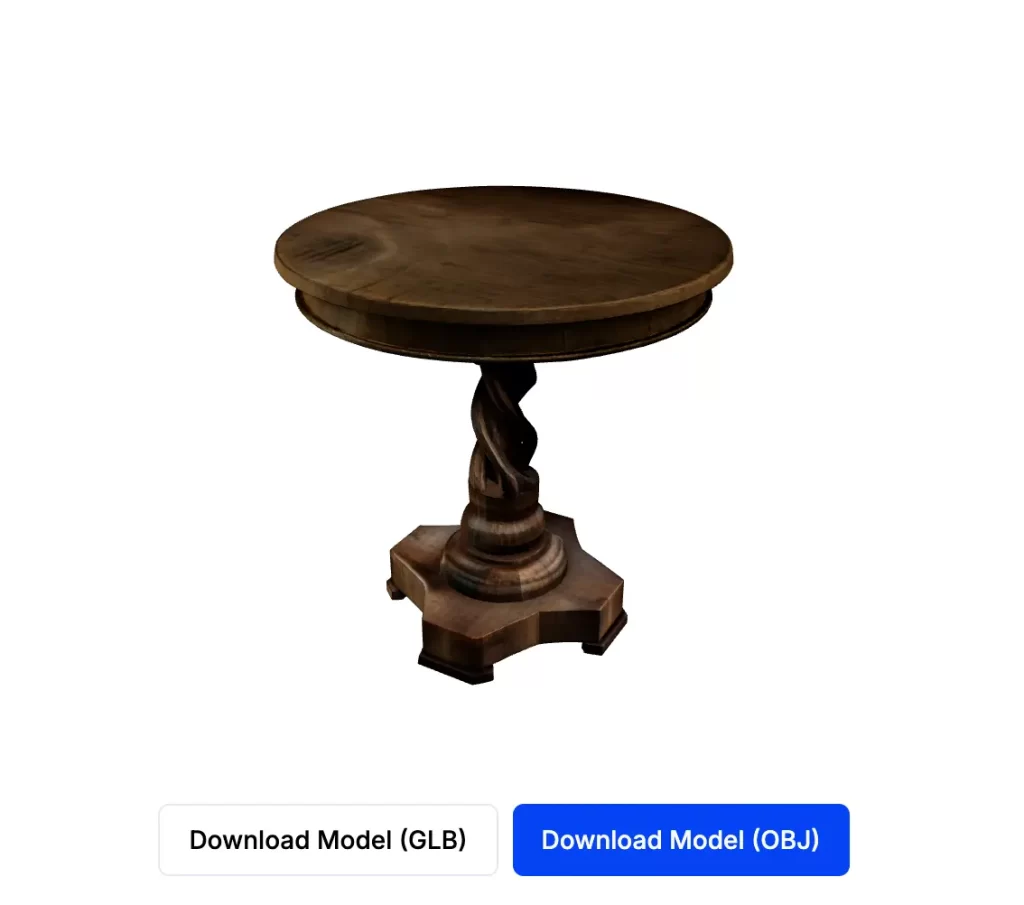
The 3D model retained the intricate details. You can download and place it right into your design workflow. Absolutely brilliant.
3. Enhance Quality and Image Extender
Next, I tried the Enhance Quality tool. As a designer who works with clients online, I often rely on their photos. At times, clients may provide low-quality photos (I say that lovingly, of course). Many online interior designers probably share this struggle.
So, I tested a blurry dining room corner photo that a client sent me. Here is the before and after:
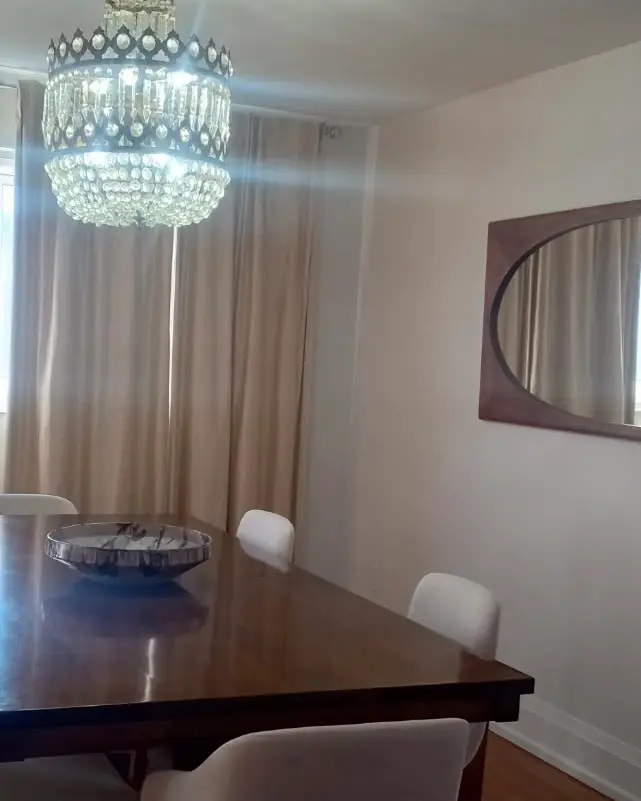

Result: A great improvement. The photo became more clear, crisp, and professional-looking.
Next, I tested Spacely’s Image Extender on the same photo. See below for the result:
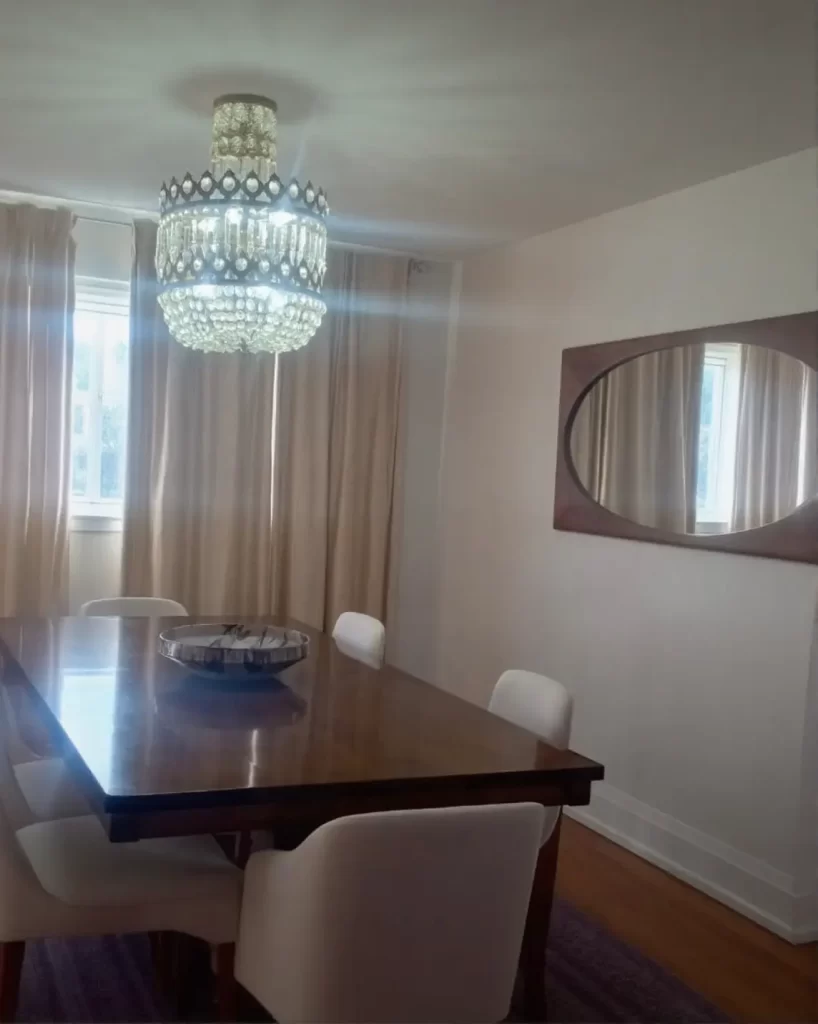
Result: I was impressed again. It looked natural, not “AI-fake.” Honestly, this image might even make it onto my Instagram.
I love Spacely AI’s image enhancer tools, game changer’s for us designers who rely on others for after photos! Awesome.
4. Render Exteriors
Since Spacely AI also markets itself to architects, I had to test the Render Exteriors tool. Perhaps you’re an architect or even an architecture student—this tool could be incredibly helpful, as it lets you adjust color schemes, weather conditions, and lighting to your exterior photos/renders.
To continue the test, I uploaded a photo of a house in Šibenik, Croatia, where I’m currently staying.

This summer, I’ve been traveling and putting all the AI interior design tools to the test. (Yes, I pinch myself often!)
Anyhow, I asked the AI to upgrade the Mediterranean style and add some snow. Even though it doesn’t actually snow in this part of the country, let’s see how it would look if it did.

Result: The result was impressive. The AI cleaned up the old facade and gave it a modernized look, while still respecting the original charm. Homeowners would definitely appreciate this kind of upgrade.
What Makes Spacely AI Different?

In short, Spacely AI offers:
- Interior and Exterior Renderings – Photorealistic visuals of indoor and outdoor spaces. The AI provides many preset style easy to use, don’t have to prompt.
- Exterior Rendering – Realistic outdoor renders
- Style Transfer – Apply design aesthetics quickly
- AI Image Enhancer – Professional-quality presentations
But what truly makes it stand out?
As someone who’s tested nearly every AI interior design tool out there, I’d say Spacely AI directly caters to professionals in interior design and the broader AEC industry. It’s not just a toy for hobbyists, it’s a tool that actually enhances your workflow and client presentations.
The fact that you can:
- Convert furniture photos into 3D models (total game-changer)
- Enhance and extend images for client presentations
- Edit and alter renders with ease
- Use a SketchUp plugin for seamless integration
…makes Spacely AI a powerful design ally.
SketchUp by itself is a solid tool we all love (and sometimes love to hate). But let’s be real—without plugins, it can feel limited. Pairing it with Spacely AI gives you photorealistic renders, better presentations, and happier clients.
AI Tool for Interior Designers: DISCOUNT PACKAGE!
So, if you’re an interior design professional looking to enhance your renders, streamline visuals, and make your design workflow easier, Spacely AI is an incredible tool to consider.
AI INTERIOR DESIGN DISCOUNT: And just for my readers—Spacely AI’s team has generously offered an exclusive discounted package. You can enjoy special pricing of $25 per month (normally $40) for the first three months of your subscription. Simply use this link to claim the discount.
Spacely AI doesn’t just keep up with other AI design tools—it surpasses many by truly focusing on the needs of design professionals. If you’re in the interior design or architectural rendering world, this tool could be a serious game-changer. So, I will crown it as a great addition to your toolkit and an essential AI tool for interior designers looking to stay ahead of the AI revolution.
I will also be posting another Spacely AI Test to my Instagram, so stay tuned.
Let me know in the comments if you plan on giving Spacely AI a go!
Click Here To Shop My Favourite Home Goods
Let’s design your space together, virtually.




