
I Tried the Best 3D Room Visualizer AI, Here is my Review
Alright, so I have already written a few posts about Interior Design AI. Read The Best and Worst Interior Design AI,A Designer’s Review and Read Will Interior Designers be Replaced by AI? A Designer’s Perspective. But, I thought I’d make another post going a little deeper into testing a 3D Room Visualizer. Specifically, testing www.homevisualizer.ai . This AI looked pretty promising. So, I tested out 4 features and will show you my results.
AVOID COSTLY (AND UGLY) DESIGN MISTAKES
Upscale
This is a feature I was genuinely excited about, and I know most designers will be too. It enhances the clarity and realism of your renders. So, let’s put it to the test using a basic mockup I created. Here is the before:
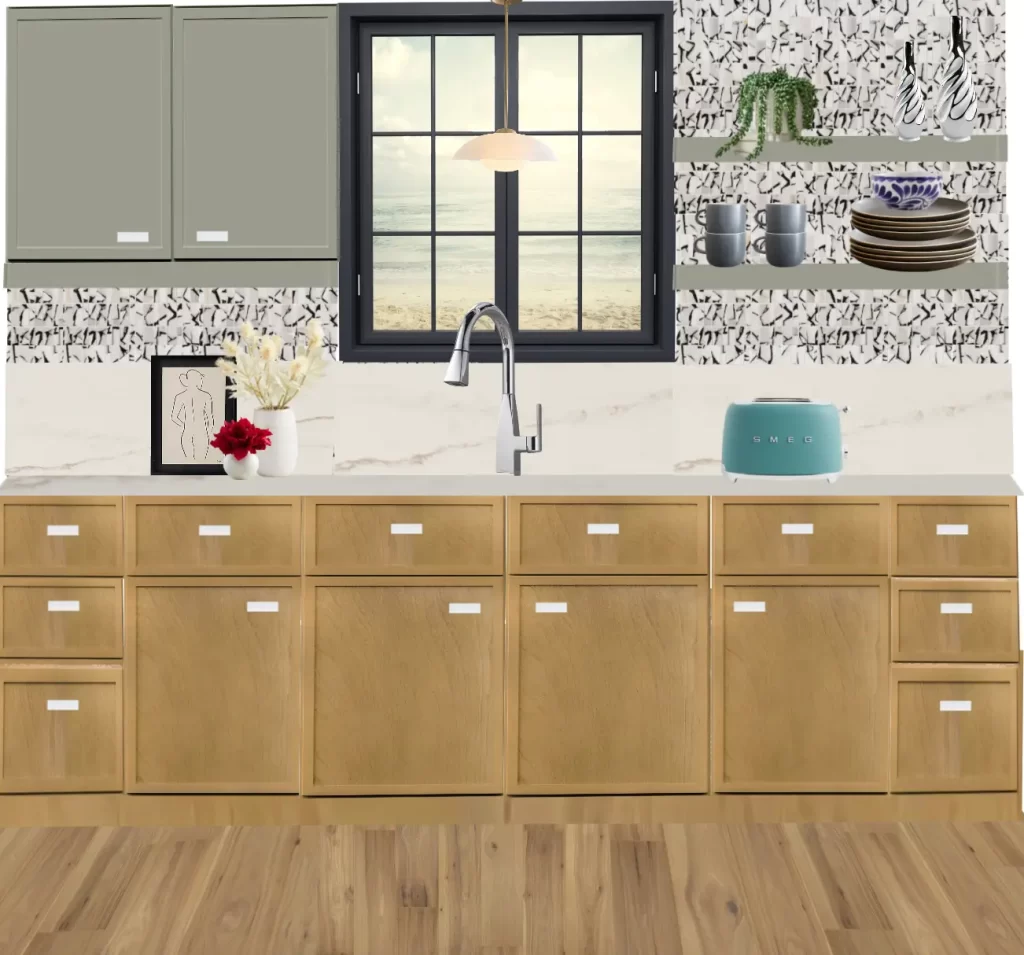
Here is after using the upscale tool.
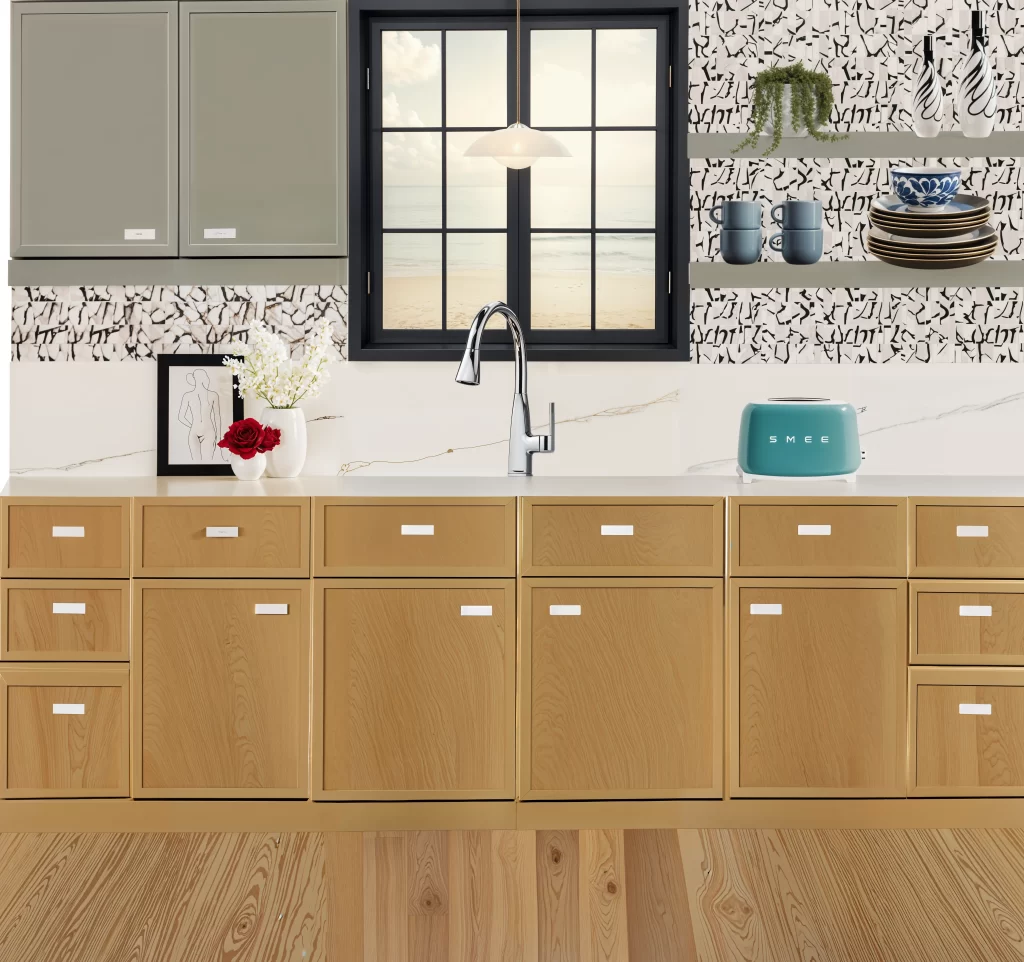
There is a noticeable difference. It certainly made it look more realistic!
Sketch to 3D render results
What intrigued me about homevisualizer is that you can turn a sketch into a 3D render. If you did not know, aside from being a designer, I also dabble in art. So, sketching is something that I do to help my clients visualize my ideas and proposals. Sometimes these sketches are really rough and don’t showcase my artistic abilities in the best light, so the possibility of having an AI that could turn these sketches into more impressive 3D renders excites me.
Below is a photo of an interior sketch I created. Not too shabby, but certainly, not my best work.
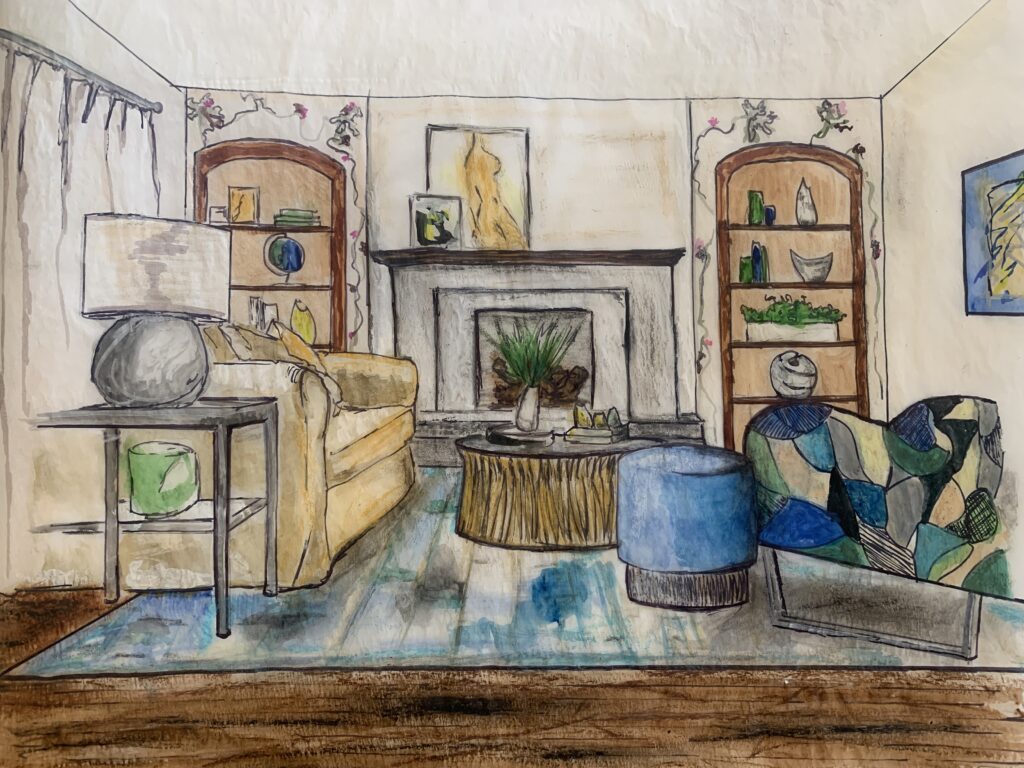
But, hey, maybe I am being a little humble here. I certainly would show this to a client. You can get a feel for the space and understand the layout. Well, let’s see what this AI can do with this sketch.
The results…
I simply told the AI to render the sketch, no fancy requests, and I selected the maximum creativity level. Here is what the 3D Room Visualizer AI generated:
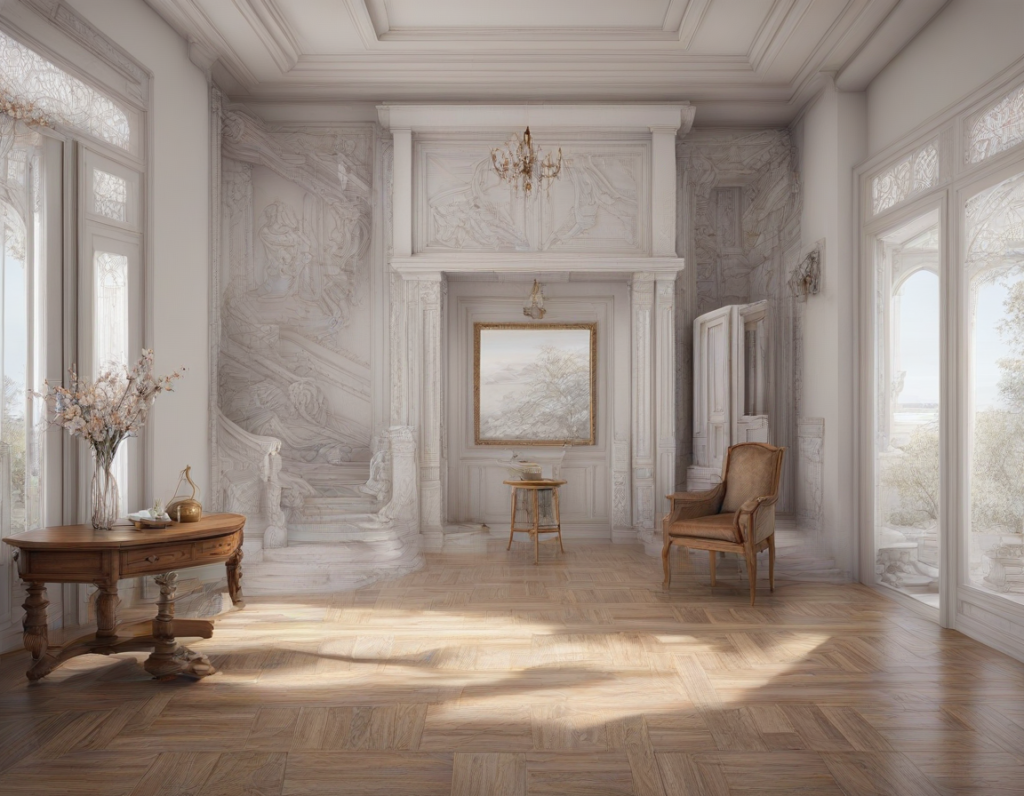
Honestly, I found this kind of funny. Certainly, my sketch did not do so well for this render. I figured that my sketch might be a little too complex. So, I tried to recreate the sketch in a very amateur way, which would leave all the details to the AI. Here is the second sketch I tested:
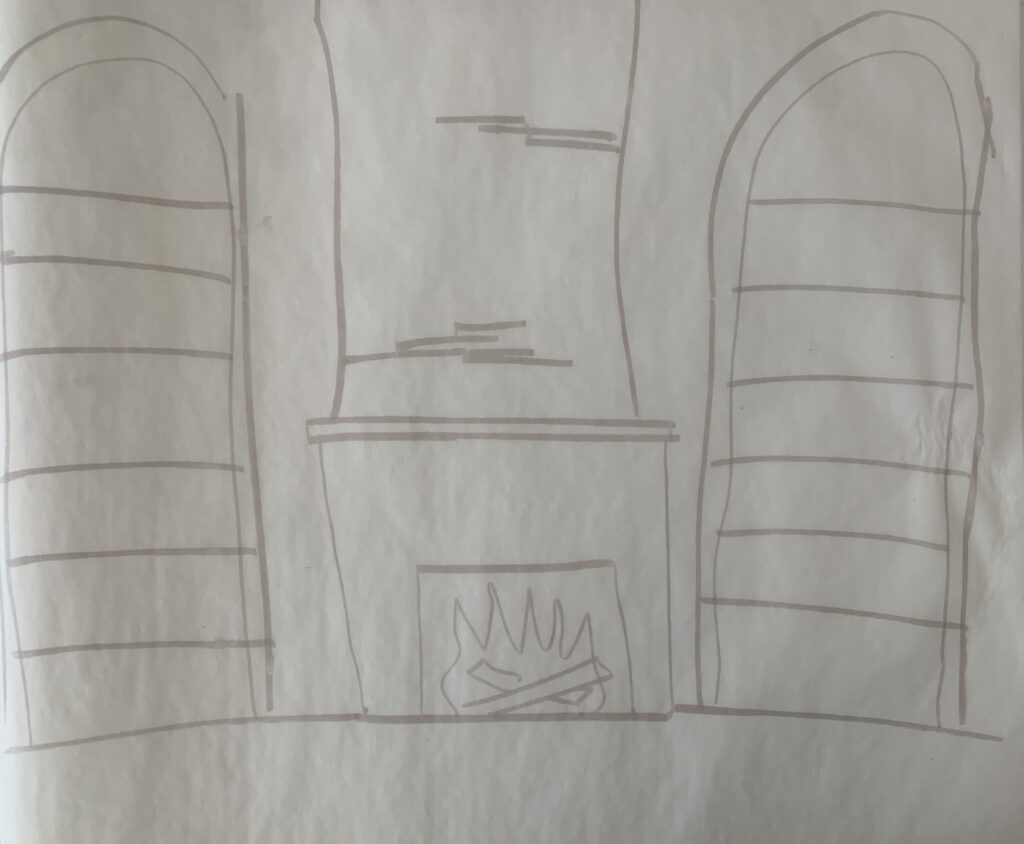
As you can see, this drawing would get me a -67/100 in an art class. But, I figured that this is more realistic to what most individuals can produce. Plus, the whole point of interior design AI is to save time. So, really, this drawing is probably a better sample to test. Let’s see what the AI could do with this, using the simple instructions of “render this fireplace with bookshelves on either side.” And the results…
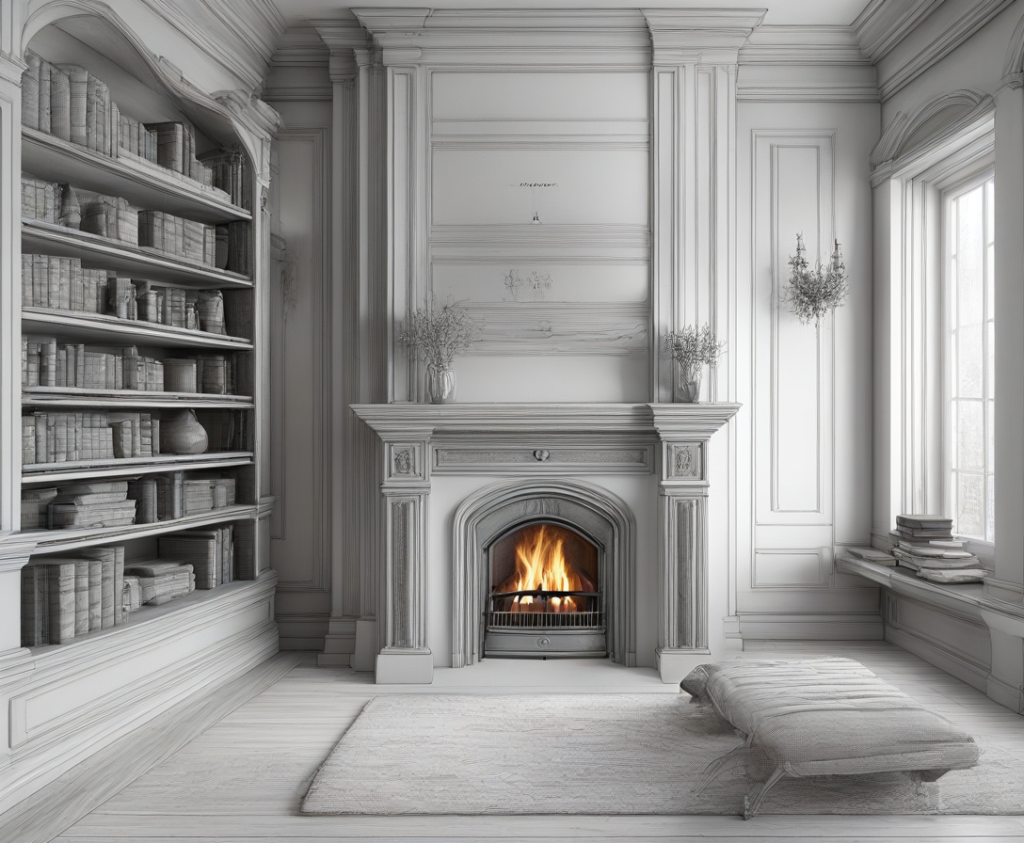
As you can see, AI did better on this one.

Testing out the Style Fusion function
The next feature I wanted to test out was the ‘style fusion’ option. This feature enables you to upload an interior photo for alteration, using an inspirational interior photo as a reference to create a new render. Additionally, you can input prompts for the AI to further customize the transformation. Here is the photo I decided to test with:
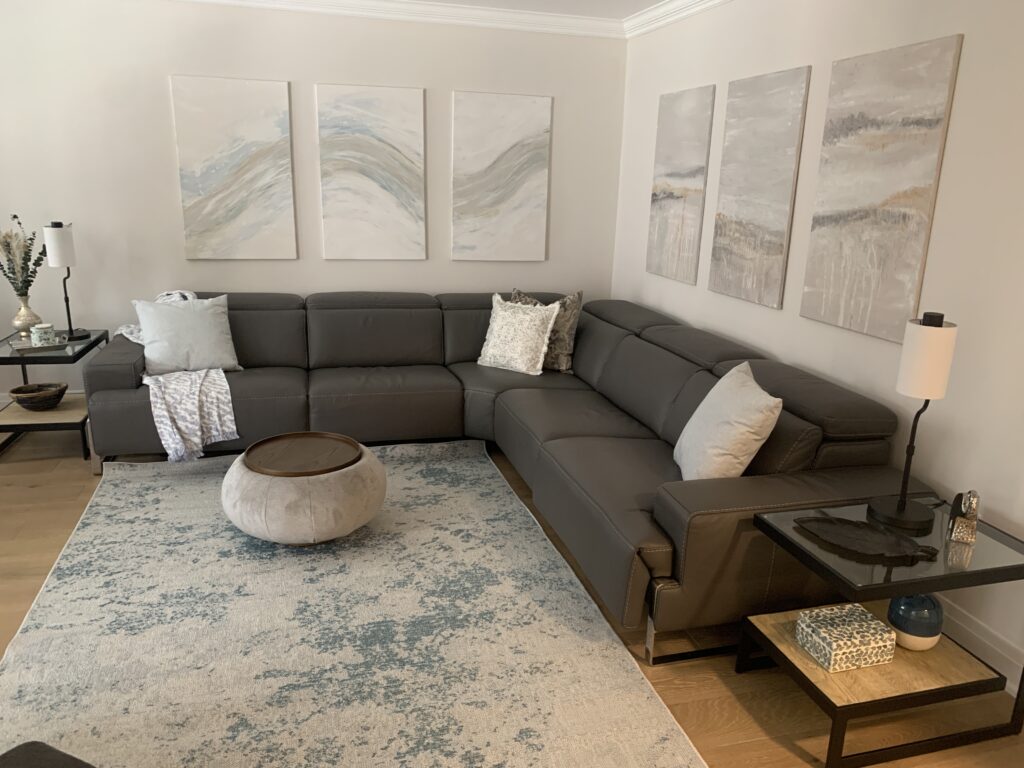
I decided to use this photo as it is an accurate depiction of an average family room. Nothing out of Architectural Digest or anything.
The first prompt I gave the AI was to redecorate this space using this vibe as inspiration:

As you can see, this place is pretty bold and funky. Here is what the 3D Room Visualizer AI gave me:
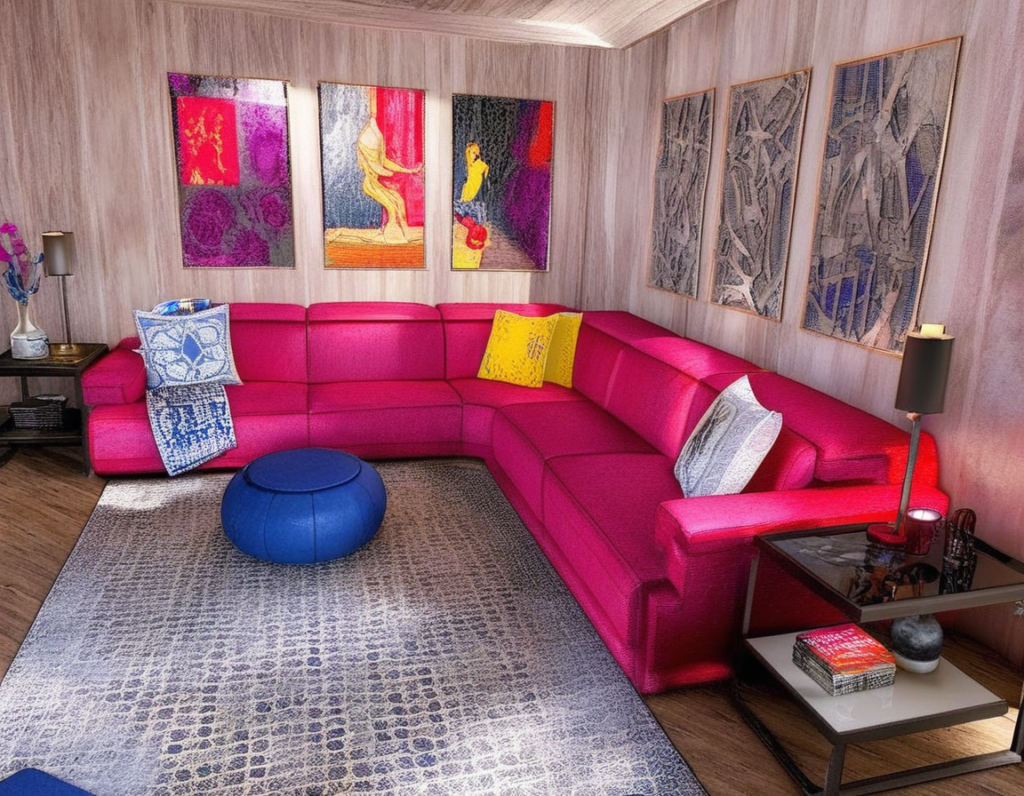
I’d say, this time, the AI nailed it!
I decided to try it again and uploaded a photo of a living room in Greece. You know, blue, white, all of that. Think of a typical interior in Greece. Here is what the 3D Room Visualizer AI came up with:
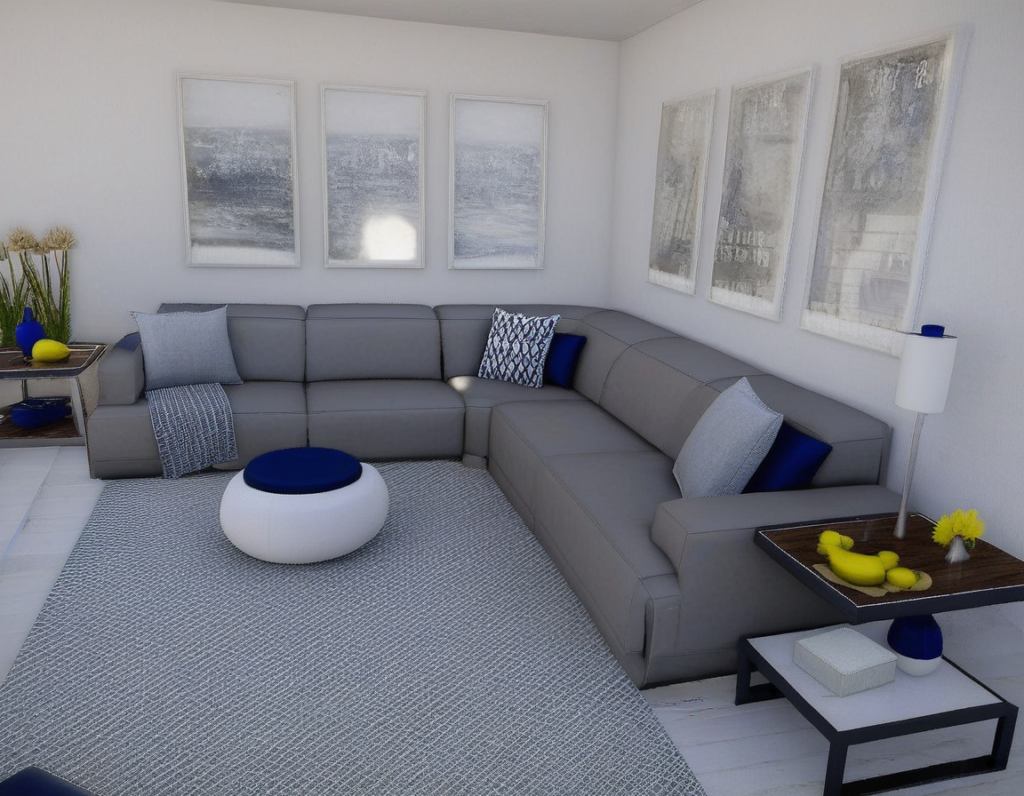
Again, I think the 3D Room Visualizer AI did a great job!
Testing the Auto Style function
I also experimented with the ‘auto style’ function, enabling you to upload any interior photo and choose from a predefined list of interior styles. The AI then transforms the space to match the selected style. Additionally, you can input prompts for the AI to further customize the transformation. To keep it simple, I just told the AI to decorate the space in the style selected. For this test, I used the same basic living room image and promoted the AI to redecorate the space in an Art Deco style. Here is what I got:
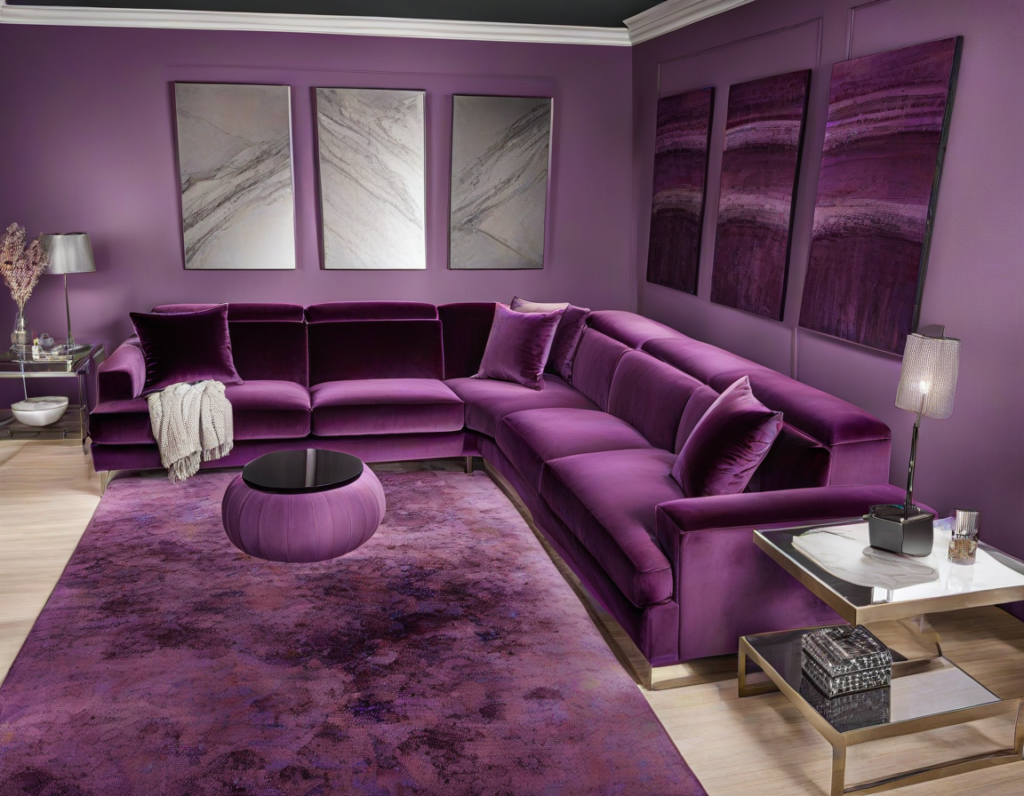
Now, I don’t know why the AI decided on an all-purple aesthetic, but, I don’t hate it. I would rate this one a 7/10.
The next style I chose was Japandi. Here is what I got:
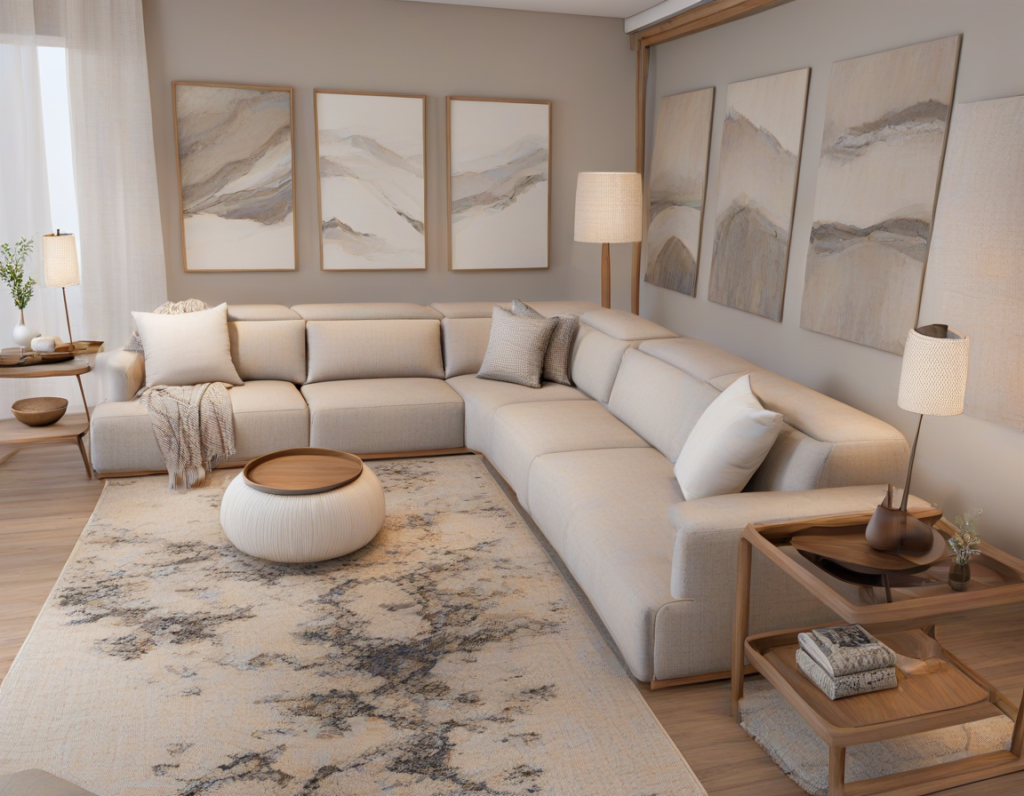
I think this one turned out pretty spot-on! 10/10.
My overall review of homevisualizer.ai/
After trying out most of the functions on homevisualizer I would say I am pretty impressed. I certainly think the sketch to 3D render was the least impressive function, I would not say that I am going to use that option again. However, I think the ‘style fusion’ and ‘auto style’ tools are impressive and work very well. I would certainly use those functions again.
Who would I recommend 3D Room Visualizer AI to?
I think a 3D Room Visualizer AI can be extremely helpful for those of you who are imagination-impaired. Haha, I hope that was funny. But, seriously, a lot of people cannot visualize things in their heads. I, on the other hand, can imagine just about anything in my brain. So, this is certainly a helpful tool for those of you who need to see an interior come to life and/or need inspiration for a remodel. I think this tool could be especially useful if you are the DYI-home renovator type. You can play around with different aesthetics, ideas and ultimately come to a decision on your design intent.
If you’re a designer like me, this tool is certainly a useful tool for getting very quick visuals to your clients to get a sense of direction and confirmation. I think it also may also be helpful for different types of professionals in the industry such as custom millworkers, house flippers etc. Nowadays, everything is all about speed. We all want things fast and need to perform fast as well. A tool like this can certainly help you put together quick visuals to get the ball rolling on your interior design project.
Interior Design AI discount
Graciously enough, www.homevisualizer.ai offered my readers 15% off their subscription by using code DEE15 at checkout. Thanks for reading.
Click Here To Shop My Favourite Home Goods
Let’s design your space together, virtually.




