The Best Interior Design Software, from Drafting to Invoicing
If you’re an interior designer, you probably know the struggle of curating the perfect tech stack. The right tools depend on the type of projects you take on, whether you work solo or with a team, and how many projects you run at once.
As a designer who lives between the worlds of interior design and tech, I’m constantly testing software, AI and other tools that promise to streamline the business side and make designers’ lives easier. So I’ve put together a list of the tools worth considering for every part of running a design business, from drafting to invoicing.

Essential Software for Interior Designers
Drafting
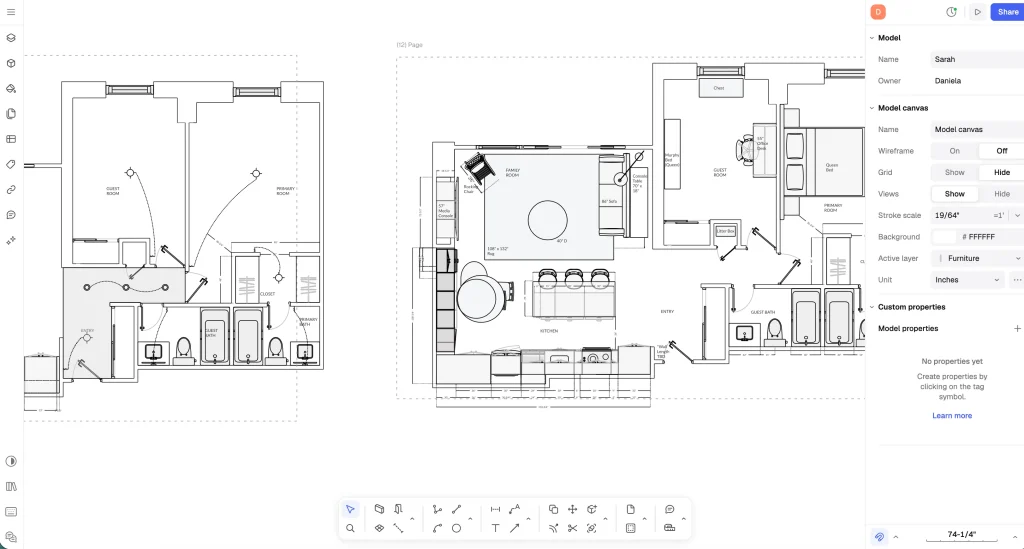
Let’s start with drafting. As we know, AutoCAD is the industry standard, and as someone trained on it in design school, I appreciate it. But over my career, I’ve realized its price point doesn’t make sense for a solo designer or a small firm that can’t justify the cost.
That’s when I found the alternative: Rayon. It starts at a modest $21 a month, can do almost everything AutoCAD can, and in my opinion does it more easily.
For detailed, intricate drawings, I prefer a dedicated drafting tool like Rayon over a 2D-to-3D floor planner, which I find less precise. If you’re looking for a one-to-one AutoCAD alternative, or simply a drafting tool that’s easy to learn (there are plenty of YouTube tutorials) and produces professional-looking plans, I highly recommend Rayon.
I also love how versatile it is. I use it to:
- Create mood boards and schedules
- Scale existing drawings and trace over them to create my as-builts
- For marking up drawings
- Start from their interior design templates, which make it easy to get something professional out the door for a client
- Share plans by link as a client presentation, or collaborate with team members on drawings
I think of it as a sleeker, more straightforward version of CAD, and I love that it runs right in a web browser. It’s my favourite drafting software, I use it for all my plans now, and there’s no turning back for me.
Business Management
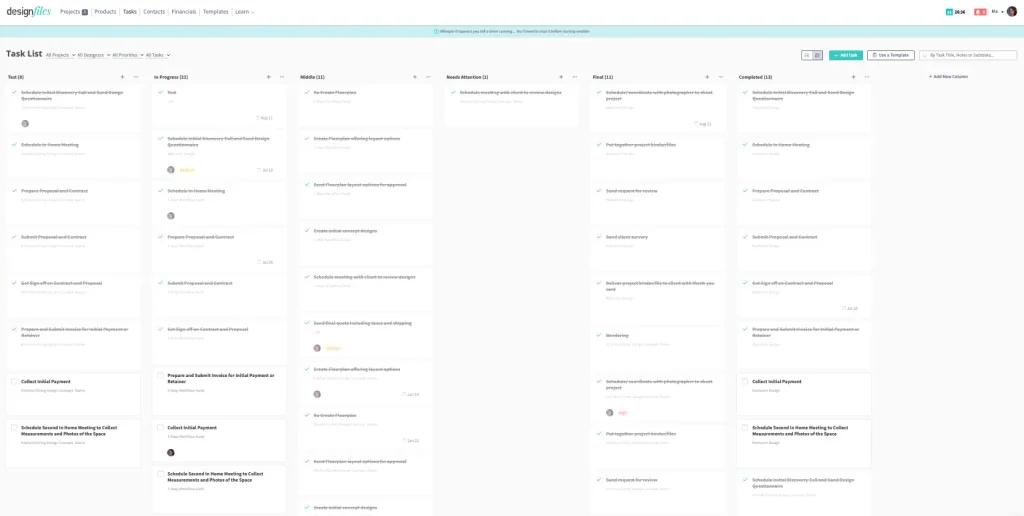
Next up: the platforms designers use to manage both their projects and their business. Programa, Mydoma and DesignFiles are a few of the notable names making headway.
Many designers rely on these platforms to give clients a portal experience and act as a one-tool solution. Instead of juggling multiple apps, designers rely on one tool for proposals, invoicing, specs, mood boards, drawings, project management, and handle client communication. So instead of bouncing between Google Drive, email and Canva, everything lives in one place.
Each platform offers something different. Some, like DesignFiles, lean into design tools, while others, like Programa, integrate with SketchUp and offer a sleek client portal experience. To learn more about the notable business management software for interior designers, read my full breakdown here.
The software I personally use is DesignFiles. Its mood board tool is robust, and its built-in AI can turn a flat mood board into something that looks 3D. Clients can shop the look straight from your board, so you can share the product list, collect feedback and manage the business side beyond that, which is perfect for a solo virtual designer like me. You can also space plan and create renders and elevations, which is enough for smaller projects. It isn’t built for a full set of construction drawings, but it’s very useful otherwise. It also lets you send quotes, invoices, POs and specs, and collaborate with team members.
That said, every platform has its own strengths. The type of projects you take on, your team size, and the features that matter most to you will decide which one is best for you. For a deeper comparison, read my breakdown of the 10 most popular design platforms.
AI for Interior Designers
AI has arrived as a tool for interior designers, and I’ve been watching it evolve into something that helps designers rather than replaces them. In my experience, the two best AI tools for interior designers are Claude and ChatGPT.
Claude

I love Claude for so many reasons. The Claude in Chrome extension is a game changer that lets designers multitask like never before. You can ask it to handle tasks right in your browser, from narrowing your product options down to only viable products to tracing your as-builts. For designers who feel they’re always behind on their workload, it’s a game-changing tool.
I also love that Claude can connect to your computer and read and update the files that live there. That means you can use it to create project documents like specs, proposals and quotes, and not have to tinker around with Excel formulas yourself, but rather command Claude to.
It’s the best AI assistant I’ve used. It does take some training to get great outputs, but it’s worth it: the time it has saved me as a solo designer has been life-changing.
ChatGPT
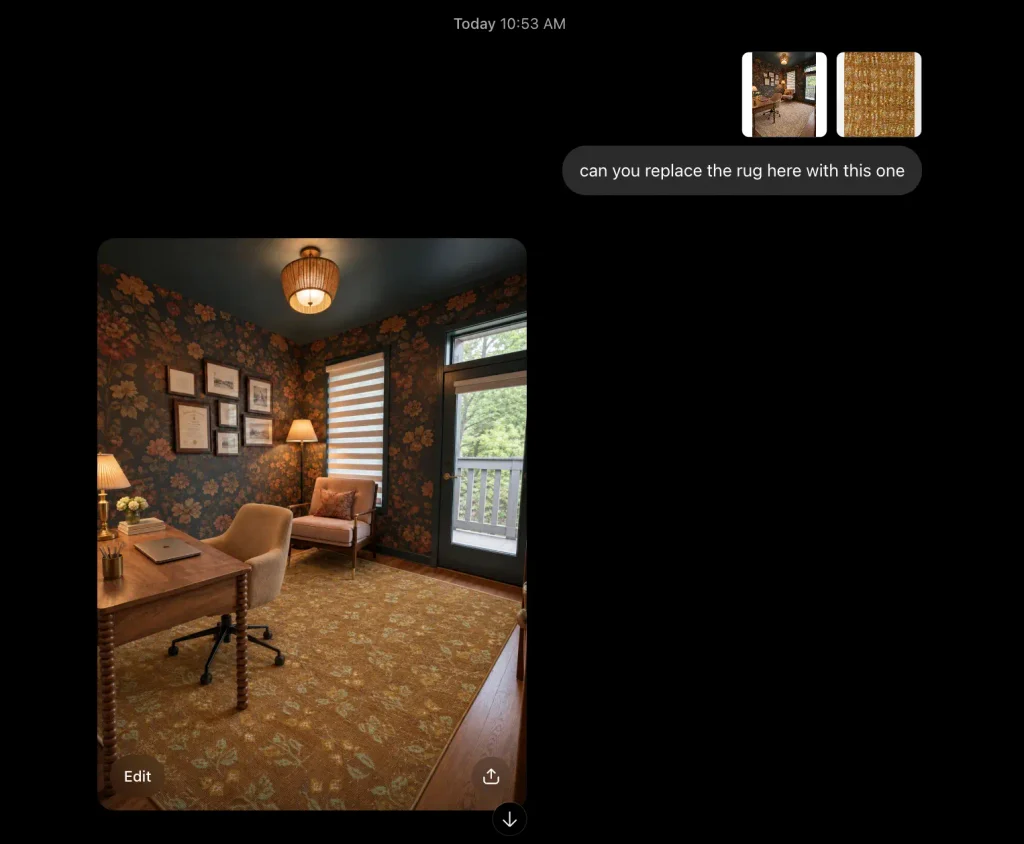
I also love ChatGPT for enhancing my renderings. I don’t use it to create 3D renders from scratch, since it can’t scale things accurately. Instead, I feed my existing 3D renders into it to make them look more photorealistic.
It’s also great for making changes to a render you’ve already created. We all have clients who want to see many variations of the same design. Instead of rebuilding the scene each time, you can upload the render along with an image of the piece you’d like swapped in, and ChatGPT does an amazing job of making the change without the double work.
3D Modelling
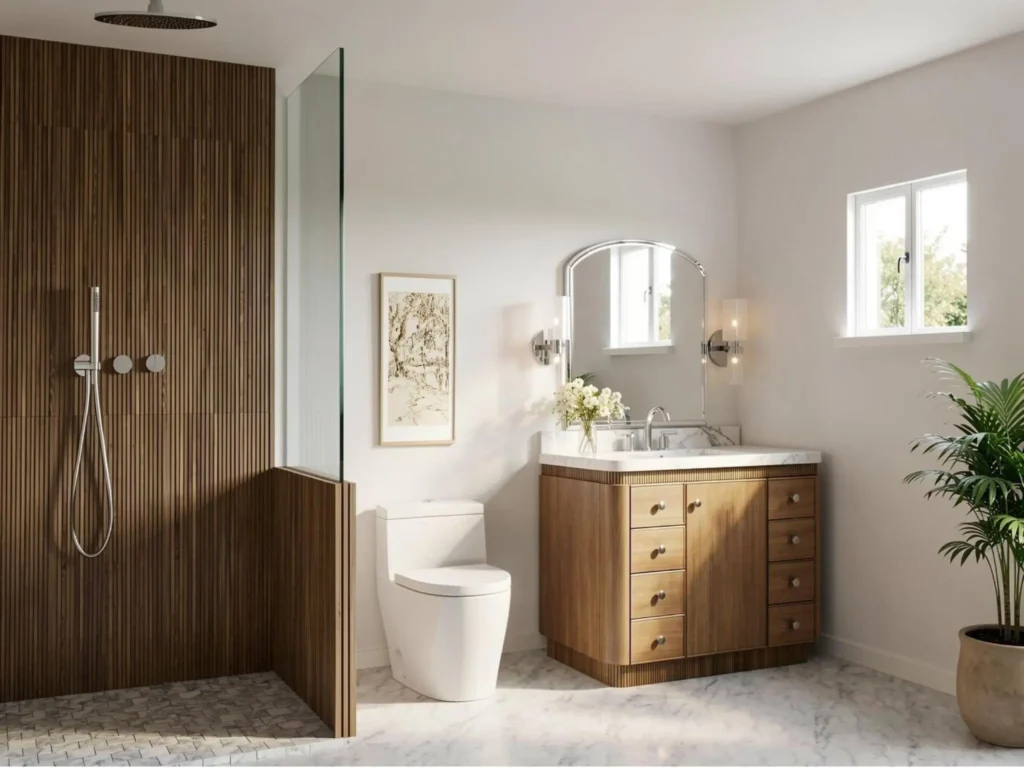
There are many 3D modelling tools on the market. Notable ones include Planner 5D, Foyr Neo and Coohom, plus, obviously, the industry standard, SketchUp.
SketchUp is a great tool, and I recommend it for designers who do a lot of custom work. But I find the user experience isn’t always enjoyable, and there are alternatives that may cover your needs.
So which do I recommend?
- Need something simple? Planner 5D or Coohom. They’re the easiest to learn and fairly affordable, which makes them ideal for self-taught designers creating furniture plans and 3D visuals.
- Want something in between? Foyr Neo is a step up and produces more professional outputs.
- Need 100% customization? SketchUp is still your best option.
Finding the Best Interior Design Software That Fits Your Business
When it comes to building a tech stack, there’s no one-size-fits-all answer. Every designer and design firm has different needs. Some software is built for detailed spec writing and procurement, while other platforms aim to be an all-in-one hub for running your entire business, from proposals to invoicing.
Before you commit, think about:
- The projects you take on. Full-service renovations need different tools than e-design or furnishing-only projects.
- Your team size. A solo designer may value simplicity and price, while a growing firm needs collaboration features and shared workflows.
- Your client experience. If a polished client portal matters to you, put platforms that offer one at the top of your list.
- Your budget. Monthly subscriptions add up fast, so make sure every tool earns its place.
- How your tools work together. Look for software that connects with what you already use, so you’re not entering the same information twice.
The user experience will also vary from designer to designer. We all have different preferences and run our businesses in different ways, so a tool that one designer swears by might feel clunky to you.
So my two cents: take advantage of free trials and test as many tools as you have the brainpower for. Run a real project through each one if you can, because that’s when you’ll see what works and what slows you down. The right tech stack should feel like it was built around the way you already work, not the other way around.
Click Here To Shop My Favourite Home Goods
Let’s design your space together, virtually.