
Rayon vs. ArcSite: Which Is The Best AutoCAD Alternative?
In today’s post, I want to dive deeper into two software platforms that both position themselves as strong alternatives to AutoCAD. I’ve already written a comparison between AutoCAD and Rayon, which you can check out Read: AutoCAD vs. Rayon: Which Software Is Better For Architectural Drawings?. But, I think it’s only fair to directly compare two platforms that both claim to be the best AutoCAD alternative.
Today, I’ll be reviewing two tools that I have some level of affiliation with: Rayon.design and ArcSite.
Now, I know what you might be thinking — does this mean I’m biased? That’s fair to ask. But here’s how I see it: I’ve built a reputation as a designer who regularly reviews and discusses interior design software. Since I’m affiliated with both platforms — not just one — I actually believe I can offer a more balanced perspective.
This post is not sponsored, and neither company knows I’m writing it. So let’s jump into an honest comparison. If you’re an interior designer or aspiring designer looking for the best AutoCAD alternative, keep reading.

A Designer’s Thoughts On Rayon.Design: Is It An AutoCAD Alternative?
Firstly, let’s talk a little about the features of each of these AutoCAD alternatives.
I came across Rayon not too long ago and eventually got acquainted with their team. Naturally, as a designer who blogs about AI interior design tools and software, I had a lot of curiosity about this platform. I even had the pleasure of partnering with them on some YouTube videos, which I’ll include below.
Now, let me be clear—Rayon didn’t pay me to promote anything. They simply collaborated with me on their YouTube channel to create tutorials for their users. And honestly, that already gives them a big plus in my books. When you’re learning a new software, YouTube becomes your best friend. Chances are, you’ll find yourself binge-watching tutorials just to get the hang of things. The fact that Rayon has invested heavily in creating video resources to help users learn their software is, in my opinion, a huge win.
As for the software itself, yes, I’ve used it. And I have to say, it’s pretty easy to use. Now, keep in mind, I’m someone who’s very comfortable with AutoCAD and fairly tech-savvy in general (duh). But still, learning and adjusting to a new software can be frustrating if it’s not user-friendly. And in today’s world, where most people expect instant satisfaction, there’s definitely a level of anxiety or impatience that comes with not “getting it” right away. Most users don’t want to invest hundreds of hours just to learn how to use a platform effectively.
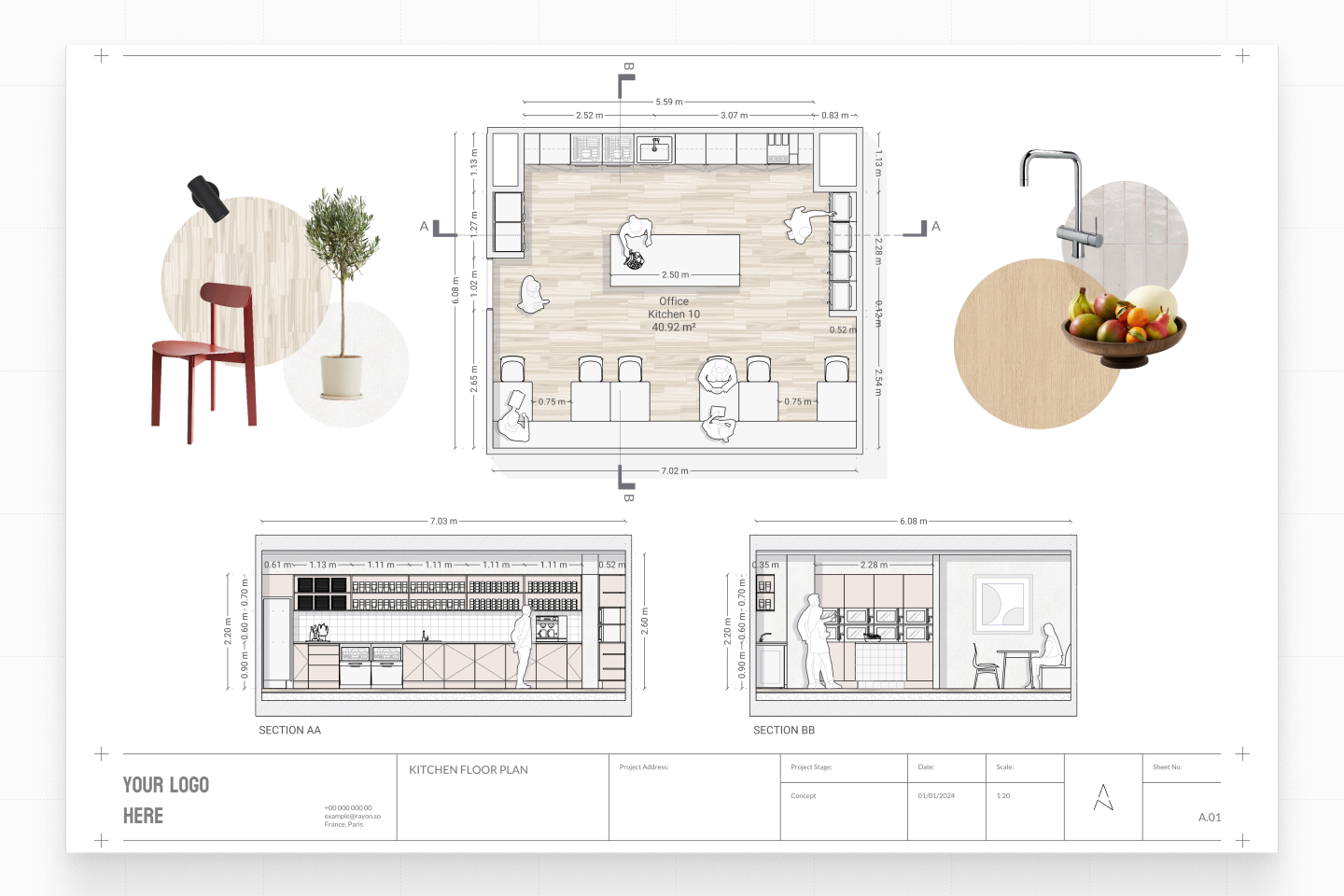
That’s where AutoCAD can be a bit of a beast. It’s powerful, but it also requires a serious time investment. I learned AutoCAD in school, which gave me a solid foundation and turned me into a bit of an AutoCAD pro. But had I not had that educational experience, I’m not sure that I would have gravitated toward it for my floor planning needs. There are other options on the market—like Rayon—that offer a much easier learning curve and a more intuitive interface for people who want to get started quickly.
Does Rayon Have A Learning Curve?
All this to say: Rayon does not have a steep learning curve. It’s intuitive, the toolbox is robust yet simple to navigate, and overall, the platform feels approachable. Of course, how easy a software feels often depends on how complex your drawings need to be.
For simple floor plans and layouts, Rayon is virtually painless. For more complex drawings, there might be a few bumps in the road—but that’s not unique to Rayon. That’s just the nature of interior design drafting. If you’re planning to do high-detail work like section cuts, exterior elevations, or construction details, there’s always going to be a bit of a learning curve, no matter which platform you choose. It takes practice to make those processes efficient.
Overall, I think Rayon has made a strong name for itself as a legitimate AutoCAD alternative. The big question is: Is it the best one out there? And more importantly, is it the right one for you?
A Designer’s Thoughts On ArcSite: Is It An AutoCAD Alternative?
Now let’s talk about ArcSite. I came across ArcSite a little while ago and was instantly intrigued, especially because it seemed to fill a unique gap in the market. As someone who reviews interior design software regularly, I was curious about how it compares to other tools — especially ones like AutoCAD — and whether it truly deserves the “AutoCAD alternative” title.

So let’s dive in. ArcSite is very different from Rayon, and frankly, it offers a slightly different experience — one that I think some interior designers will really appreciate. First of all, ArcSite is mobile-first. That means you can draw floor plans, add annotations, and even generate material takeoffs straight from your iPad or tablet. This feature alone makes it super appealing for designers or contractors who are often on the move or meeting clients on-site. However, being mobile-first may be unattractive to some AEC professionals (everyone has different preferences).
One of ArcSite’s standout features is its ability to create quick proposals and quotes based on your drawings. For anyone running a business, this is a huge time-saver. It’s also great for designers who wear multiple hats — from creating layouts to managing projects to communicating pricing to clients.
Now, let’s talk learning curve. ArcSite, in my experience, doesn’t take long to pick up. It’s not intimidating the way AutoCAD can be for beginners, and the mobile interface feels intuitive. That said, it’s still packed with powerful features, especially if you want to do things like custom shapes, layering, or exporting to DWG. It’s definitely more technical than your average drag-and-drop room planner, but not as dense as something like Revit or even full-blown AutoCAD.
The Downside…
The downside? ArcSite isn’t as focused on interiors as, say, some other software built specifically for decorators. It leans more toward floor planning, contracting, and architecture, but that doesn’t mean interior designers can’t benefit. In fact, if you’re someone who frequently creates as-built drawings or works with trades, ArcSite can really streamline that whole process.
So overall? I’d say ArcSite is a super capable AutoCAD alternative, especially for those who want to do real work from a tablet and integrate the design-to-quote process. It’s not necessarily better or worse than Rayon — they just serve different workflows. If you’re an interior designer looking for efficiency, mobility, and integrated quoting, ArcSite might just be the tool for you.
Rayon and ArcSite Comparison: Can Either Replace AutoCAD?
To make things easier, I’ve created a chart comparing the capabilities of these two software options.

So, What’s The Best AutoCAD Alternative?
So, I’ve shared my two cents on both Rayon and ArcSite, so, who’s the winner here? Which (if any) is the best AutoCAD alternative? Honestly, I’d call it a draw. Both software options are strong, it really comes down to your specific needs as a designer or AEC professional.
If you’re someone who’s always on the go and needs to make quick edits or decisions directly from your iPad, ArcSite might be your best friend. On the other hand, if you’re a student or a designer who frequently collaborates with consultants, Rayon could be a better fit.
I would encourage you to give both a try (they both have free trials/ a free tier). Let me know in comments which software do you think is the best AutoCAD alternative (if any).
Read: The Best and Worst Free Interior Design Layout Software
Click Here To Shop My Favourite Home Goods
Let’s design your space together, virtually.



