
The Worst Mistake I Made As An Interior Designer
In this post, I’m going to be a little vulnerable and share the story of the worst mistake I made as an interior designer. This is very much a story-time post, so let’s get into it.
I started my business in 2017, so it’s been a while now. I was also very young when I started—fresh out of college and dreaming about building my own business and living an entrepreneurial life.
I’ve always been a go-getter with a lot of drive. As a kid, I dreamed of becoming an actress. I dragged my parents to auditions and enrolled in community-college-style drama classes.
While my Lizzie McGuire dreams never came true, my true talent revealed itself in my early adulthood, when I started helping with renovations in my family home.
That’s when my obsession with interiors began.
Beginning My Career In Interior Design
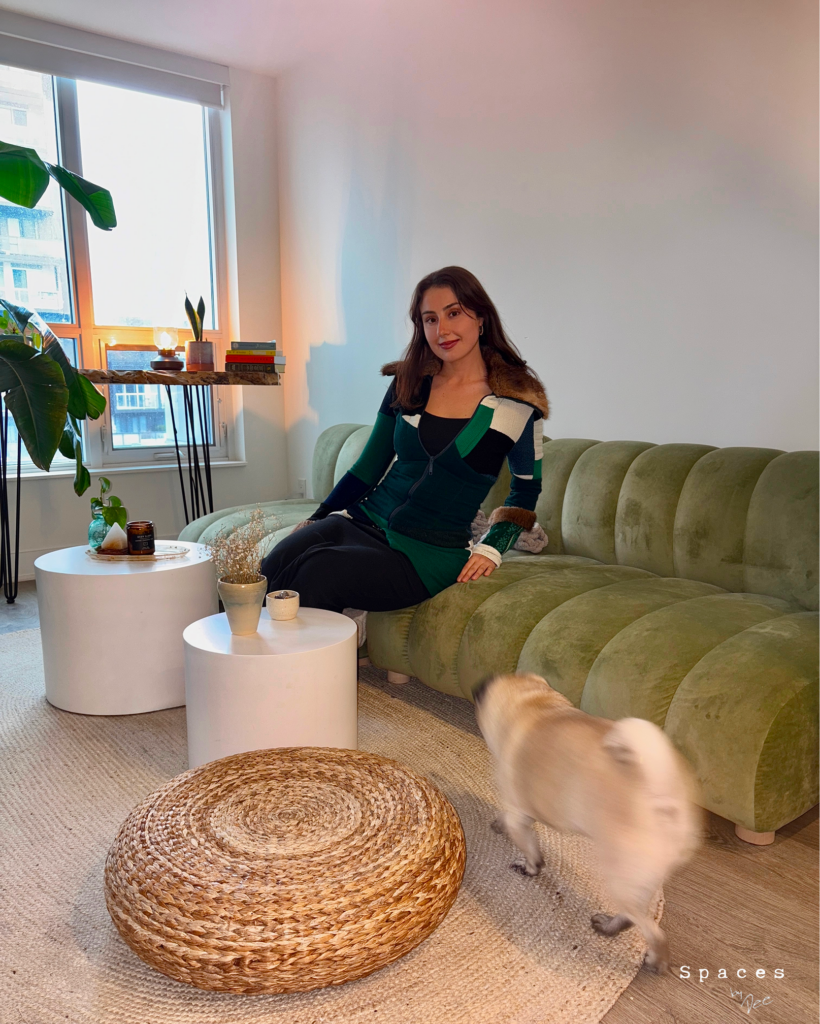
Many interior design professionals start later in life, as interior design is often a secondary career. My path was a little different—I began building my design business straight out of college.
Being a young interior designer came with its own challenges, especially when it came to maturity, compared to my peers who were much older and, in many cases, wiser.
However, I’ve always had an unshakable zeal and ambition. I was—and still am—an eager, driven person.
So, with that said, let’s get into the story of the biggest mistake I made as an interior designer.
I was approached by a company that asked me to design a backyard. The project involved creating visuals for a full backyard design—pool, garden, the whole nine yards.
Now, let’s pause for a second.
The Obvious Mistake I Made As An Interior Designer…
I don’t know why a company looking for exterior design would approach an interior designer—and on the other hand, I don’t know why I, as an interior designer, would say yes to it.
Well… actually, I do know. At the time, I wasn’t willing to say no to business.
I took on the opportunity with good intentions. In my mind, I thought:
“Even though I focus on interiors, I know what looks good. I can use SketchUp and V-Ray to create the renderings. Sure, I’ve only used these tools for interior design, but I’ll be fine.”
Foreshadowing: It was not fine.
I started using my usual software to create a 3D model of this backyard; however, I was struggling to make anything look convincing. And, my MacBook felt like it was about to take flight.
Even though I was very skilled in SketchUp, I simply wasn’t experienced in exterior design. The visuals just didn’t translate.
I kept tinkering and spending hours on end, trying to avoid SketchUp crashes and force a render that looked halfway decent.
At this point, I knew I had taken on a scope of work I should have said no to.
But I still had to submit what I created. Which was not great, to put it nicely.
Not long after, I received a very angry phone call.
Let’s just say—I didn’t make a penny on that project.
What I did gain was a valuable lesson.
How I Create Exterior Visuals Today
Now, since that embarrassing design mistake, I’d like to say I’ve come a long way professionally. I can confidently say I haven’t found myself in any situations since that would question my professionalism.
Very recently, I’ve started accepting client proposals to help with backyard and exterior projects again.
So you might be wondering how I navigate this today, given my costly and embarrassing mistake.
The answer is simple: advancements in technology—specifically, AI. More specifically, ReImagineHome.
Nowadays, I rely on AI to generate client visuals for me. No more spending hours tinkering, trying to piece together a decent image (I’m getting flashbacks just thinking about it). With just a few clicks, AI can produce outputs that align exactly with the vision I have in mind.
ReImagineHome is an AI which can create visuals for interiors and exteriors. And, after using this tool, I can help but think what a lifesaver it would have been if I had a tool like this available to me earlier in my career.
To show you the capabilities of this AI, I thought I would create a background design using this tool.
Adding a Pool To a Backyard
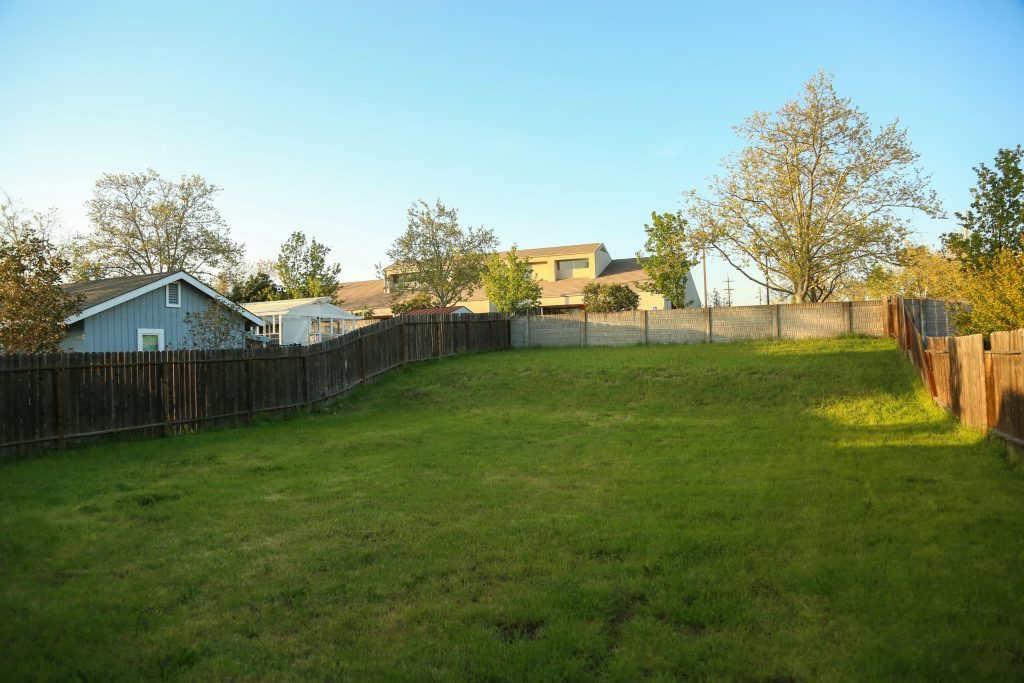
I uploaded a photo of a backyard into ReImagineHome and asked the AI to add a pool, fire pit, and dining area.
Here’s the result I got in just a few clicks and a few minutes.
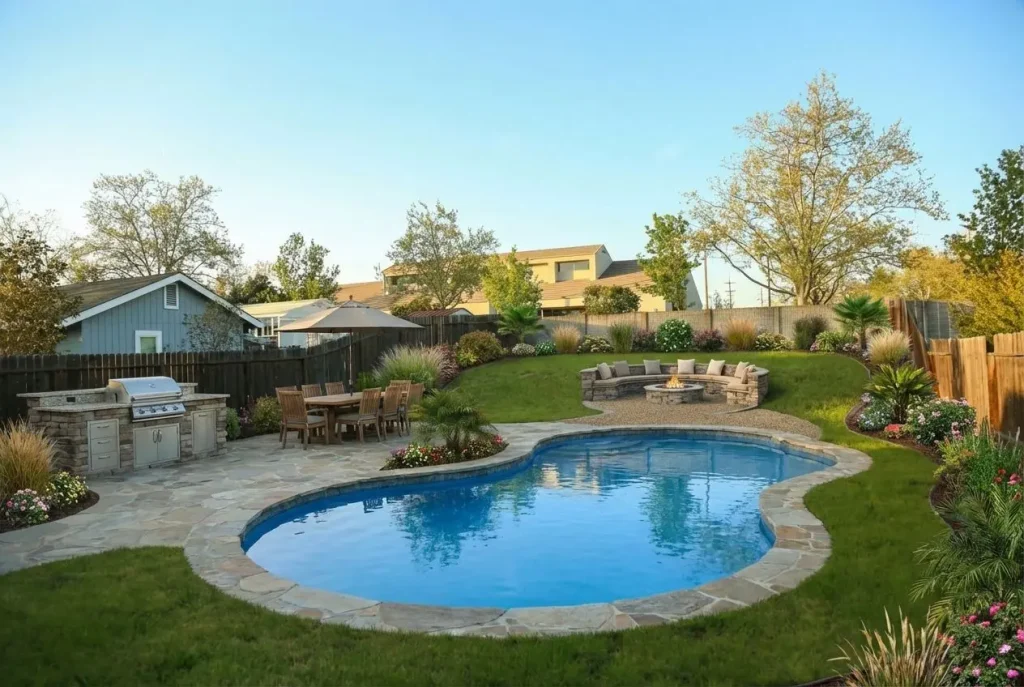
Wow—this looks INCREDIBLE.
Traditionally, creating a visual like this would take hours and be incredibly tedious.
I love that this AI is interactive—it’s like ChatGPT! You can chat with it and request changes.
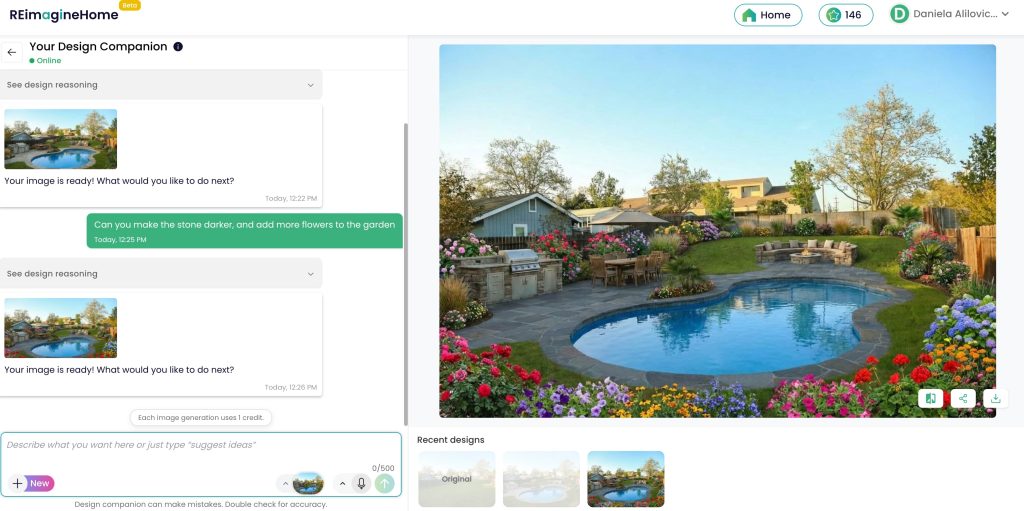
So, I asked it to add more flowers and darken the paving.
Here’s the output:

Again, spot on.
This AI now allows me to consult with clients on their exterior projects, because I can actually create convincing visuals to sell my ideas.
ReImagineHome also has the ability to create interior visuals as well.
Interior Visuals Made Easy
I uploaded this picture of my very sad room in my Florida vacation rental. Don’t judge me—I don’t make the bed on vacation.
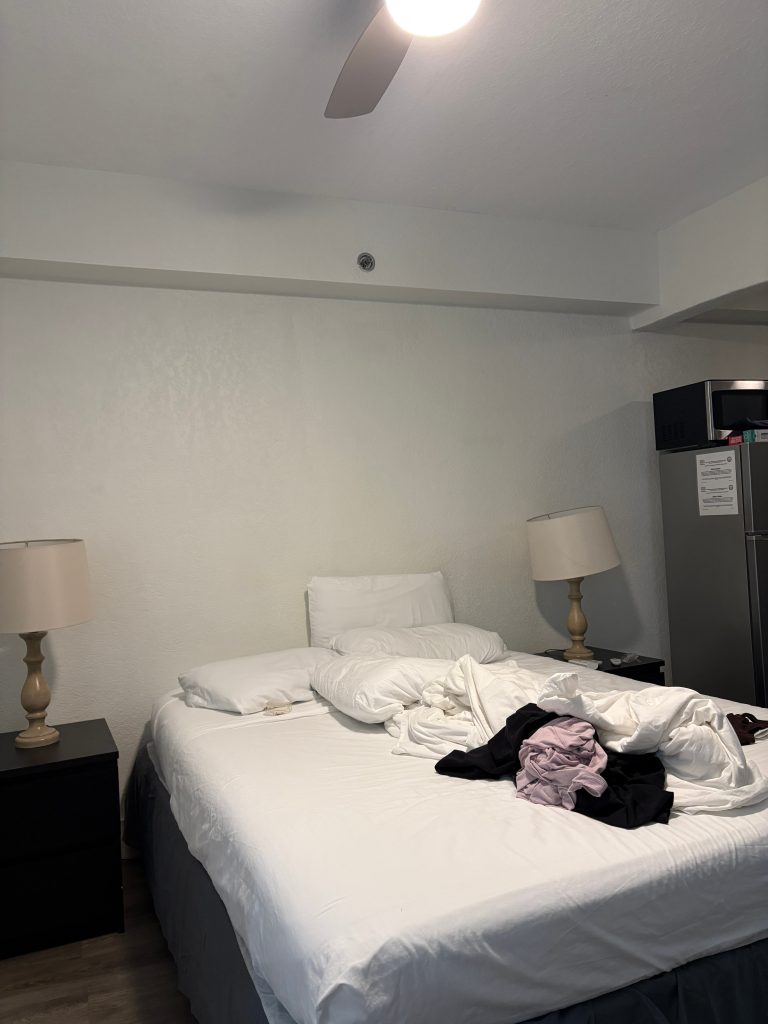
Anyway, I asked this AI to redesign the space with a Caribbean beach vibe, which would be more fitting for the location and spice up the room.
Here’s the result.
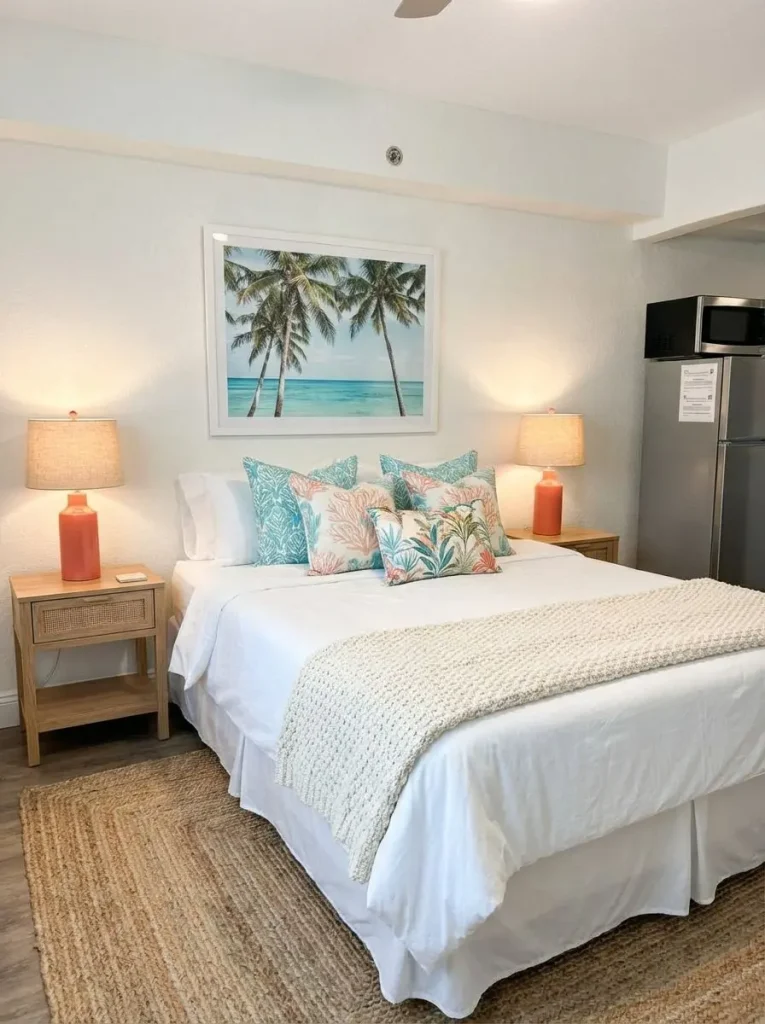
Again—fast and amazing results.
Use Inspiration From Pinterest
I also want to note that ReImagineHome allows you to upload inspiration images for the AI to use as reference—which I think is genius. As a designer, I always ask my clients to share Pinterest inspiration, and like most people (myself included), I regularly turn to Pinterest to explore design ideas.
With that in mind, I decided to see how the AI would redesign the space using a Pinterest inspiration photo and colour palette I selected—featuring burgundy and light blue.
Here is the reference photo:
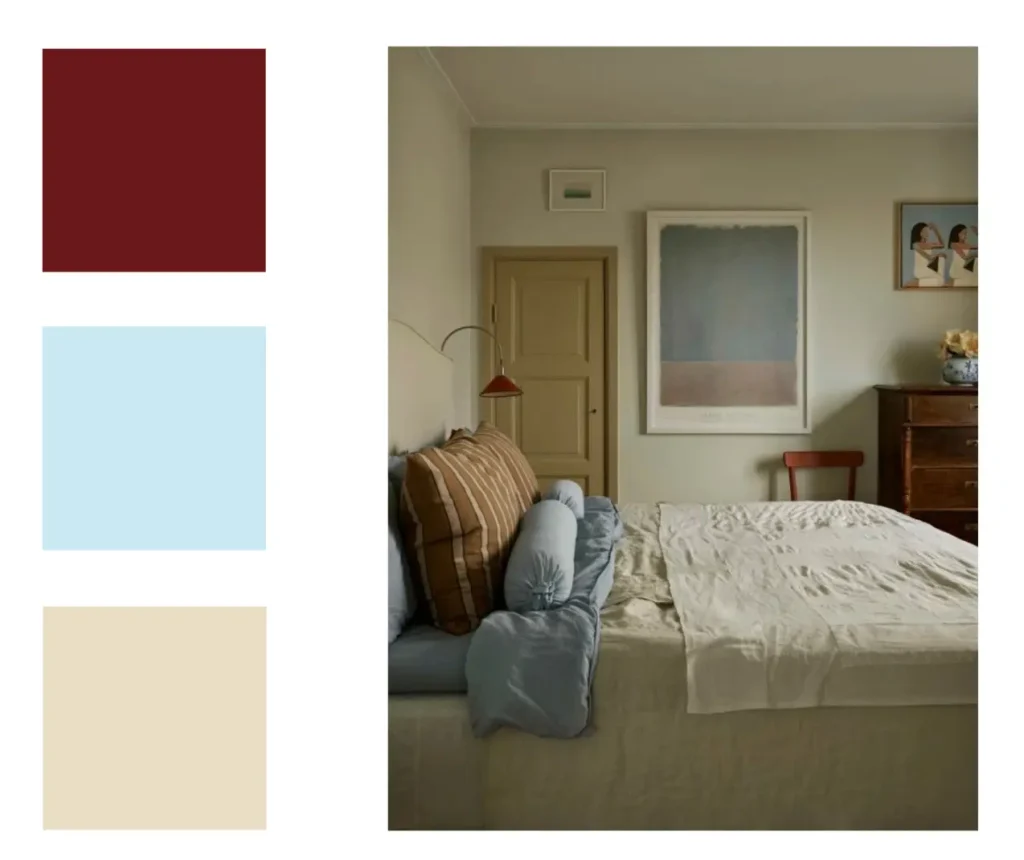
I prompted the AI to use this as a design direction for the same Florida room. Here is the result:
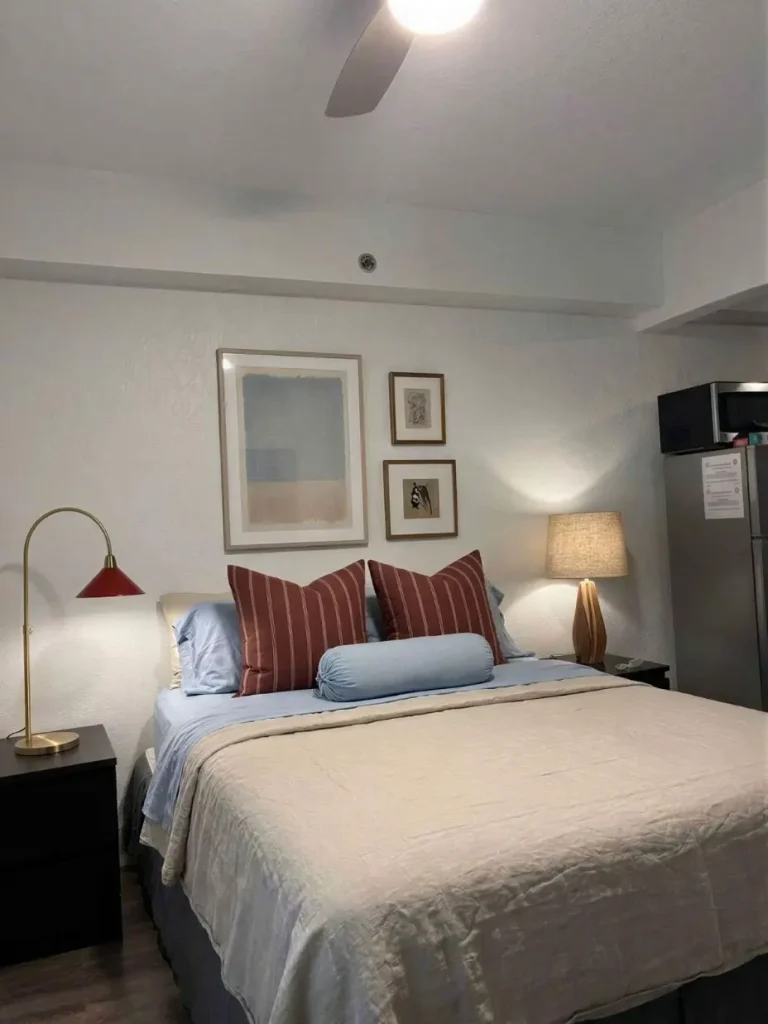
Wow! Awesome. The AI hit the nail on the head. It was able to recognize the overall vibe I was going for, and it implemented it nicely.
How AI Allows Me to Do My Job Better
As a designer, there’s been a lot of hoopla about AI in the interior design world—people talking about how AI will replace us. I’ve never seen it that way, and I never will.
As AI has advanced, I often think about how it could have changed my early career experiences. For example, the story I shared today—if I had a tool like ReImagineHome back then, I could have created convincing visuals without all the 3D modelling skills necessary.
The way I see it, AI can either design for you, or you—as the designer—can take the wheel and use it as a tool to bring your ideas to life.
Today, creating photorealistic design images is easier than ever. DIY design enthusiasts can experiment and explore possibilities, while professional designers can save time and produce high-quality, realistic visuals much faster.
It’s a win-win for everyone.
There you have it: the worst mistake I made as an interior designer, and a tool you can utilize so you don’t make a fool of yourself…like I did.
Click Here To Shop My Favourite Home Goods
Let’s design your space together, virtually.

This post is sponsored by ReImagineHome; however, all thoughts and opinions remain my own.



What a great story!