Claude Design: A New Era for Interior Design Workflows
The AI interior design space has exploded since Claude Design entered the scene. I have truly been amazed at how interior designers are integrating Claude into their workflows—through automations, Canva presentations, Figma, and more. This tool will fundamentally change the way designers work.
In this post, I’ll be diving into how interior designers can use Claude Design to support and enhance their work—not as a replacement for design itself, but as a powerful assistant.

What Is Claude Design?
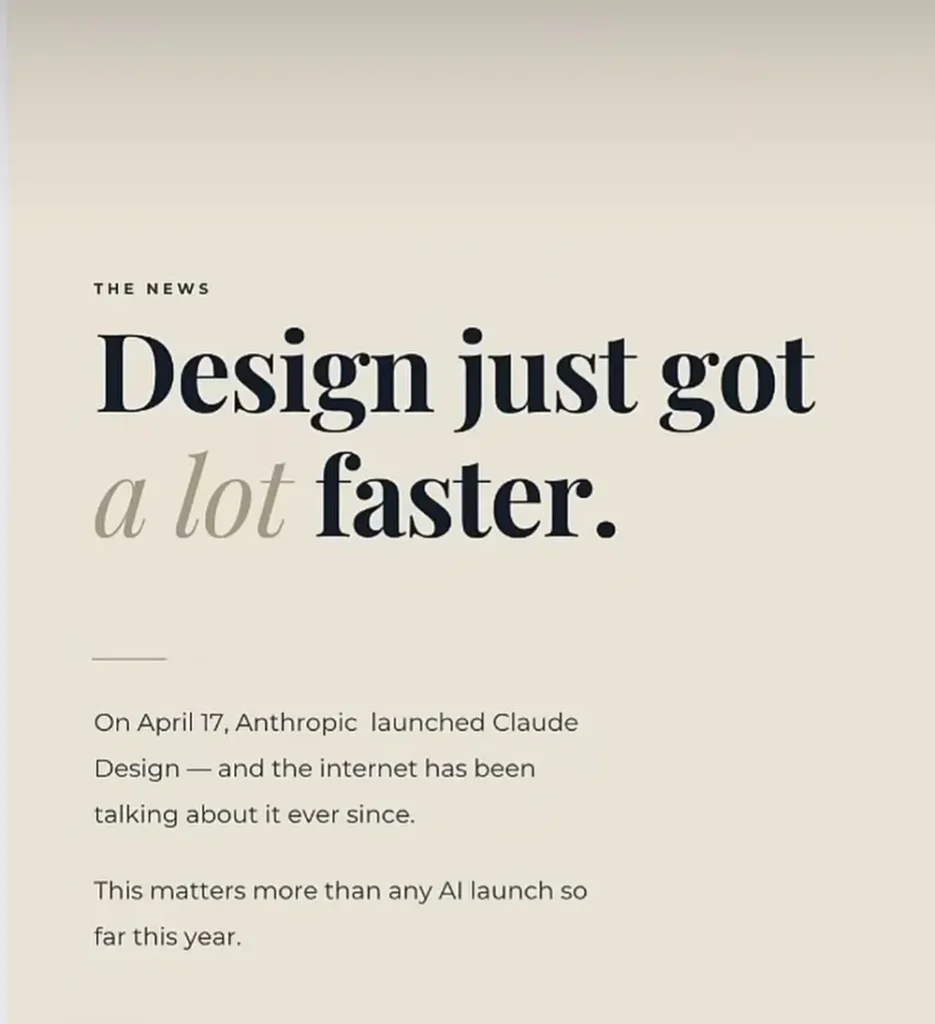
Let’s get one thing clear: Claude Design is not an interior design AI.
Instead, it’s a tool that sits alongside platforms like Canva, Figma, and PowerPoint—supporting graphic design, UX, and content creation. For interior designers, it acts as a powerful assistant for building presentations, marketing assets, and client-facing materials, and more.
In simple terms, Claude Design is for tech-savvy designers who want to streamline how they create client presentations, social media content, project proposals, newsletters, and lead magnets. It’s not here to replace designers—it’s here to improve the interior design workflow.
The Old Way of Design Presentations
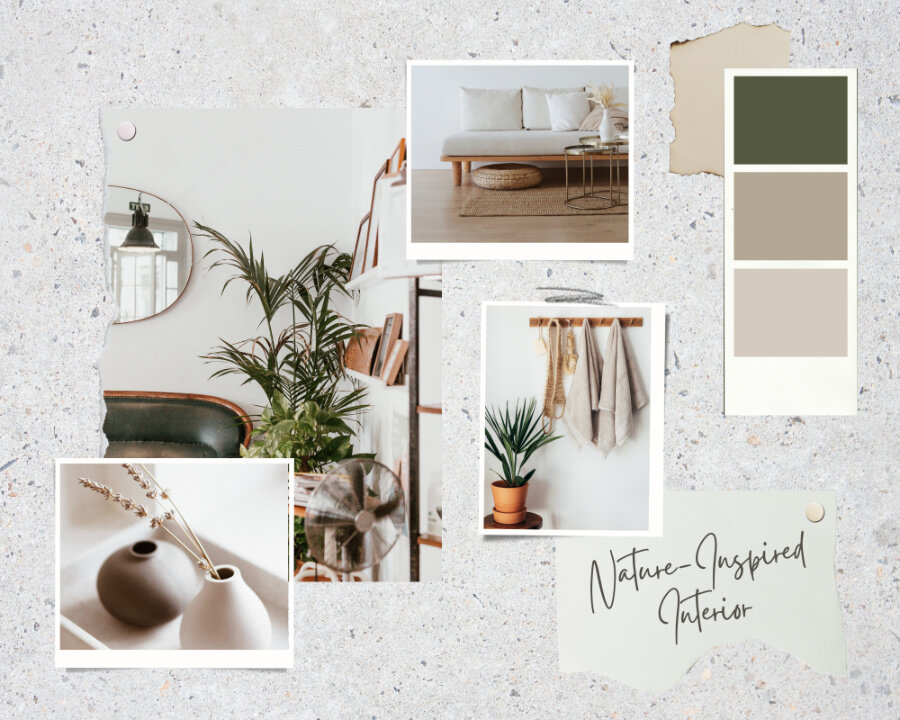
Creating design presentations has always been one of the more tedious parts of being a designer, and I know because, well, if you haven’t caught on by now, I am a designer myself. Sourcing, planning, and designing a space—that’s the fun part. But assembling a polished, on-brand presentation? Not so much. Designers like to call creating the design presentations designing the design, which is completely different than designing itself.
For me, it often meant endlessly adjusting slides, tweaking layouts, and trying to make everything feel cohesive and elevated. It was time-consuming, and it always felt like there had to be a better way.
When AI first started gaining traction, I remember thinking: there needs to be a tool that helps with interior design presentations specifically.
Not long after, Claude Design entered the conversation.
How Claude Design Changes the Process
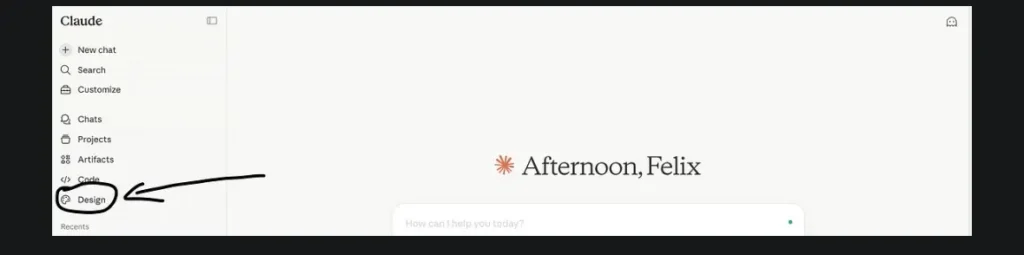
Claude Design flips the traditional workflow on its head.
Instead of starting from scratch every time, you “train” the system once. That means inputting your brand elements—fonts, colours, logo, and overall style. From there, it builds a cohesive design system that becomes the foundation for everything you create moving forward.
Once that’s set up, the tool can generate fully designed, on-brand materials in minutes.
What Can Claude Design Create?
With the right inputs, Claude Design can produce:
- Fully designed client presentations
- On-brand templates
- Formatted documents and proposals
- Social media content (like Instagram posts)
- Website landing page concepts
- Lead magnets and newsletters
- Client questionnaires
- Mood boards and design presentations
Tasks that used to take hours in Canva can now be done significantly faster. And if needed, you can export everything into PowerPoint, Google Slides, or Canva for final tweaks.
How To Set Up Claude Design
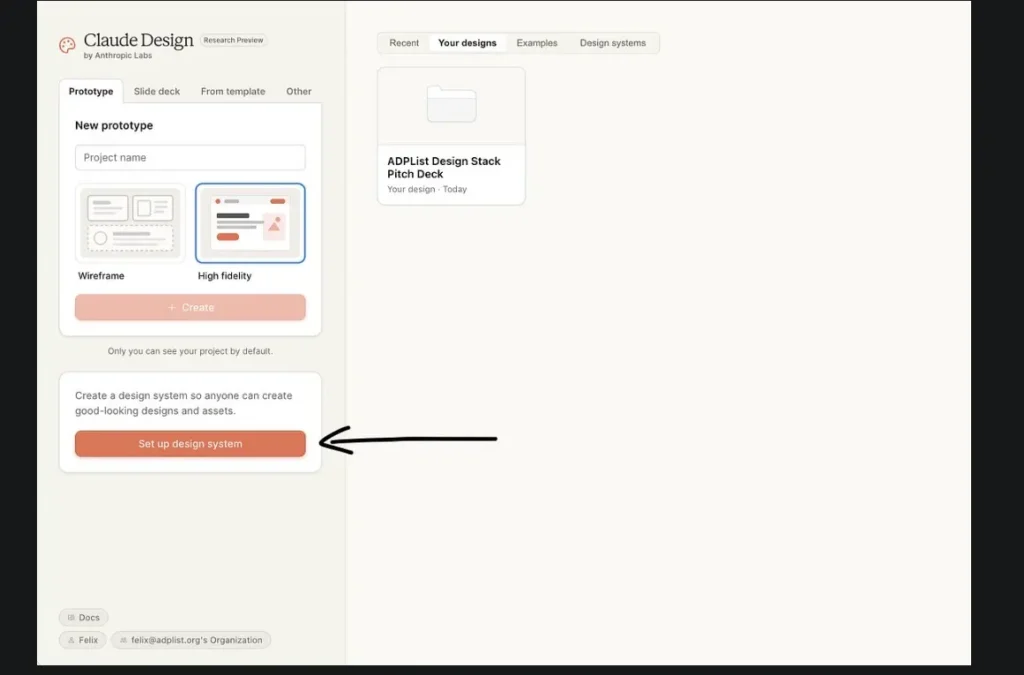
How to Set Up Claude Design Properly
To use Claude Design effectively, setup is everything. Spend 15 minutes training the system upfront, and you’ll save hours down the line—especially compared to constantly tweaking files across different software.
Step 1: Choose Your Role
Start by heading to claude.ai/design and selecting your role—Designer.
This step matters more than it seems. It shapes how Claude responds to your prompts and the type of outputs it generates throughout your session.
Note: If you’re on an enterprise plan, Claude Design may be turned off by default. You’ll need your workspace admin to enable it.
Step 2: Feed It Your Design System
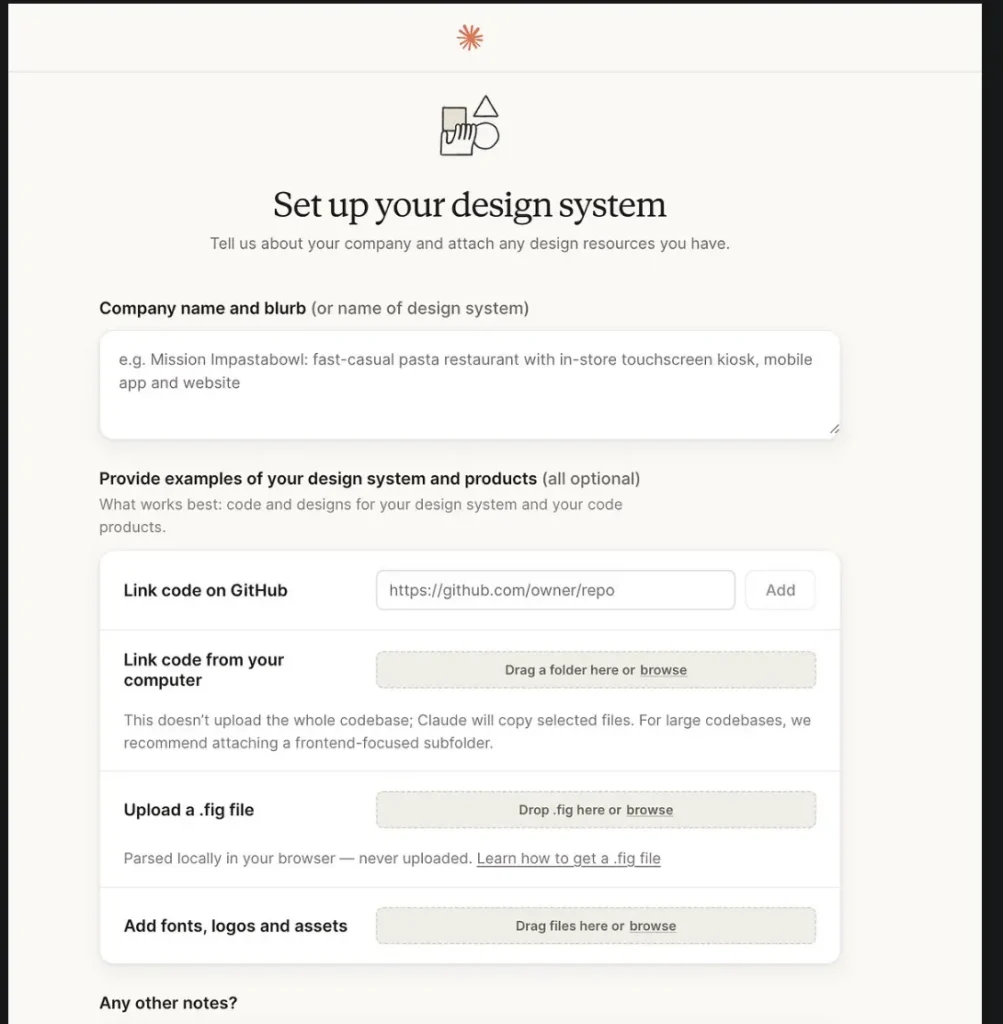
This is the step that separates clean, usable output from generic “AI slop.”
You’ll want to upload your core brand assets, including:
- Fonts
- Logos
- Colour palette
By doing this, you’re giving Claude a foundation to work from—so everything it creates actually reflects your brand, rather than something generic.
Step 3: Use the Right Prompt Structure
This is where most designers get it wrong.
A common mistake is prompting Claude the same way you would tools like Midjourney—focusing on aesthetics, moods, or “vibes.” Claude Design doesn’t work that way. It performs best when given clear, structured, and contextual instructions.
Instead of describing how something should feel, focus on what it needs to do.
Here’s a simple prompt framework you can use:
- Goal: What are you creating?
- Audience: Who is it for?
- Layout: Be specific—file format, dimensions, structure, etc.
The more precise your inputs, the stronger and more usable the output will be. Think of Claude as your first pass—not the final polish.
Once you generate a design, the next step is to iterate. This might mean refining the prompt, adjusting layout instructions, or specifying details like spacing, hierarchy, or content structure. When you’re happy with the direction, you can export the file into the format that best suits your workflow—whether that’s PowerPoint or Google Slides for presentations, or a Google Doc for written materials. From there, you can bring it into tools like Canva if you want more granular control over styling, imagery, or brand alignment.
The key is that you’re no longer starting from scratch. If prompted correctly, Claude handles 70–80% of the heavy lifting—layout, structure, and initial formatting—so you can focus on refining rather than building. At that stage, it’s about subtle tweaks: adjusting fonts, tightening spacing, swapping imagery, and elevating the overall visual quality to match your standards.
Beyond Presentations: Claude Workflow Automation
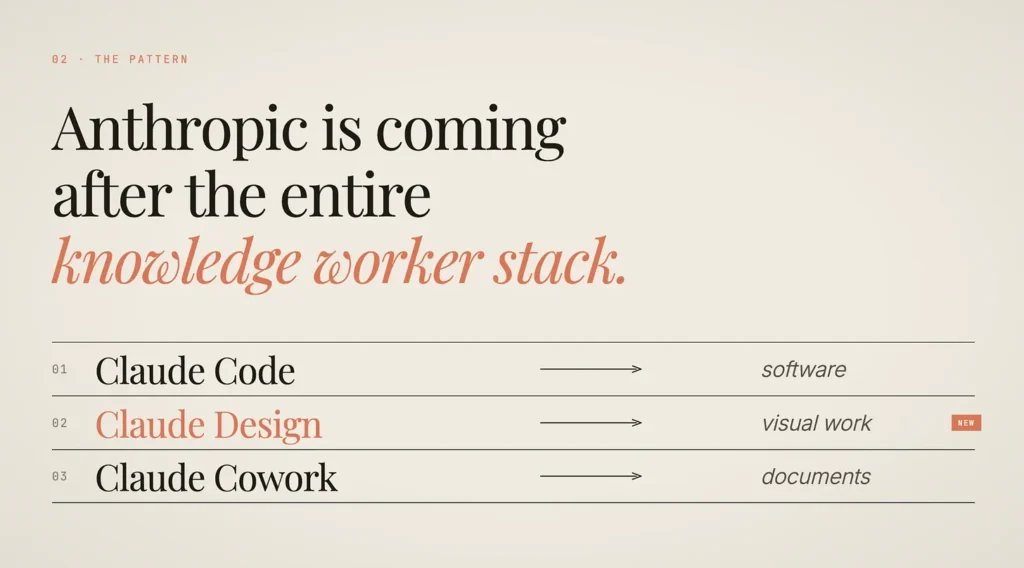
There’s more to Claude than just Claude Design. The platform can be broken down into three core tools: Claude Code, Claude Design, and Claude Co-Work.
Claude Code is geared toward software development, while Claude Design focuses on visual outputs and branded assets. Claude Co-Work, on the other hand, is designed for documents, organization, and workflow support.
For interior designers, the most relevant tools are Claude Design and Claude Co-Work, which can be used together to streamline both creative deliverables and day-to-day operations.
There’s More to Claude Than Just Claude Design
Claude is better understood as a suite of tools, each serving a different function within a modern workflow. At a high level, it breaks down into three core components: Claude Code, Claude Design, and Claude Co-Work.
Claude Code — For Development
Claude Code is built for technical workflows. It’s designed to support developers with writing, reviewing, and troubleshooting code.
For interior designers, this isn’t where you’ll spend most of your time—but it becomes relevant if you’re working alongside developers on things like websites, custom tools, or integrations. It’s the engine behind more technical builds.
Claude Design — For Visual Output
Claude Design is where most interior designers will naturally gravitate.
This is the visual layer—where you create branded presentations, mood boards, proposals, social content, and more. It sits in the same category as tools like Canva or Figma, but with the added advantage of AI-assisted generation.
Instead of building everything from scratch, you’re guiding a system that already understands your brand and layout preferences.
Claude Co-Work — For Workflow and Operations
Claude Co-Work is the operational backbone.
This is where documents, organization, and workflow automation come into play—things like client communication, project tracking, internal notes, and business processes. It helps reduce the manual work that typically sits behind the scenes of a design business.
While it’s less visual than Claude Design, it’s arguably just as impactful.
How Interior Designers Should Use It
For interior designers, the real power comes from combining Claude Design and Claude Co-Work.
One handles the creative output—presentations, visuals, branded assets—while the other supports the structure behind it all. Together, they create a more efficient, streamlined workflow that reduces repetitive tasks and frees up time for actual design work.
Claude isn’t just a design tool—it’s a system. And when used properly, it can reshape how a design business operates from the inside out.
In my next post, I’ll be diving deeper into how interior designers can use Claude Co-Work—be sure to subscribe to my newsletter so you don’t miss it.
Click Here To Shop My Favourite Home Goods
Let’s design your space together, virtually.