
Full Review On Rayon.Design: Is It The Best Drawing Software?
So, it’s been almost a full year since I switched to using Rayon Design for my interior design drawings. With that said, I think I now have enough experience with the platform to write a full review of this drawing software for interior designers and architects.
To give you some background on my experience with interior design drawing software: in college, I was trained to use AutoCAD for drawings, which is typical. Once I learned AutoCAD, I loved the software and used it for many years throughout my interior design career—up until I discovered Rayon Design.
Although I’m very experienced with AutoCAD, I’ve always found the software quite time-consuming to draw in. Constantly importing and editing blocks, drawing line by line in many circumstances—it sometimes felt like there should be an easier way to produce interior design drawings.
That’s when I decided to give Rayon design a try.
And, no, this review is not a paid one!

Features of Rayon Design
1. Fast 2D Drafting
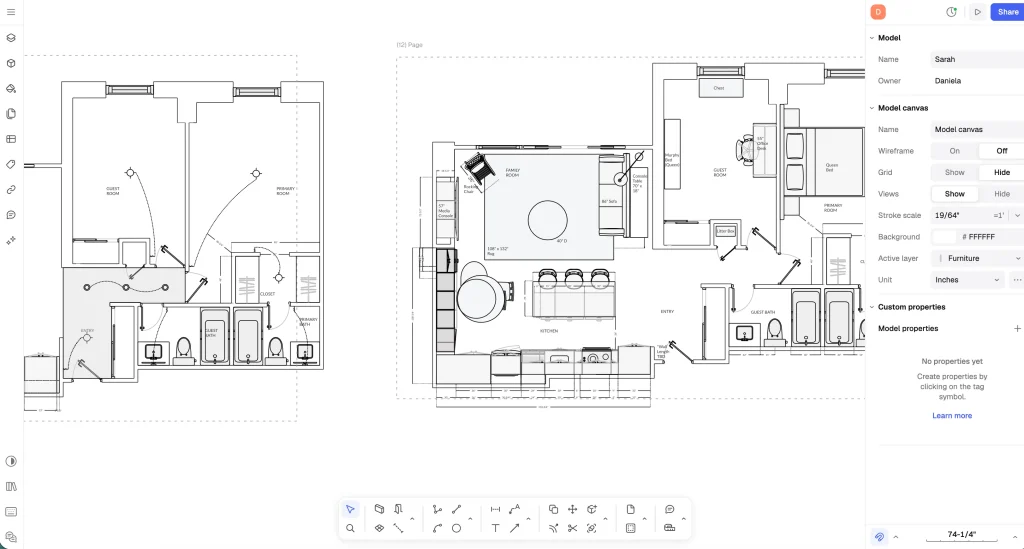
Rayon lets you create accurate architectural drawings such as floor plans, elevations, and layouts using CAD-like tools. It’s designed to be faster and simpler than traditional drafting software.
Key drafting tools include:
- Wall drawing tools with adjustable thickness
- Snapping and dimension controls for accuracy
- Doors, windows, and architectural elements
- Precise measurements and scaling
2. Large Library of Blocks
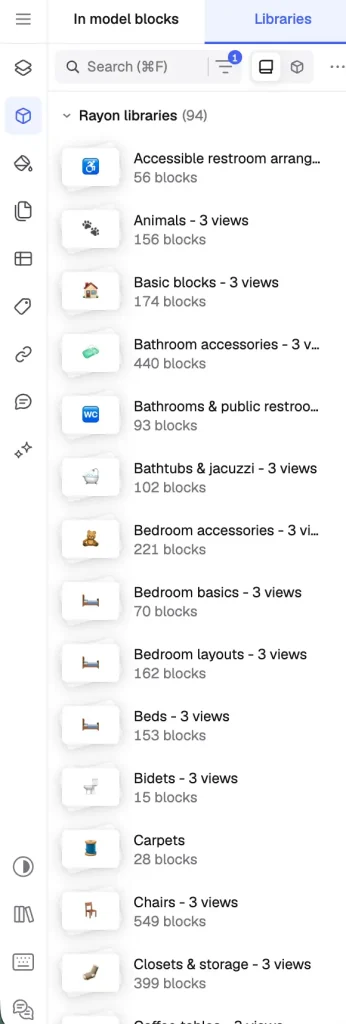
Rayon includes a built-in library of thousands of objects you can drag directly into drawings.
You can drag and drop them directly into your drawing, explode the block and make edits if need be.
Type of Blocks Rayon Design Includes:
- Furniture (sofas, tables, beds)
- Kitchen appliances
- Bathroom fixtures
- People, symbols, and decor
- Light fixtures
- Architectural annotations/page blocks
3. Templates for Interior Design Drawings

The platform includes 100+ ready-made templates for common drawing types. This is one of my favourite features of Rayon Design because it makes putting together an interior design drawing package easier and faster.
Examples:
- Floor plans
- Construction drawings
- Presentation sheets
- Interior design layouts
- Millwork drawings
- Mood boards
- Furniture schedules (FF&E)
- Layout drawings
- Presentation sheets
There is pretty much a template for everything you can think of. For more on interior design templates, click here.
4. Team Collaboration
Multiple people can work on the same drawing simultaneously, similar to Google Docs.
You can:
- Share drawings with clients or team members
- Leave comments and feedback
- Make edits together in real time
Plus, Rayon automatically saves previous versions of drawings, allowing you to restore earlier work if needed.
5. Import & Export CAD Files
Rayon works with common architecture file formats.
Supported formats include:
- DWG / DXF (AutoCAD files)
- PNG or image files
This allows designers to import existing plans and export construction drawings. I love this feature; it makes it easy to take a drawing from another source and create markups fast.
6. AI Tools
Rayon also includes AI-assisted design features.
Examples:
- Generate or find CAD blocks using AI
- AI help panel for drafting questions
- AI-generated visuals and views
My Experience With 2D Drafting In Rayon Design
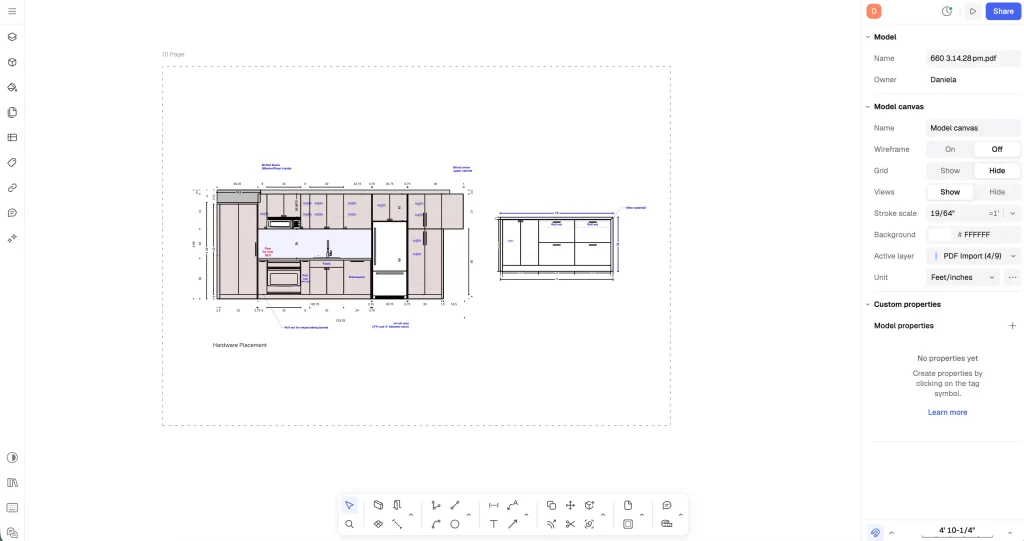
As I mentioned earlier, I’ve been using Rayon Design for the majority of my drawings for almost a year now. In short, I absolutely love it—and I don’t see myself switching 2D drafting software anytime soon.
Here is why I love this software:
A Clean, Modern Interface
The first thing I love about Rayon Design is its clean and minimal interface. The platform uses a white background, which I personally find easy to look at for long periods of time. Thinking back to my AutoCAD days, staring at a dark screen with neon lines for hours wasn’t always the most pleasant experience.
Rayon feels modern, minimal, and thoughtfully designed, which makes working in it much more enjoyable.
Some software platforms have too many pop-ups, colours, and clunky elements, which don’t make for the best interface to work from.
For more reviews on interior design drawing software, click here.
A Smooth User Experience
Another major highlight is the overall user experience.
Over the years, I’ve tried quite a few different drafting programs, and many of them feel clunky. They glitch, lag, or just feel heavy to work in. Rayon is the complete opposite.
The software feels incredibly smooth and precise. You can zoom in very closely on your drawings, and the mouse movements are fluid and responsive. The platform was built with professionals in mind.
I used it on a Mac with a trackpad, and have no issues!
Easy Wall Drawing
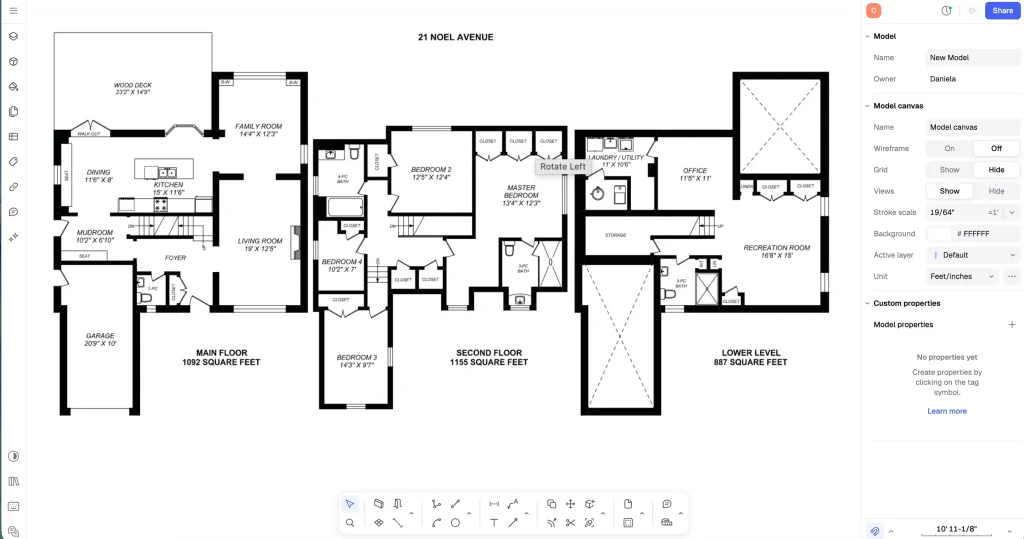
One thing that stands out immediately when you start using Rayon is how easy it is to draw walls. The process is very intuitive and straightforward, with no unnecessary steps or complications.
You can bring in a floor plan, scale it, and boom, you have a backdrop to trace with the wall tool.
For interior designers who spend a lot of time drafting floor plans, this makes a big difference in overall workflow.
A Pretty Robust Block Library
Rayon also includes a built-in block library, which I use frequently. Most of the time, I can find exactly what I need—whether it’s furniture, fixtures, or other design elements—without having to import additional blocks.
Flexible Page Sizes and Easy Exports
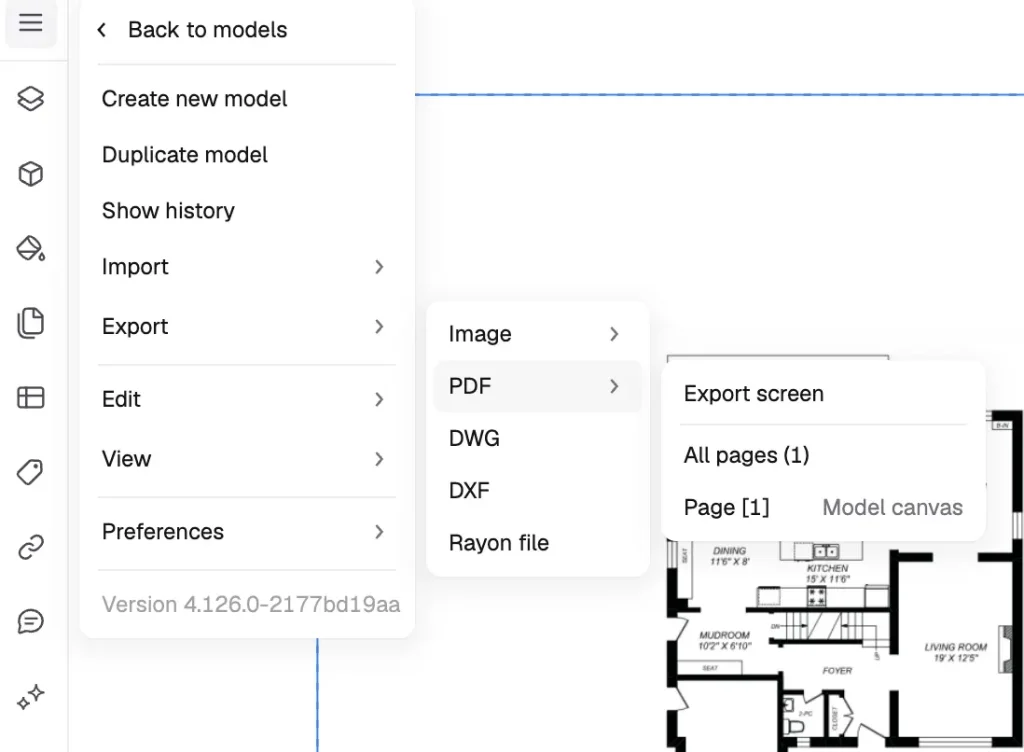
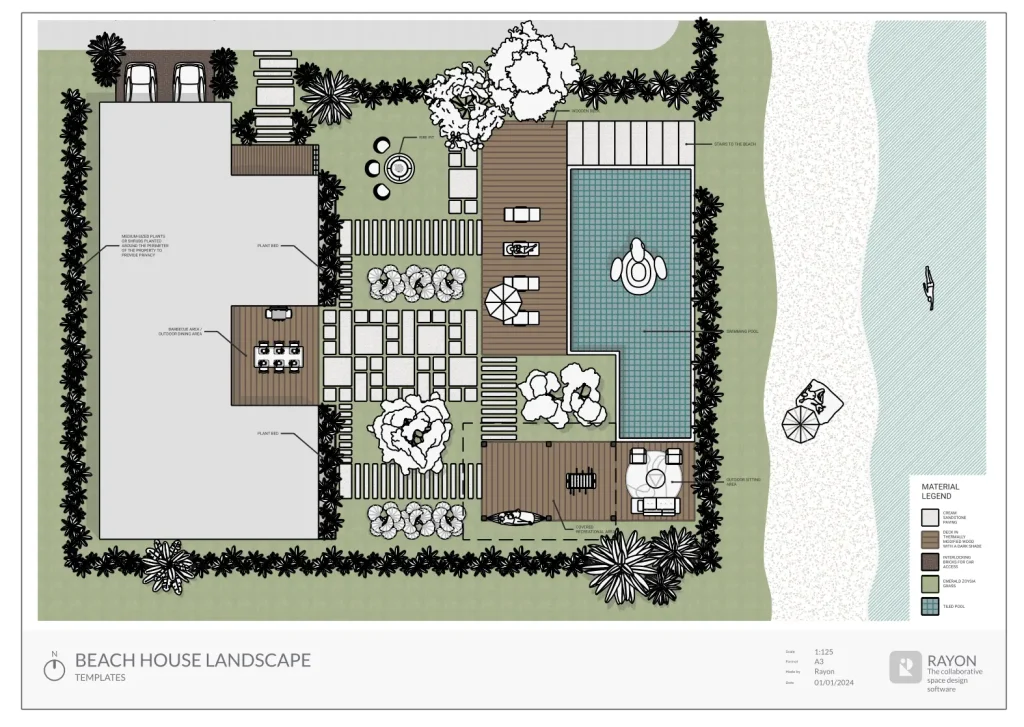
Another feature I appreciate is the ability to create page sizes of any size. It’s also very easy to export drawings or use one of Rayon’s templates to create polished presentation sheets for clients.
These small details make the platform feel very designer-friendly.
Overall Design and Precision
Overall, Rayon is a beautifully designed piece of software. It allows for a high level of precision while still feeling simple and intuitive to use. The tools feel thoughtfully built for designers who need accuracy without unnecessary complexity.
A Couple of Small Drawbacks
Of course, no software is perfect.
One thing I’ve noticed is that some of the blocks seem to be more catered toward European standards. As someone working in North America, I’ve occasionally found that certain electrical symbols or elements are missing.
Another small challenge I’ve encountered is that changing fills within shapes or areas can sometimes feel a bit cumbersome. It’s definitely manageable, but it’s probably my main minor frustration with the platform.
Creating Mood Boards and Client Presentations with Rayon Design
Another way I like to use Rayon. Design is for creating mood boards and client-facing presentations. This includes the initial conceptual mood boards as well as FF&E schedules.
One of the things I really like about building these in Rayon is how easy it is to copy and paste images directly into the software. There’s no need to download files and then upload them again—the images can simply be pasted right into the software. Even better, the quality of the image is maintained, which is something that often gets lost when working across different programs.
One drawback here is that the background removal tool is limited rather than unlimited, which can sometimes be a bit frustrating. That said, it’s an easy workaround to use a free background removal tool online and then copy and paste the image into Rayon.
Another feature worth mentioning is the ability to add hyperlinks directly within your pages. This can be very helpful when building FF&E schedules or presentations where you want clients to easily access product links.
Sharing presentations with clients is also very well done in Rayon. You can send your drawings in presentation mode, allowing your client to view the document in a clean, presentation-style format. Clients can even leave comments directly within the presentation when needed. This really elevates the overall client experience and makes collaboration much smoother.
A Designer’s Review of Rayon Design
Overall, I absolutely love this software for interior design drawings. The platform is smooth, intuitive to use (especially if you come from an AutoCAD background, as I do), and it makes it easy to produce polished, client-ready documents.
One thing I particularly appreciate is how precise the system allows you to be. You can create extremely detailed drawings, which is essential for professionals working in interior design and architecture.
At this point, I don’t see myself switching software anytime soon. I really enjoy working on a cloud-based website, not a clunky program.
Looking ahead, I’d love to see Rayon continue expanding their block library and hopefully make the background removal tool unlimited. That would be a complete game changer. I’d also be excited to see more AI-powered features introduced, especially as AI continues to grow within the interior design industry. You know, I am all about the AI features.
So yes—this is my honest, unpaid review of Rayon Design. If you’re an interior designer looking to switch your drafting software, it’s definitely a platform I would recommend exploring!
If you want to read more on Rayon and my comparison to AutoCAD, click here.
Click Here To Shop My Favourite Home Goods
Let’s design your space together, virtually.




