We all know I’m no stranger to Planner 5D, or AI design apps in general. Over the past year, I’ve immersed myself in the world of interior design software to explore which tools truly stand out for 3D visualization, floor plans, and layouts. That brings me to today’s topic: 3D interior design software. Having tested quite a few myself, I wanted to share my in-depth take on which platforms are the best for creating realistic, functional 3D interior design models.
So, let’s get into it — is Planner 5D really the best 3D interior design software? Read on for my honest thoughts and a detailed comparison with other popular 3D design platforms.

AVOID COSTLY (AND UGLY) DESIGN MISTAKES

What is Planner 5D?

Planner 5D is an AI-driven tech company that started in Vilnius, Lithuania. Strangely enough, I happened to spend two months in Vilnius this year and, by pure chance, stumbled upon their office while exploring the city. On my blog, I’ve previously shared my thoughts on this AI tool, but at the time, I had no idea where the company originated. So, discovering their headquarters in person was both a cool and unexpected moment, and it inspired me to write this post.
Planner 5D claims you can “draw a floor plan and create a 3D home design in just 10 minutes using our all-in-one, AI-powered home design software. Visualize your design with realistic 4K renders.”
Wow, now that’s quite a claim. Does this tool measure up to this claim? Well, keep reading.
Is Planner 5D Free?

Planner 5d free plan vs paid
The Planner 5D Free Plan Includes:
- Create and share an unlimited number of projects
- Work seamlessly across devices and platforms (web and mobile)
- Participate in Design Battles to hone your skills and even win Premium access as a prize
Planner 5D also offers paid plans, which in my opinion are well worth it, as the pricing is fair. Below, I will break down what you get with the paid plans.
Paid Plans
Planner 5D also offers two paid tiers — Premium and Professional — which unlock more advanced tools and features.
Premium Plan
Includes all Free features, plus:
- Access to AI Designer and Smart Wizard tools to automate project creation
- Access to over 8,000+ premium furniture items
- The ability to resize or edit textures of any item in your project
- Renders & Textures: 5 per month or 60 per year to enhance project visuals
- Automatic plan recognition — upload a file or image to instantly generate a 3D model
Professional Plan
Includes all Premium features, plus:
- Inclusion in the Top Designers list to help generate new client leads
- Unlimited 4K renders for high-quality, realistic designs
- Ability to upload custom 3D models (.obj, .fbx, .blend, .stl formats)
- Mood boards to visually organize design ideas
- Unlimited custom textures to apply to any element
- 360° Panorama views to showcase designs interactively
- Custom branded profile to promote your work
Planner 5D’s 3D Interior Design Capabilities
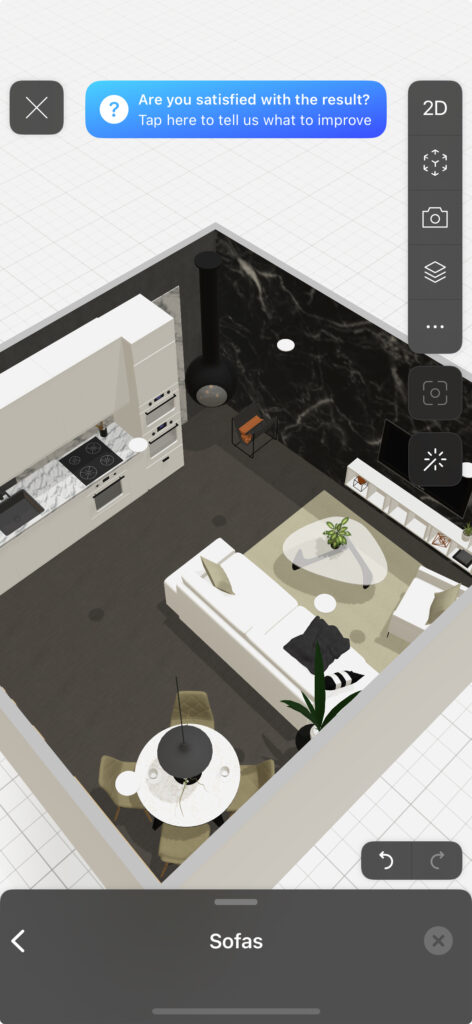
So, let’s get into the real meat of this post — when it comes to 3D interior design software, how does Planner 5D measure up?
Having used just about every major 3D interior-design tool under the sun — from SketchUp (which has a huge learning curve), to Homestyler, to Coohom — the question is: how does Planner 5D compare?
Planner 5D vs Coohom For 3D Models

Coohom is another popular 3D interior design software, widely used even among interior design professionals. It’s a platform I’ve personally tested and reviewed on this blog, where I ranked it among the best free tools for layout planning. But how does it stack up against Planner 5D when it comes to 3D interior design — and what differences did I notice in my user experience?
Here is a comparison chart:
| Feature | Coohom | Planner 5D | Comparison |
|---|---|---|---|
| Rendering Quality / Realism | Strong — supports high-quality renders, panorama / video outputs, and claims up to 8K in some tiers. | Good — supports 4K renders in premium/ professional plans, 360° panoramas, etc. | Coohom tends to emphasize more advanced rendering as a differentiator. |
| Library & Asset Models | Very large library, with drag-and-drop furniture, accessories, decor items; ability to import assets and textures. | Also has a strong library of models, and supports import / custom textures in higher plans. | For very niche or custom pieces, both may require importing. But Coohom seems to have more scale in their base library. |
| AI / One-Click Generation & Smart Tools | Yes — Coohom promotes “one-click creation,” AI layout suggestions, etc. | More manual / designer-led — Planner 5D gives tools and freedom, but doesn’t push as heavily on “instant AI layout” as a core feature. | If speed + suggestion is your priority, Coohom may give you more “assistive automation.” |
| Workflow & Usability (2D ↔ 3D switching, drag/drop, ease of use) | Designed to be browser-based, smooth transitions, intuitive drag & drop. | Very strong in usability. Planner 5D is often praised for low learning curve, ease of switching between 2D and 3D, etc. | For beginners or fast ideation, Planner 5D might feel more fluid. For power users, Coohom’s extra tools may outweigh the learning. |
| Import / Export / File support | Supports uploading 3D models (various formats) in its higher/ professional plans. | Also supports importing models (OBJ, FBX, etc.) in its higher/ professional tiers. | If your workflow involves mixing external assets, both are capable — check which formats and import fidelity matter to you. |
| Panoramas, Walkthroughs, Video / 360° | Yes — Coohom supports panoramas, video rendering, immersive views. | Yes — Planner 5D supports 360° panoramas, video walkthroughs in advanced plans. | These features tend to push you into paid tiers. The question is: in which tool do they come cheaper / more robustly. |
| Customization / Materials / Textures | Strong — ability to apply custom materials, textures, edit surfaces. | Strong, especially in paid plans — you can edit textures, surfaces, and tweak materials. | The difference will often come down to how fine-grained the control is (layering, UV mapping, etc.), which neither is fully “pro 3D software” level. |
| Performance & System / Cloud / Browser Support | Cloud / browser centric — a strength (no heavy install) but sometimes limits performance or complex modeling. | Similar — web + desktop options. In reviews, Planner 5D is noted as “resource intensive” on weaker machines. | If your machine is modest, performance might tip you to one over the other. |
| Cost & Tier Structure for 3D / Rendering Features | Multiple plans, where high-end rendering and advanced features are reserved for premium tiers. | Similar tiering: free core features, then rendering, textures, model import, etc., unlocked by premium / professional plans. | Always check what you actually get in the rendering / export capabilities at each tier. |
My User Experience With Planner 5D and Coohom
I find that Planner 5D is much easier to work with, and there are a few features I really love that Coohom doesn’t offer. For example, the ability to create digital versions of floor plans that are automatically scaled and ready to turn into 3D models — this alone can save designers (or even non-designers) hours of work.
Coohom is definitely a strong contender, but personally, I find the interface a bit clunky and somewhat distracting. I do love its extensive 3D library and the huge variety of products to choose from, but you know when a software just feels like it has too much going on? That’s the kind of clutter I’m not crazy about.
Overall, I find Planner 5D more intuitive: it’s easier to learn and get comfortable with. So if you’re planning your own renovation project and don’t want to invest time learning a complex tool, Planner 5D is, in my opinion, the better choice over Coohom.
Planner 5D vs Homestyler For 3D Models
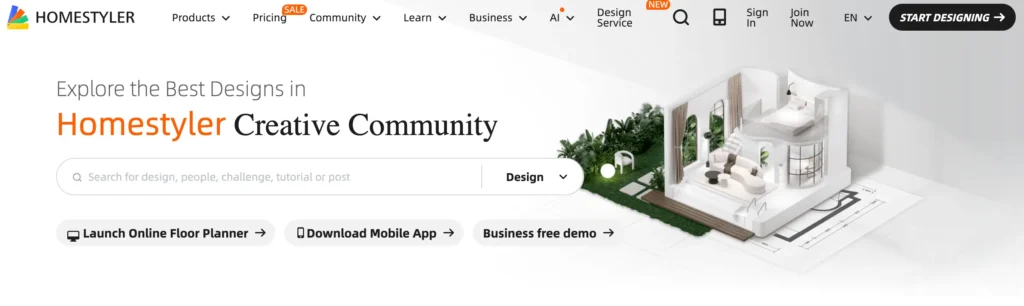
Homestyler is another popular 3D interior design software that’s comparable to Planner 5D. I’ve tested and used both platforms before, so let’s take a closer look at how they stack up in terms of 3D modeling capabilities and features.
| Feature | Planner 5D | Homestyler | Comparison |
|---|---|---|---|
| 2D → 3D floor-plan conversion / mode switching | Yes — you can draw 2D plans and switch easily into 3D mode. | Yes — supports 3D imaging from 2D floor plans and offers tools like one-click 3D floor plan from photo. | Both support 2D/3D workflow; Planner 5D emphasises ease of switch between modes. |
| Library of 3D models / furniture / decor | Large: Catalogues of 6,000+ items, drag & drop furnishing in 3D. | Very large: “over 10 million 3D models” cited in some sources. | Homestyler may have scale of asset library advantage; the real question is ease of use and fit for your style. |
| Rendering / Realistic Visualisation (3D renders, walkthroughs, panoramas) | Yes — supports 4K renders, 360° walkthroughs / AR features. | Yes — supports photorealistic rendering, 720° panoramas, video walkthroughs. | If realism for client presentations is important, both deliver, but check how much in free vs paid tier. |
| Import / Custom Models & Textures | Supports custom imports of 3D models in paid/pro tiers. | Supports customisation, though detail on import formats may vary. | If you bring your own brand furniture/models, check import flexibility. |
| Platform / Device Support & Accessibility | Web + iOS/Android; works across devices. | Web/browser based (cloud) plus mobile apps; some browser limitations noted. | If you’ll switch devices frequently or use tablets, check performance on your device. |
| Learning Curve / Usability for Non-Professionals | Emphasised as “for everyone” — easy to use for homeowners and non-designers. | Also relatively easy, but some users feel interface may be more complex or “busy”. | If you’re self-led and not a pro designer, usability may be big factor. |
| Collaboration / Sharing / Client Feedback | Supports project sharing, cross-device sync. | Strong collaborative features, sharing, export high-res renders. | If working with clients or team, consider sharing & feedback tools. |
| Free vs Paid Tier / Limitations in 3D Output | Free version has 3D/2D tools but premium required for highest renders & advanced features. | Free tier exists but many advanced 3D/render features are behind paywall or browser limitations. | Budget matters: check how much you get in free tier vs how much you need. |
My User Experience With Planner 5D Compared to Homestyler
Now that I’ve shared my user experience with Coohom and Planner 5D, to put it simply: I think Homestyler and Coohom are more similar in terms of ease of use. Both have a slightly steeper learning curve. If you’re a designer (or an aspiring one), investing the time to learn either platform can make sense — you’ll gain more flexibility and customization in your designs.
However, if you’re a homeowner looking for an intuitive tool, Planner 5D is, in my experience, much easier to get the hang of.
What’s The Best 3D Interior Design Software?
Alright, in this post I’ve compared three of the most popular 3D interior design software tools: Planner 5D, Coohom, and Homestyler. I’ve looked at these tools before, focusing on layout capabilities, but I hadn’t specifically touched on their 3D rendering features.
My recommendation here depends on whether you’re a design professional or a DIY homeowner. All things considered, I would name Planner 5D as the best 3D interior design software for beginners, DIYers, and anyone looking for an intuitive, easy-to-use tool.
Read My Full Review On Planner 5D.
If you’re a professional, your needs and workflow are probably different from the average DIYer. In that case, I would actually recommend other layout software that’s more tailored to trade professionals. If you want to see which software I use to run my design business and create stunning 3D models for clients, check out my tech stack.
For another comparison on these tool’s free layout feature, read: The Best and Worst Free Interior Design Layout Software
Disclaimer: All opinions are my own. When it comes to software reviews, different strokes for different folks! Everyone’s user experience will vary, so you may prefer one software over another — and that’s completely okay. I, for example, prefer dark chocolate over milk. Whatever floats your boat!
Click Here To Shop My Favourite Home Goods
Let’s design your space together, virtually.