Is Midjourney Really The Best AI For Interior Designers?
As the self-proclaimed AI interior design queen — or more humbly, an AI-first online interior designer — I’ve tried and tested just about every AI tool on the market. I regularly share my thoughts and reviews on various AI-powered platforms for interior design here on my blog.
One tool that’s been widely praised is Midjourney — often described as the ultimate visual tool for interior designers. With its powerful capabilities, reasonable cost, and ability to create stunning visuals and mood boards, it’s earned a strong reputation.
Naturally, I’m no stranger to Midjourney. And as someone who’s explored nearly every AI tool out there (and has a few favourites), I wanted to share my honest opinion on whether it really lives up to the hype. so, read on for my trial and review.

Can 3D Room Visuals Be Made Easy?
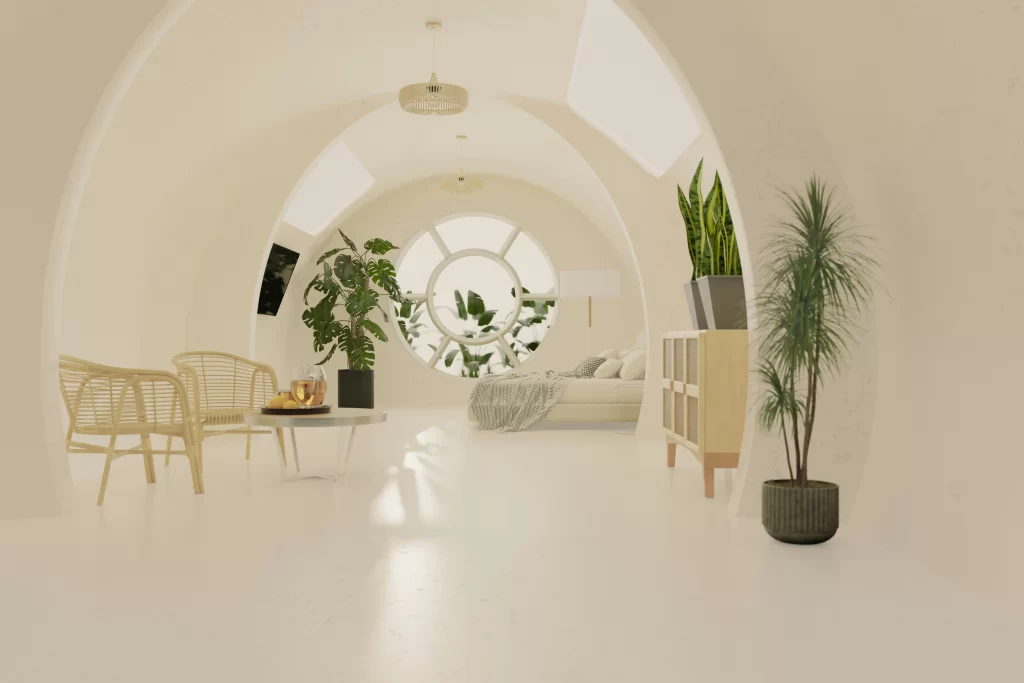
Midjourney prompt: Super-realistic photo of a contemporary bathroom with sleek white tiles, light wood cabinetry, and matte black fixtures, minimalist home.
Sometimes, when people find out I’m a designer who embraces AI, they’re surprised. There’s still a bit of stigma around AI in creative fields — and I get it. But I’ve always viewed AI as a tool I can use and take advantage of, not something that’s going to replace me.
So, when AI tools for interior design started hitting the market, I dove right in. I tried them all.
In fact, my very first blog post about using AI for interior design was published almost two years ago — and that piece is what really put me on the blogging map. Fast-forward to today, and I can confidently say that the advancements in AI have completely transformed the way I create and deliver visuals to my clients.
The Traditional Way of Rendering Is Gone
I was trained to create 3D visuals the old-fashioned way — using SketchUp and V-Ray. And while I’ve always LOVED design, creating visuals for my clientele used to drive me absolutely insane.
Why?
Well, if you’ve ever used SketchUp, and you’re a designer reading this… you probably already know. It’s a powerful tool, but it can also be incredibly frustrating. And the rendering process? So slow. So tedious.
Even though I was tech-savvy and knew SketchUp inside and out, it would still take me 7+ hours just to prepare one solid 3D rendering for a client. My laptop would be working overtime, overheating like it was about to launch itself into orbit. Seriously — the fan noise alone was enough to make me lose my mind.
So yes, I could cry a happy tear and say this with confidence:
Those days are gone.
Now you can create a 3D visual of a space in minutes. The question is, what is the best tool for this? Is it Midjourney? Let’s test it out.

What Can Midjourney Do For Interior Designers?
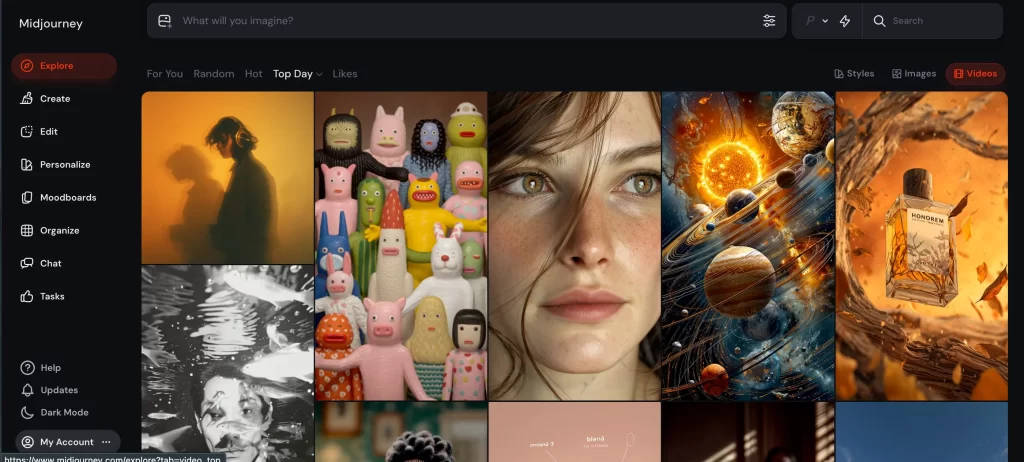
Midjourney is a powerful tool that many interior designers are now using to create stunning visuals — from 3D-style concept images to full mood boards. With the right prompts, you can generate imagery that looks like it came straight from a high-end magazine.
Here’s what you can do with Midjourney:
Generate High-End Concept Visuals and Videos

Create near-photorealistic interiors based on mood, style, layout, colour palette, and more — all with just a few lines of text. You can even turn these visuals into videos for even more engaging client presentations.
Visualize Different Design Styles
Want to showcase a space in “Japandi,” “Parisian Modern,” or “Maximalist Boho”? Just describe it in your prompt, and Midjourney brings it to life.
Create Product Mockups or Styling Ideas
Need to visualize a styled console table, cozy reading nook, or bathroom vanity setup? Midjourney can help you create editorial-style vignettes that feel polished and professional.
A Note on the Learning Curve
The thing is — Midjourney does have a bit of a learning curve. It runs through Discord (which feels clunky at first), and crafting the right prompts takes some trial and error.
But once you get the hang of it, it can save you hours of work and spark ideas you might not have come up with on your own.
What Midjourney Can’t Do
- It doesn’t create floor plans or technical drawings
- It won’t render actual sourced items (everything is imagined)
- It can’t give you exact measurements or real-world scale
Interior Designer Tests Midjourney: Can It Turn a Mood Board into a 3D Visual?
I started testing Midjourney by trying to turn a concept mockup — or mood board — into a realistic 3D-style visual. What drew me in most was the promise that this AI could bridge the gap between a vibe and a fully visualized space.
If you’re an interior designer, you’ll understand why this matters:
We almost always begin a project by delivering a mood board or concept presentation to our clients. This helps align us on style, tone, key pieces, and the overall design direction. The full 3D rendering usually doesn’t come until those initial ideas are approved.
So, for this experiment, I started with one of my own mockups — which, to be honest, is more of a visual concept board than a traditional mood board. I’ve found these to be more engaging for clients, especially when we’re trying to communicate a full spatial vision early in the process. Here is the test image:

From Mood Board to Mock Space
I needed to create a 3D-style visual to show my client how everything from the concept board could come together in a realistic layout.
But first, a heads-up:
Midjourney does have a learning curve. You can’t just type “make this room” and expect magic. You need to know how to prompt it properly.
the Basic Midjourney Prompt Formula
To get the best results, I follow a prompt formula like this:
Type of image → Style of image → Specific details → Camera angle / photography style
Example Prompt:
“Photography, Architectural Digest, an organic modern dining room with vintage brass accents, walnut-toned dining table with organic curves, high ceilings with two exposed wood beams, light wood flooring, view of Auckland through the windows.”
For this test, I uploaded my mood board, an inspiration photo and the layout image. Then, I prompted Midjourney with this:
“Photography, Architectural Digest style, organic modern living room, featuring the mood board items and room layout as follows: accent chairs on either side of the fireplace, sofa against the right-hand wall, coffee table in centre of the room, along with the round rug, wide-angle view showing three walls, Toronto street scene visible through the window, high-end interior design, natural lighting, ultra-realistic render.”
The First Midjourney Output (Not Quite Right)
What I got back, but it wasn’t quite right.
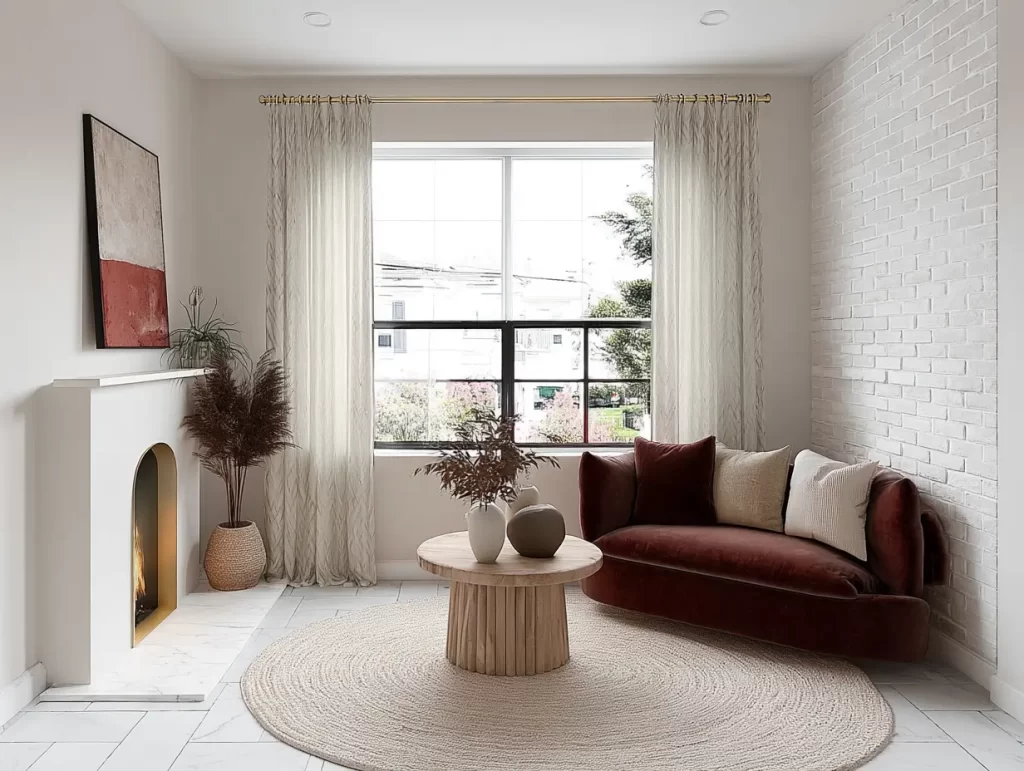
So, I iterated my prompts and tried to give Midjourney more direction. I kept getting nice visuals back — but they still weren’t quite right. Something was always a little off. And while you can iterate in Midjourney, the AI is a bit more advanced and requires a deeper understanding of how to guide it properly.
You can’t just type something like, “Can you make the rug round and fix the layout of the sofa?” — the way you can with some other AIs. Midjourney doesn’t work like a conversation; it works through carefully crafted prompts.
I gave up…
So, after about 50 iterations and still not getting the exact visual I was aiming for, I decided to give up — and not because I’m a quitter. It’s because I already use an AI tool that’s far more intuitive and user-friendly, and I’ll be sharing all the details later in this post.
But for now, let’s move on to creating another visual using Midjourney.
Mood Boards & Material Selections with Midjourney
I decided to try creating a material selection mood board using Midjourney — thinking this might be where a tool like this could really elevate a designer’s presentation.
I prompted Midjourney with the following:
“Top-down view, material mood board with linen, oak, brushed brass, dark marble, Japandi minimalism, warm lighting, high resolution, arranged in a square grid.”
The result?
The AI generated four stunning material selection mood boards — and I’ll insert one of them below for you to see.

I have to say, I’m genuinely impressed with what Midjourney can create, especially when there’s no reference image involved. It really shows its strength in generating high-quality visuals from just a well-crafted prompt.
An Honest Take on Midjourney — A Designer’s Perspective

So, what do I really think of Midjourney for interior designers and why?
In short: it depends on your needs.
Well, there’s no doubt that Midjourney is an incredibly powerful AI tool. If you’re a designer willing to put in the time to learn how to prompt it properly, it can deliver stunning visuals. From mood boards to conceptual renderings, it can help you present style, tone, and ideas to clients in a very elevated way — and often just from a simple prompt. The mood boards, in particular, are next level.
why i prefer other ais
However, where Midjourney falls short for me is when it comes to working with existing spaces — for example, uploading a photo of a room and asking the AI to make specific edits or alterations. This is where the tool struggles. Considering my personal business needs, this is frustrating.
Where Midjourney falls short:
- Alter room photos
- Turn mood boards into 3D-style visuals
- Generate iterations quickly without starting from scratch every time
Midjourney can’t quite handle that process intuitively — at least not yet. And that’s why I personally don’t crown it the best AI for interior designers. HOWEVER…
how Midjourney is best used
Now, if you’re an interior designer who focuses on conceptual presentations and doesn’t necessarily need to replace the full 3D rendering process, then I absolutely think Midjourney is worth learning. There’s nuance here — it’s not a bad tool, just maybe not the best fit for every interior designer’s needs.
My Favorite AI Design Tools (for Interior Designers)
As a designer who works on residential projects and who wants to turn mood boards into client-ready visuals without all the fuss, I’ve personally found a few AI tools that are a much better fit for my workflow.
Luckily, I’ve tested nearly every AI design tool out there — and with one of my favorite platforms, I was able to create the visual (referencing my mood board) in just ONE go.

No steep learning curve. No complicated workflows.
The tools I use are perfect for interior designers who don’t need hyper-technical 3D visuals and don’t have the time (or desire) to dive deep into tools like Midjourney — which, let’s be honest, requires a bit of a techy mindset to use effectively.
Curious about which AI tools I actually use?
Check out my full Tech Stack for Designers — and see which platforms I use to deliver high-quality client visuals with ease.
Click Here To Shop My Favourite Home Goods
Let’s design your space together, virtually.