The Best 3D Floor Planner Software For Pros
If you’re a professional in the interior design industry — or even just getting started — your head might be spinning from all the 3D floor planning software options out there. There are plenty of programs marketed toward the average homeowner who wants to design their own space, but there are also powerful tools designed specifically for professionals. In this post, I’ll be focusing on 3D floor planning software, which caters to professionals in the interior design space.
If you are not a pro, then the 3D floor plan software I recommend to you differs, read: The Best and Worst Free Interior Design Layout Software

Comparing 3D Floor Planners For Designers
in this post, I will share my 2 cents on SketchUp, Foyr Neo, DesignFiles 3D software and Chief Architect.
First, let’s talk about SketchUp.
SketchUp
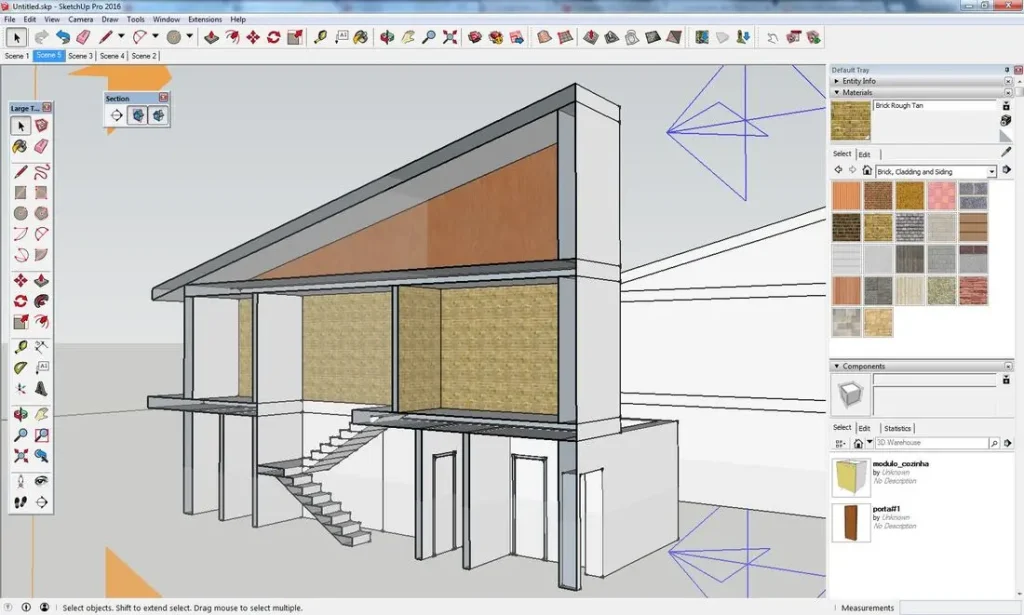
Google’s SketchUp is widely known as the industry standard for 3D floor planning software in the interior design world—and beyond. I was trained to use SketchUp in college and relied on it for many years in my professional work.
There’s no doubt that SketchUp itself is a very powerful 3D modeling tool. However, over time I’ve moved away from it, and I know I’m not alone. Many designers today are actively looking for SketchUp replacements because the software can feel clunky, time-consuming, and not especially tailored to the specific needs of interior designers.
These days, designers are searching for 3D floor planning tools that offer easier drawing capabilities, faster workflows, and a more intuitive user experience. Before diving into the best SketchUp alternatives, let’s take a look at the pros and cons of SketchUp.
Pros of SketchUp
- Highly customizable – You can model almost anything if you have the skills
- Extremely flexible – Not limited to predefined objects or layouts
- Many 3D Models Available – There are thousands of 3D furniture models your can download and bring into SketchUp
Cons of SketchUp
- Steep learning curve – It takes a significant amount of time to master
- Mouse sensitivity issues – Navigating the model can be tricky and frustrating
- Frequent crashes – Stability can be a real concern
- Time-consuming workflows – Simple tasks can take longer than expected
- Extra Step For Realistic Rendering – You need to download a plugin (such as V-ray) to create photo realistic renders, which takes ages to learn and not to mention render
is sketchup still the industry standard for 3d floor planning?
I was trained on SketchUp in college, and while I still consider it one of the best—and possibly the king—of 3D floor software, it undeniably comes with a steep learning curve. Not to mention, it can crash far too often.
I see AutoCAD in a similar light. For years, it has been considered the industry standard for creating layout drawings. However, both SketchUp and AutoCAD have begun to lose traction as newer, more intuitive tools enter the market—tools designed specifically with designers in mind.
So let’s talk about SketchUp alternatives—the modern 3D design tools that are changing the game for professionals.
Foyr Neo

I recently wrote an entire post on Foyr Neo, and for good reason. Foyr Neo is a 3D floor planning software that has become a favourite among interior designers around the globe.
Unlike SketchUp—which can be used to model just about anything—Foyr Neo is built specifically for interior design drawings. Because it’s industry-specific, it includes all the tools a designer needs to easily create floor plans in 2D and 3D, as well as quickly export elevations and renderings.
Let’s take a look at the pros and cons of Foyr Neo.
Pros of Foyr
- Web-based, cloud system that runs smoothly on a laptop
- Extremely easy to use with little to no learning curve
- Plenty of flexibility when working with architectural and furniture elements
- Photo-to-3D tool for fast design creation
- Ability to create photorealistic renderings within the same software
- AI-powered features that streamline and speed up the workflow
Cons of Foyr
- Some kitchen features are limited; however, the Photo-to-3D tool offers a practical workaround
- Certain advanced features require an additional fee
Final Thoughts
Overall, it’s hard to go wrong with Foyr Neo. I’ve heard nothing but rave reviews, and it continues to stand out as one of the most intuitive and designer-friendly floor planning tools available today.
DesignFiles
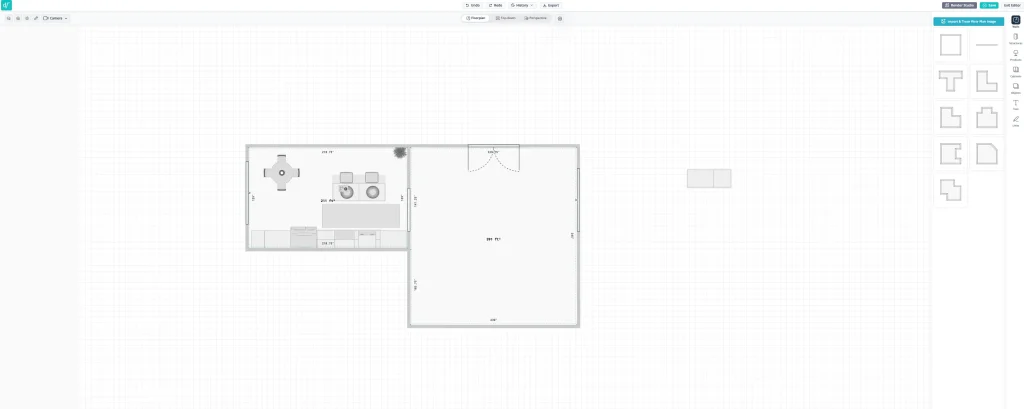
DesignFiles is a software I’ve written about before (you can check out the full article here). It’s much more than just a 3D floor planning tool—it’s an all-in-one platform built specifically for interior designers and e-Designers who want a single system to manage their entire business.
DesignFiles allows you to handle client intake, project management, mood boards, invoicing, floor plans, renderings, client communication, and more—all in one place. If you’re looking for interior design software that helps you not only design but also run and manage your business, DesignFiles is a strong contender.
That said, since this post focuses specifically on 3D layout software, I’ll concentrate on that aspect. DesignFiles includes a robust 3D floor planner that’s intuitive and easy to use. I’ve had extensive experience with this software and, honestly, I’ve never run into any major issues.
Here’s a breakdown of the pros and cons.
Pros of DesignFiles
- Very user-intuitive with virtually no learning curve
- Built-in AI rendering tool that creates photorealistic 3D visuals in seconds
- Ability to customize items within the model
- Access to a large product library featuring thousands of items from popular vendors like Crate & Barrel and Pottery Barn, which can be pulled directly into your 3D models
- Option to build custom objects
- Cloud and web based
Cons of DesignFiles
- No option to export elevations
- Cannot create 3D models directly from images
Final Thoughts
Overall, I love DesignFiles, and I think its 3D floor planner is more than robust enough for most designers. While it may not offer the same level of customization as Foyr Neo, DesignFiles makes up for it with its comprehensive suite of design and business tools, which can be a major advantage depending on your workflow.
Chief Architect
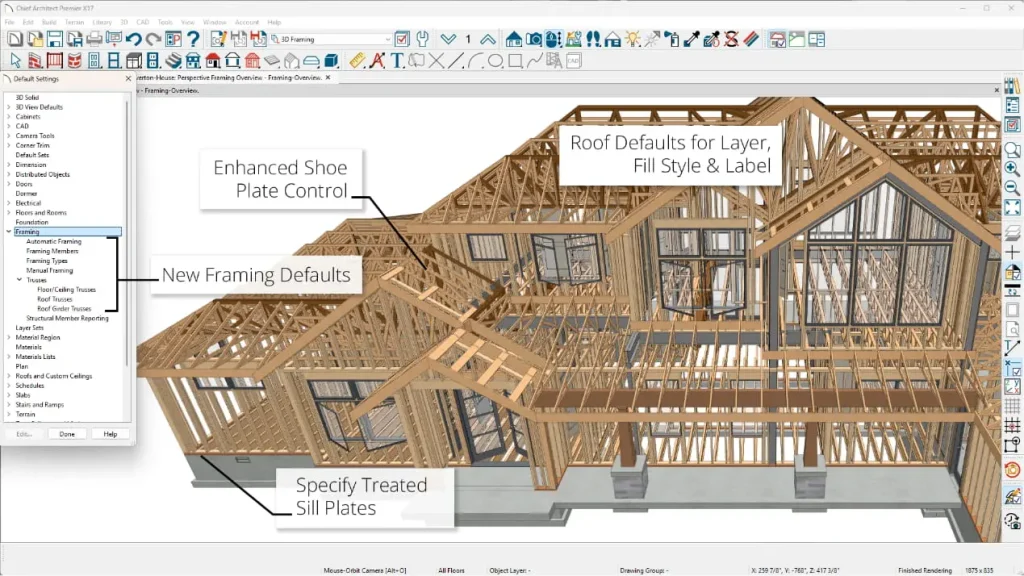
Chief Architect is a professional-grade 3D CAD and home design software that’s widely used by architects, interior designers, builders, and remodelers to create detailed residential and light commercial plans. This software is built to produce construction-ready drawings, elevations, and 3D models.
Pros of Chief Architect
- Create highly detailed floor plans, elevations, and realistic 3D views all within a single platform—no need to switch between multiple apps.
- Access an extensive library of furniture, fixtures, and building components, making it easy to populate and customize your models.
- Strong rendering and visualization tools produce high-quality visuals and interactive views that help clients better understand the space.
Cons of Chief Architect
- Some workflows can be complex – Tasks like advanced roof editing and detailed customizations may require additional learning or workarounds.
- Steep learning curve – It can take time to become comfortable with the interface and tools, especially if you’re transitioning from simpler software.
- Not cloud- or web-based – The software is desktop-only, limiting accessibility and collaboration.
- Higher price point – Generally more expensive than basic floor planning tools, which may be a drawback for freelancers or designers on a tight budget.
Final Thoughts
Chief Architect is an excellent software option if you have the time and patience to learn it. It’s highly recognized within the interior design field as a robust, professional-grade tool capable of producing accurate and highly detailed drawings.
That said, as mentioned earlier, it’s not the simplest software to learn. There’s a significant investment of time, money, and patience required to truly master Chief Architect—but for designers who need precision and depth, that investment can be well worth it.
What Is The Best 3D Floor Planner Software For Pros?

So, now to answer the big question: out of all the software options catering to professionals in the field—and setting aside more amateur tools—which 3D floor planner is the best?
When considering pure 3D floor planner performance, along with price point, overall value, and ease of use, the top spot goes to Foyr Neo.
Foyr Neo stands out for its intuitive interface, impressive AI-powered tools (which genuinely blew me away), and its ability to handle everything interior designers need in one place. From 2D and 3D floor plans to elevations and photorealistic 3D renderings, Foyr Neo delivers a streamlined, designer-focused experience that’s hard to beat.
To read more on Foyr, click Here.
Click Here To Shop My Favourite Home Goods
Let’s design your space together, virtually.