I Tested Copilot For Interior Design: The Results
I’m no stranger to AI, and certainly no stranger to testing AI tools to help with the interior design process. Next on my list: Microsoft Copilot.
ChatGPT tends to get most of the attention when designers talk about AI, but Copilot rarely comes up, even though it’s free and already built into tools many of us use every day. So I wanted to find out whether Copilot interior design help actually holds up on real project work, or whether it’s just another tool that looks good in a demo.
In this post, I put the free version of Copilot through three real-world tests using my own files: tracing a floor plan, editing renders and photos, and elevating a mood board. I’ll show you exactly what I uploaded, what I asked for and what came back, so you can decide whether it deserves a spot in your design toolkit.
Short on time? Here’s the quick verdict:
- Floor plans: missed the mark. The traced plan was rudimentary at best.
- Renders and photo edits: impressive. It made a 3D render more photo-realistic, swapped a tile accurately and cleared furniture from a room.
- Mood boards: impressive. It noticeably elevated the presentation of a flat-lay board.
Copilot claims it can create:
- Concept sketches: room layouts, furniture placement and traffic flow
- Scaled floor plans: using dimensions you provide
- Renovation plans: reconfiguring existing spaces
- Home designs: tiny homes, cabins, bungalows and multi-storey houses
- Commercial layouts: offices, retail spaces, cafés and workshops
- Visual floor plans: clean 2D floor plans with labelled rooms
- Space optimisation: improving storage, natural light, accessibility or workflow
So let’s give Copilot a go and see what it can really do for the interior design process.

Test 1: Floor Plans
First, I tested Copilot’s ability to generate a floor plan. Could it create one, and in what format?
I uploaded a floor plan I’d created in another program to see if Copilot could trace it, giving a designer a drawing to work from if needed. I asked it to reproduce the drawing as a .dwg file and a PDF.
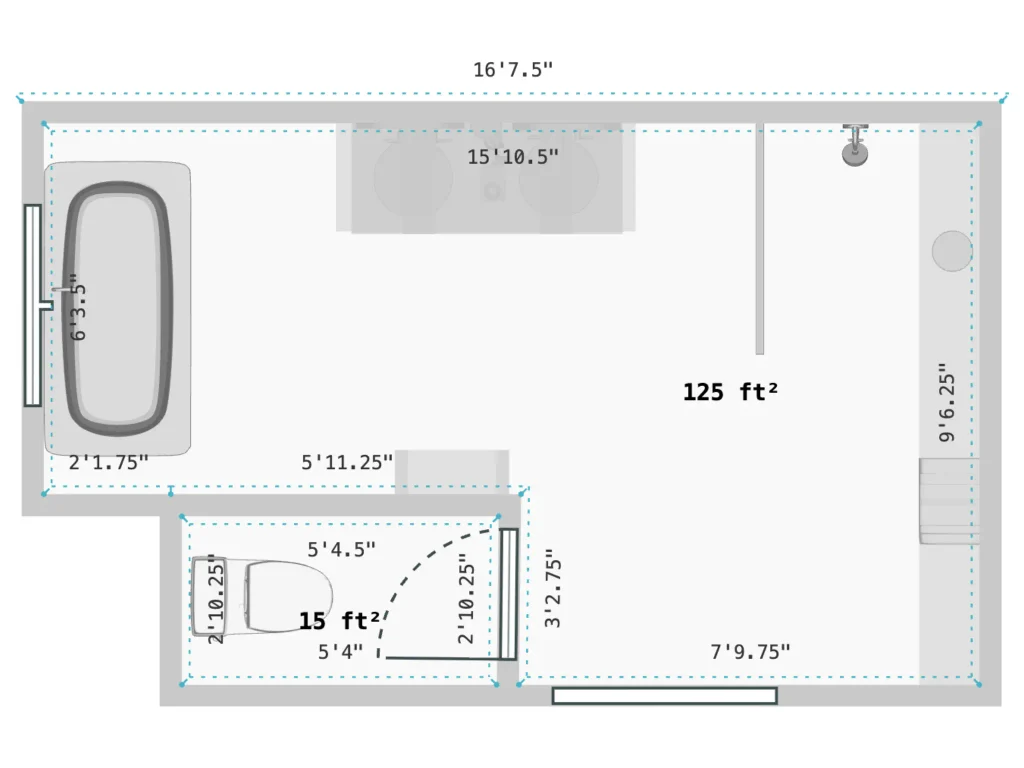
Copilot came back with a few questions confirming some of the architectural details, which I answered. That made it seem like Copilot was clever and would be able to trace the plan accurately.
After a minute or two, this is what I got back:
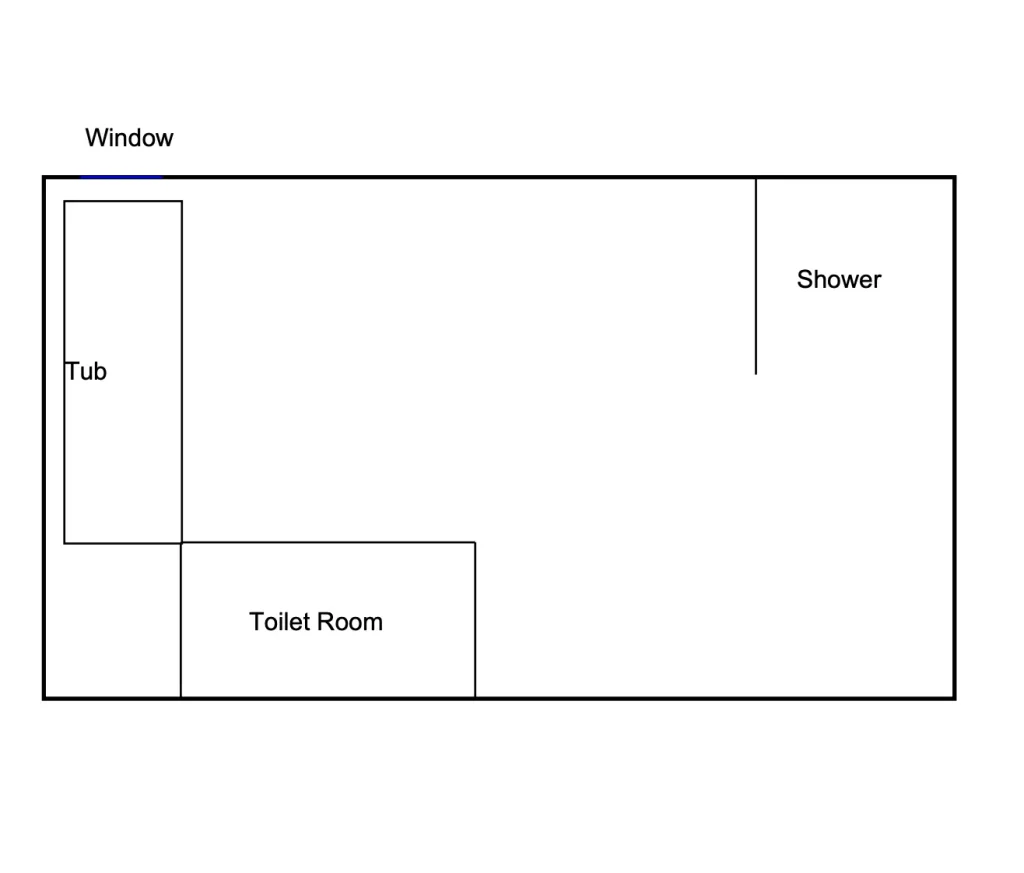
The result was rudimentary, to put it nicely. So on floor plans, Copilot failed.
But all hope wasn’t lost.
Test 2: Visuals
Next, I tested Copilot on visuals.
Making a 3D Render Photo-Realistic
I uploaded a 3D render and asked Copilot to make it more photo-realistic, keeping the prompt simple and straightforward.
Here’s the image I started with:
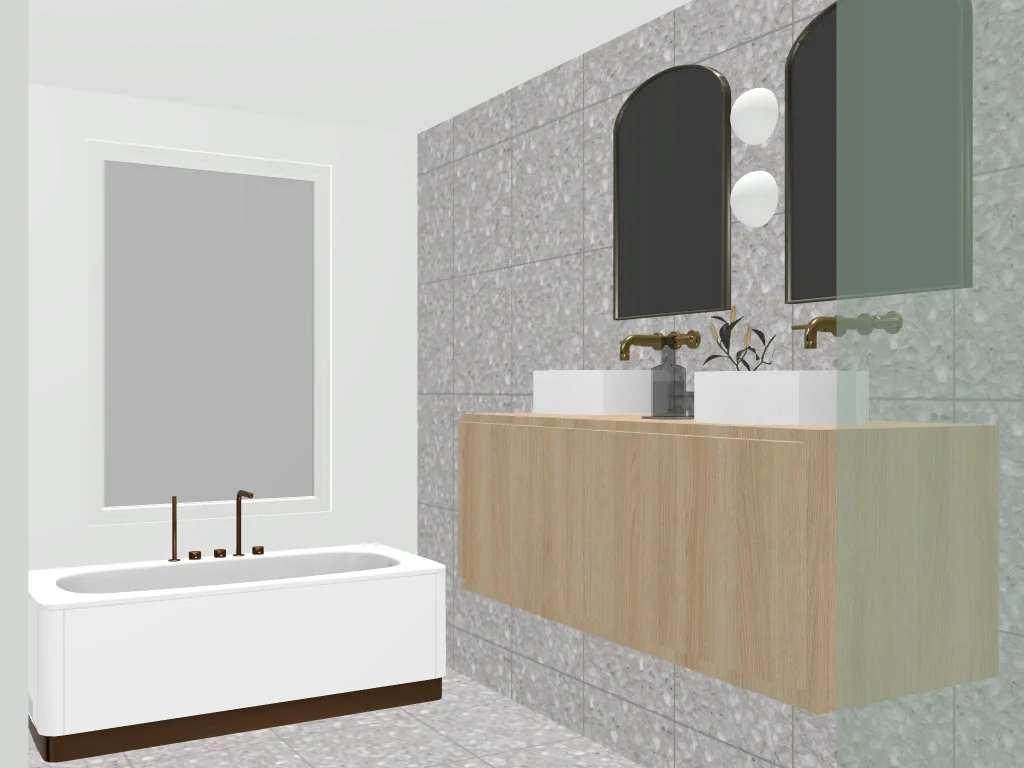
And here’s what I got back:
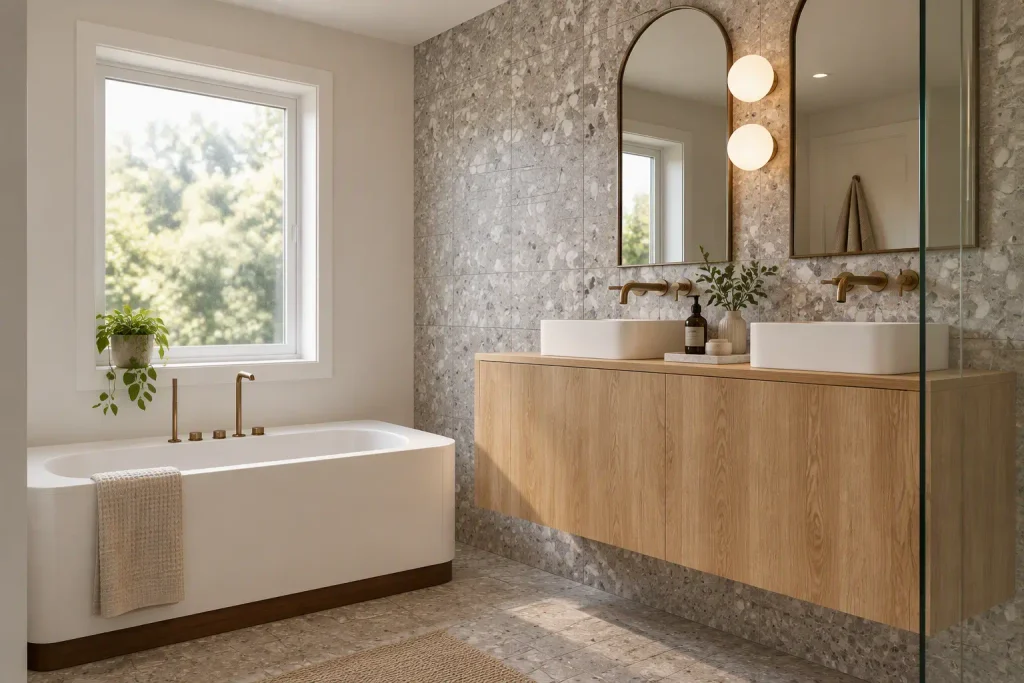
I was pretty impressed. Copilot did a fantastic job of recognizing the materials in the model and enhancing the overall look and feel. It didn’t add anything strange or change the render too much.
Swapping a Material
I played with Copilot’s image creation a little more and asked it to swap the bathroom terrazzo tile for this one:
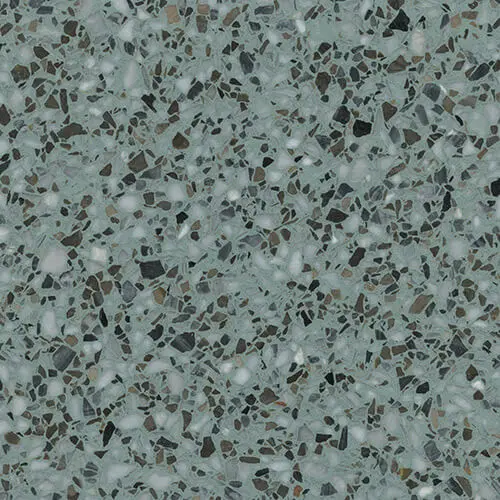
Here’s the result:
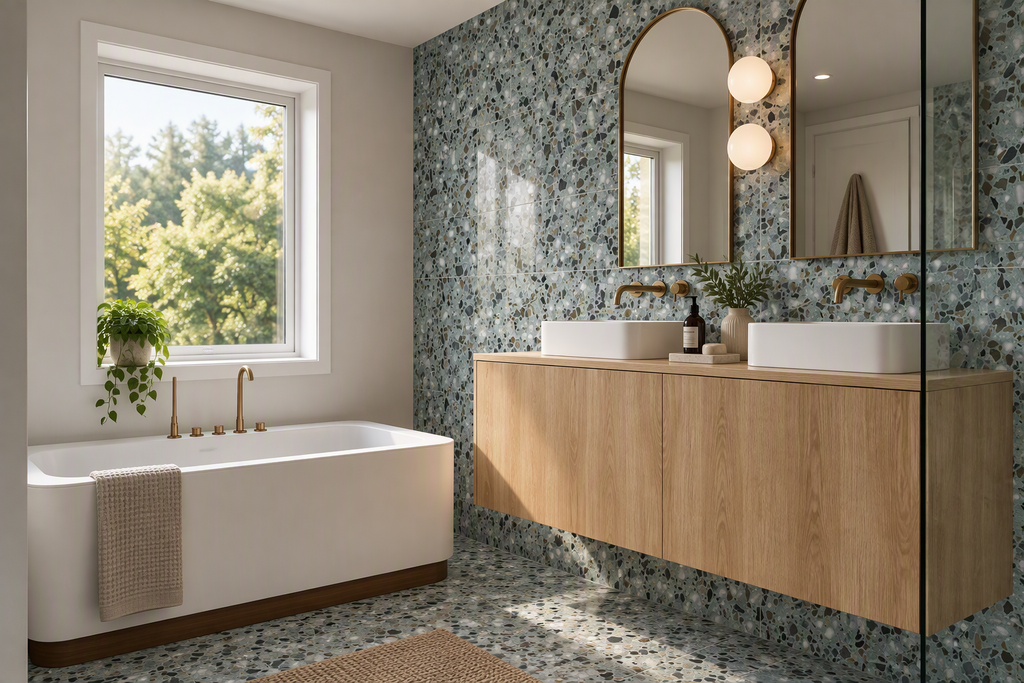
Wow, I was pleasantly surprised. We hear a lot about ChatGPT for interior design renders, but Copilot rarely comes up. It impressed me with its speed and its ability to follow instructions when iterating on an image.
Clearing Out a Room
I wanted to test this further, so I checked whether it could simply clear the items from a room. I uploaded this photo and asked Copilot to remove all of the furniture:
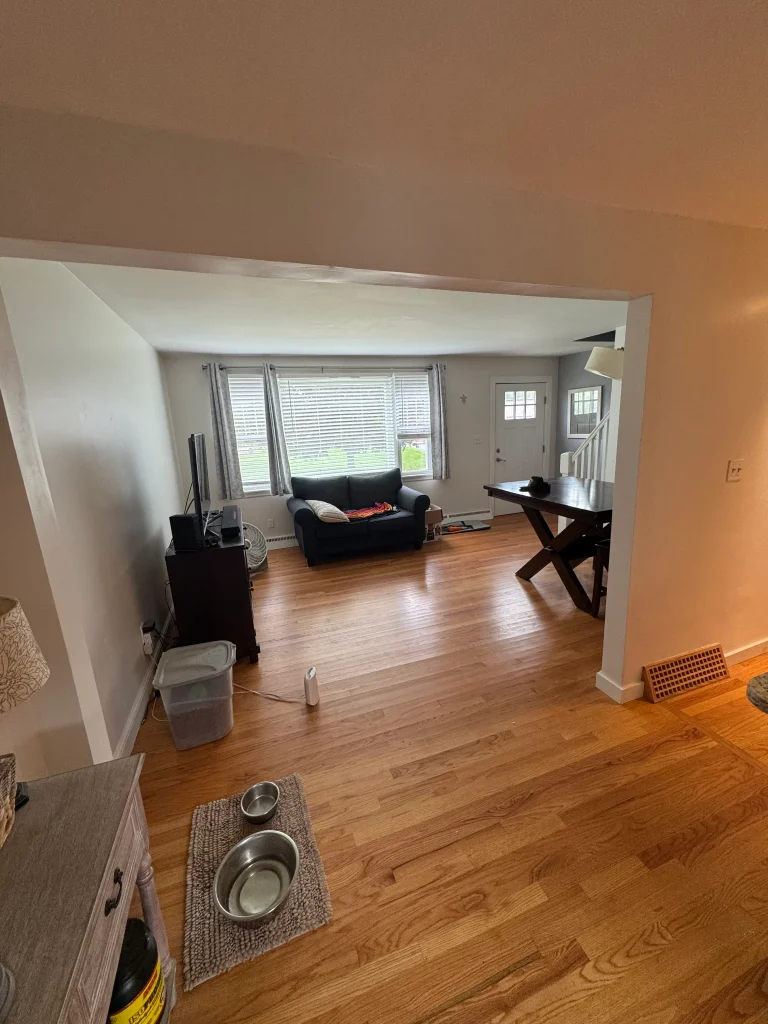
This is what came back:
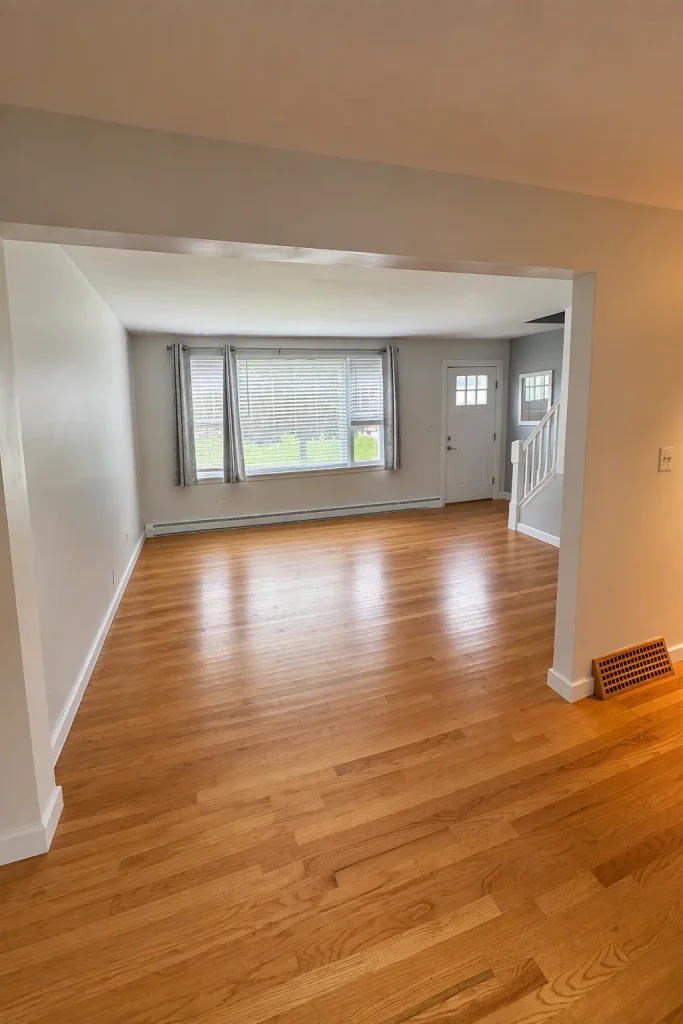
As you can see, it did a great job. Again, I was impressed.
Test 3: Mood Boards
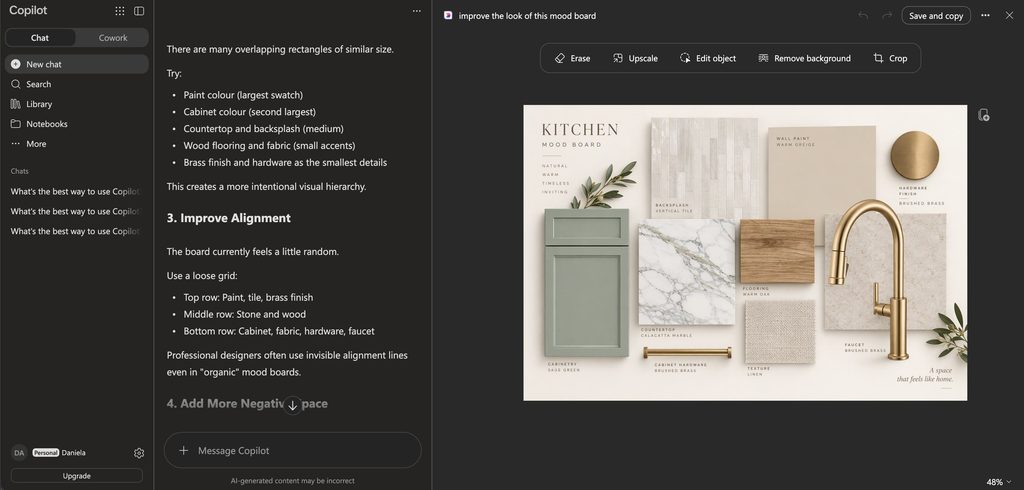
Next, I tested whether Copilot could improve the look of a flat-lay mood board. I uploaded one I’d created and asked it to improve the presentation.
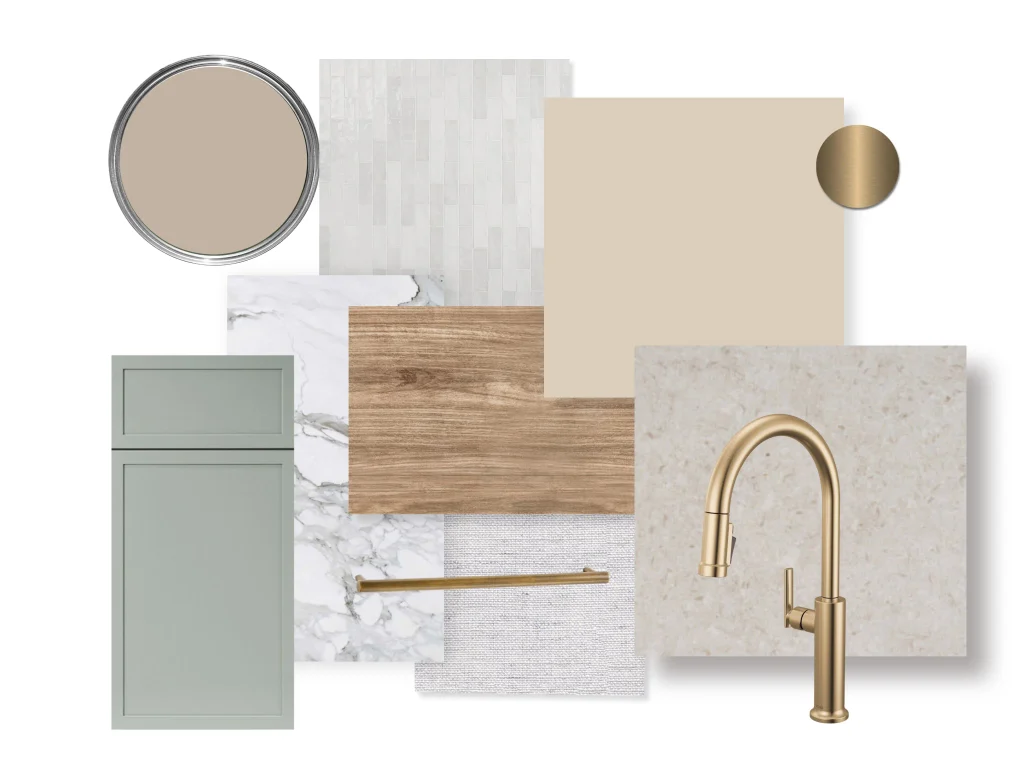
Here’s what it produced:
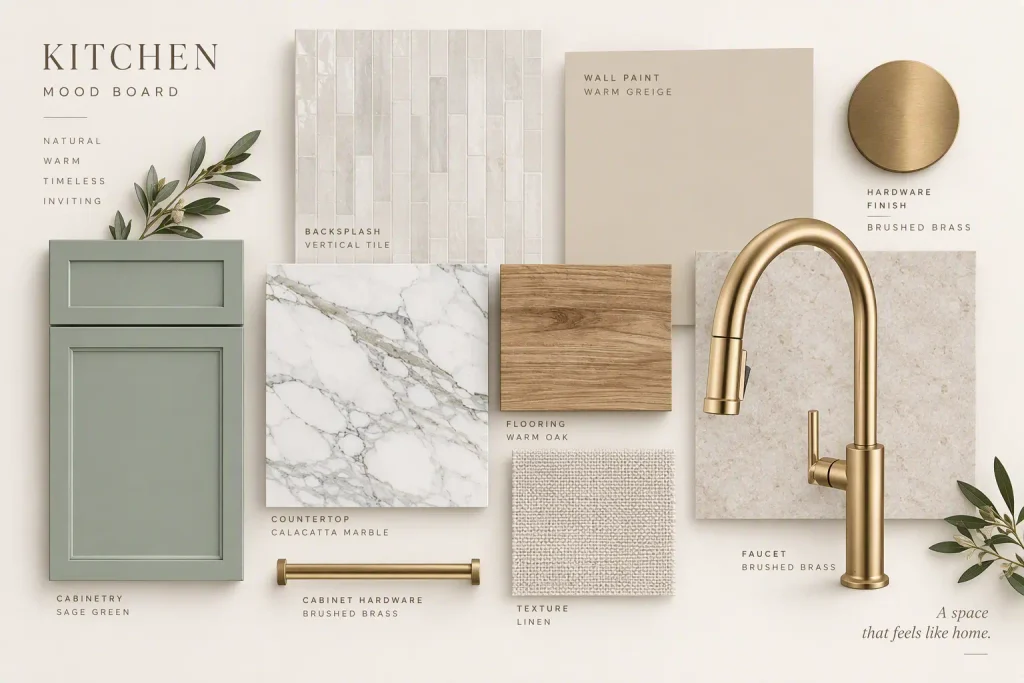
Once again, Copilot pleasantly surprised me. It did a great job of elevating the overall look of the board.
Copilot Interior Design Verdict: Is It Worth Using?
So what do I think of Copilot as a tool for interior design?
Like most AI tools I’ve tried, it isn’t the greatest for floor planning. For visuals, though, I was quite impressed. Considering the free version let me create and edit high-quality visuals, I’m thoroughly impressed, and I’ll be tinkering with this tool a lot more.
My take: keep your CAD or floor plan software for technical drawings, and use Copilot for the visual side of a project, like refreshing renders, testing material swaps, clearing out site photos and polishing presentation boards.
Read: I Tested ChatGPT-6 Astra for Interior Design: The Results
Click Here To Shop My Favourite Home Goods
Let’s design your space together, virtually.