It’s 2026, and AI in interior design is becoming more advanced by the day. Recently, I stumbled upon an AI beta that genuinely made my jaw drop—no, seriously. I’ve tested just about every AI tool available catered to interior designers, and this one has the potential to fundamentally shift how we work.
In short, AI in interior design is approaching a level of accuracy and sophistication where traditional 3D modelling, as we know it, could become obsolete. And that’s a big deal.
Let’s quickly paint a picture of how interior designers traditionally create 3D models and present them to clients.
A typical designer (myself included) might spend hours—sometimes days—working in SketchUp or another 3D modelling program to build a space to scale. From there, we’d rely on plugins like V-Ray to achieve photorealistic results, then take everything into Photoshop for final touches. And that’s assuming we even have the technical skill set to do all of this, which, in reality, many designers don’t.
The alternative? Hiring a 3D renderer and spending anywhere up to $3,000 or more for a complex project.
Neither of these solutions truly feels aligned with the fast-paced and tech-forward nature of the design industry. And that’s where AIs such as Frameshift are changing the game.
How AI Will Change The Game For Interior Designers
The founders of Sportova, Samuel Madeleine, and Frameshift—Sam and Madeleine Kimball—bring over a decade of experience in the design industry. They are building a design ecosystem that seamlessly bridges creativity, technology, and lived experience.
“After over a decade in the design industry ourselves —working with real clients, real constraints behind marketing and budgets—we built the product we’ve needed all along.”
Frameshift founders
Frameshift gives designers the ability to create photo-realistic interior images in minutes, without sacrificing taste, detail, or artistic control. It elevates presentations, strengthens client trust, and gives studios the visual power they need to win work in a highly visual world.
For studios, designers, and brands operating at a thoughtful, refined level, this isn’t a shortcut—it’s a smarter evolution of the design process.
This AI was created by designers for designers. That makes me really excited, because I like to think that designers understand designers—and therefore understand our frustrations with current technology. This means they’re positioned to innovate and create tools that make 3D visualization intuitive, efficient, and truly useful.
By now, you’re probably itching to see the possibilities of this AI beta. And, of course, I tested it out.
The Capabilities Of Frameshift
I had the opportunity to try out Frameshift, and as the title of this article suggests, I was blown away. This AI beta is incredibly clever and genuinely unique. I write about nearly every interior design AI out there, and I usually highlight what makes each one different. With Frameshift, it was immediately obvious how it sets itself apart from the rest.
With Frameshift, you can upload a floor plan in the layout mode.
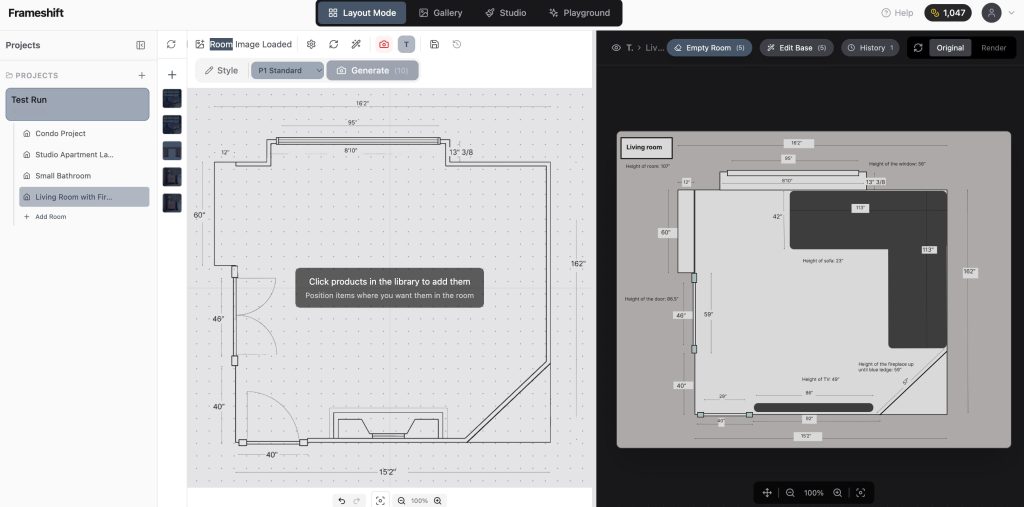
Here is how the dashboard looks.
From here, you can start building out your floor plan. What’s especially impressive is that this AI can generate 2D blocks from photos of furniture and fixtures that you upload—which is honestly a game changer.
Creating Custom Blocks
For example, if you have a specific or unique piece you want to accurately represent in your plan, you can simply upload a photo of it and have a block created. That block can then be pulled directly into the floor plan and rescaled as needed.
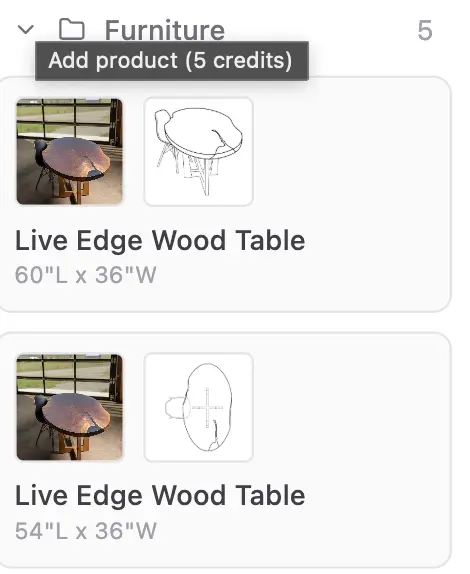
As you can see here, I uploaded a photo of a live-edge table, and the AI was able to create two accurate blocks for use in under a minute.
Here’s What Really Excites Me…
And here’s where it really gets exciting: Frameshift simultaneously builds a 3D visualization of the space, referencing the 2D floor plan and the furniture pieces you’ve placed. The AI recognizes where windows and doors should be, architectural elements, lighting and fixtures—without ever needing to manually build a traditional 3D model. Using the Structural Render Feature, you can then produce highly photorealistic 3D views of the space.
Essentially, it’s like watching your floor plan come to life in real time—with accurate furniture, placement decor and lighting—without ever needing to manually build a traditional 3D model.
Now, is this AI—still in beta—always 100% accurate? No. It is in beta, and while we’ve come a long way with AI in interior design by 2026, AI does not always get it right the first time.
That said, you can iterate on the outputs the AI generates in the Studio Mode.
Iterating AI Interior Outputs
One especially clever feature of Frameshift is the ability to delicately edit AI outputs, so you don’t have to start from scratch each time. You can simply bring an image into Studio mode and prompt the AI to make refinements from there.
In Studio mode, you can:
- Replace items with other products you’ve uploaded
- Delete items
- Change the placement of furniture or objects
- Chat with the AI to adjust lighting and add shadows—whether you want the space to feel light and airy or dark and moody
I tested a few of the platform’s capabilities, and here are the results of swapping one chandelier for another.
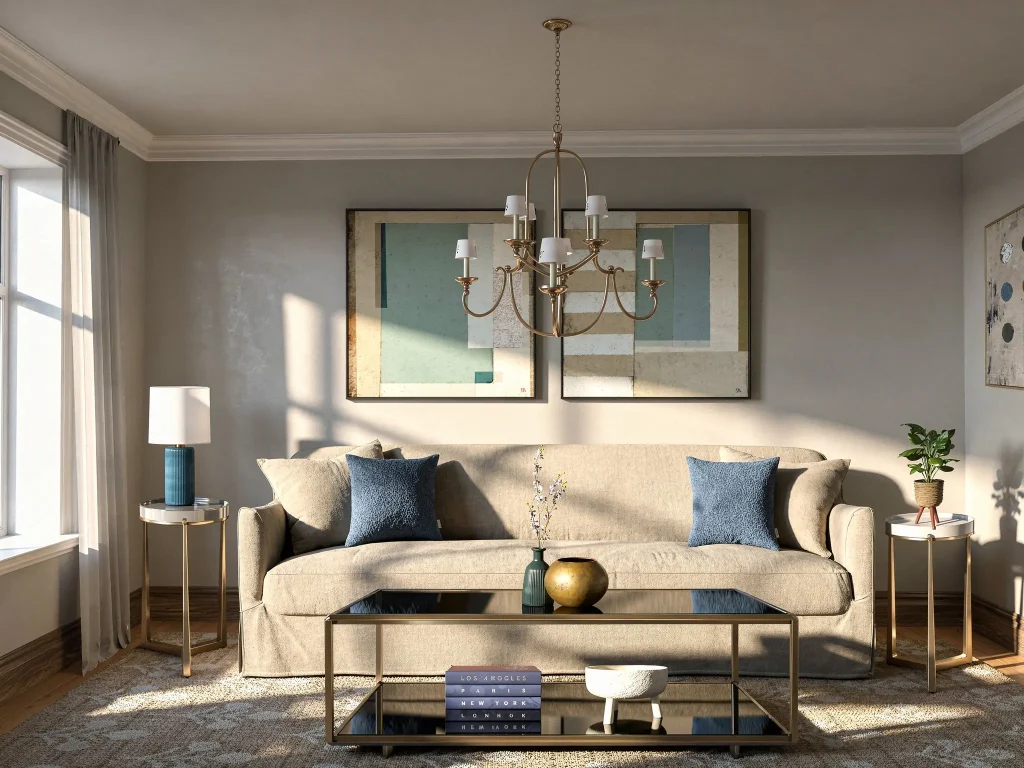
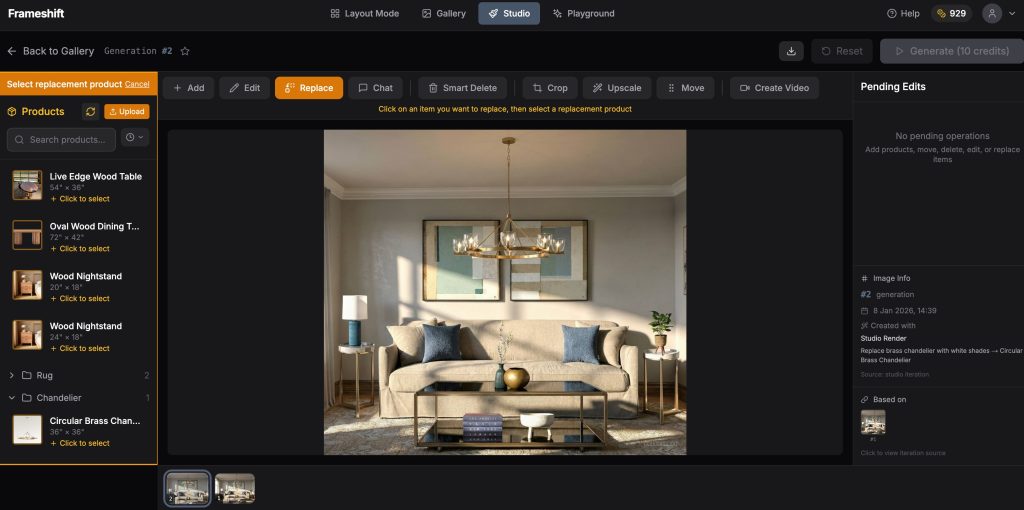
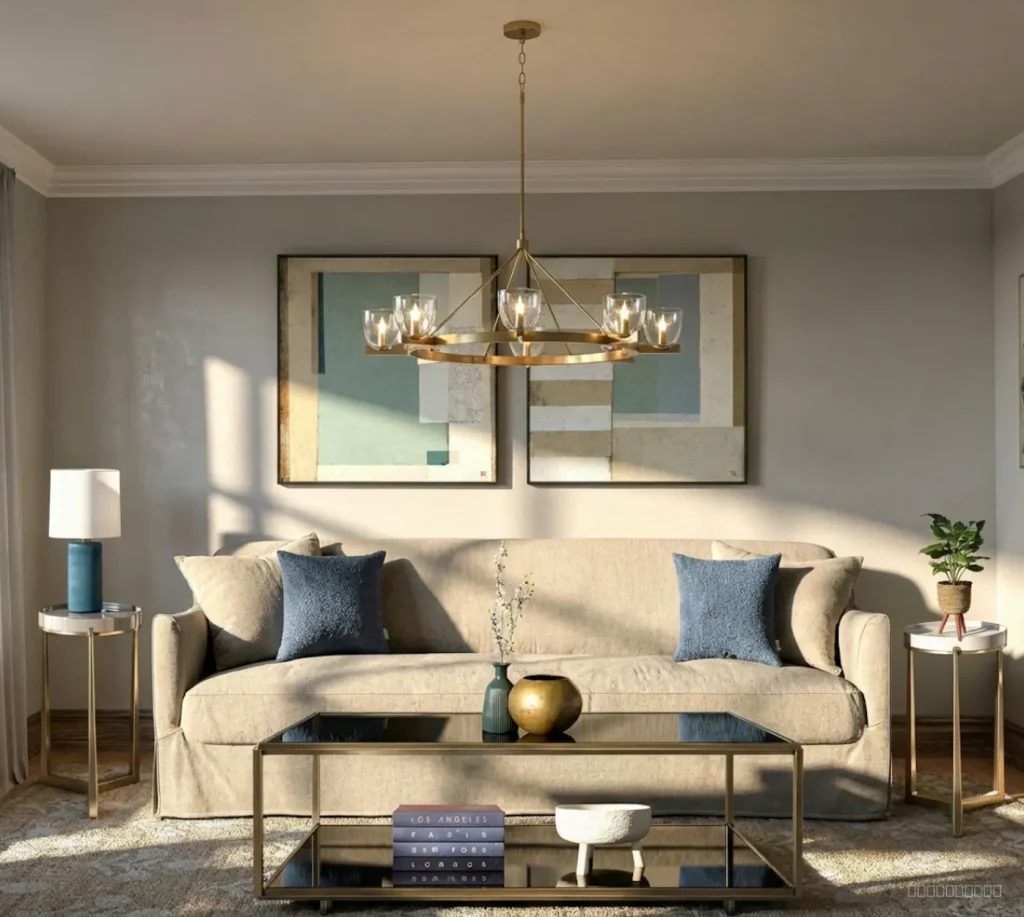
This is a game-changer. We all know how many revisions clients can request—or how unsure they can feel during the decision-making process. Being able to show different chandelier options in the same space with just a few clicks gives interior designers a powerful tool to build confidence, speed up approvals, and streamline revisions.
Design Presentations
You can also upscale images to create something even more polished for client presentations. And for an extra layer of impact, Frameshift allows you to create videos from still images, offering a more immersive client experience by showing the room in action—fireplace on, fabric movement, and subtle environmental details.
It’s these thoughtful features that make Frameshift feel like a tool truly built with designers in mind.
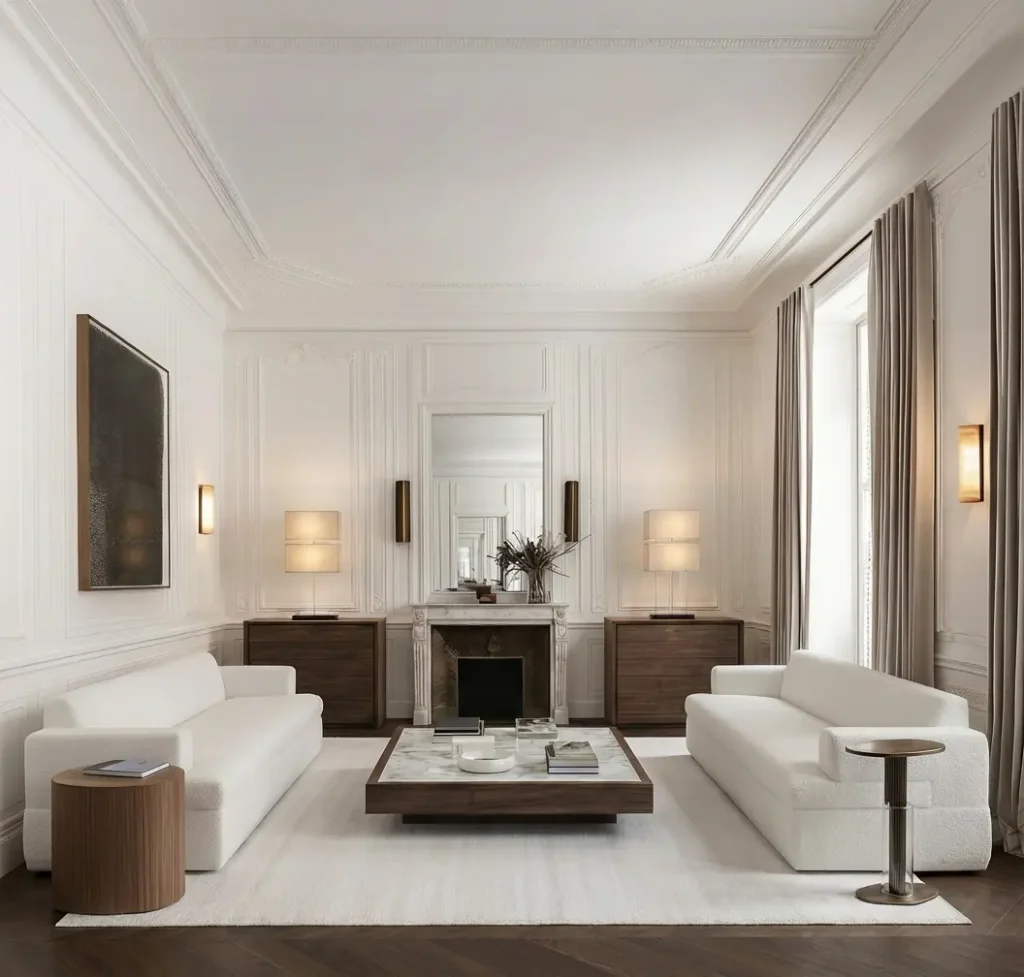
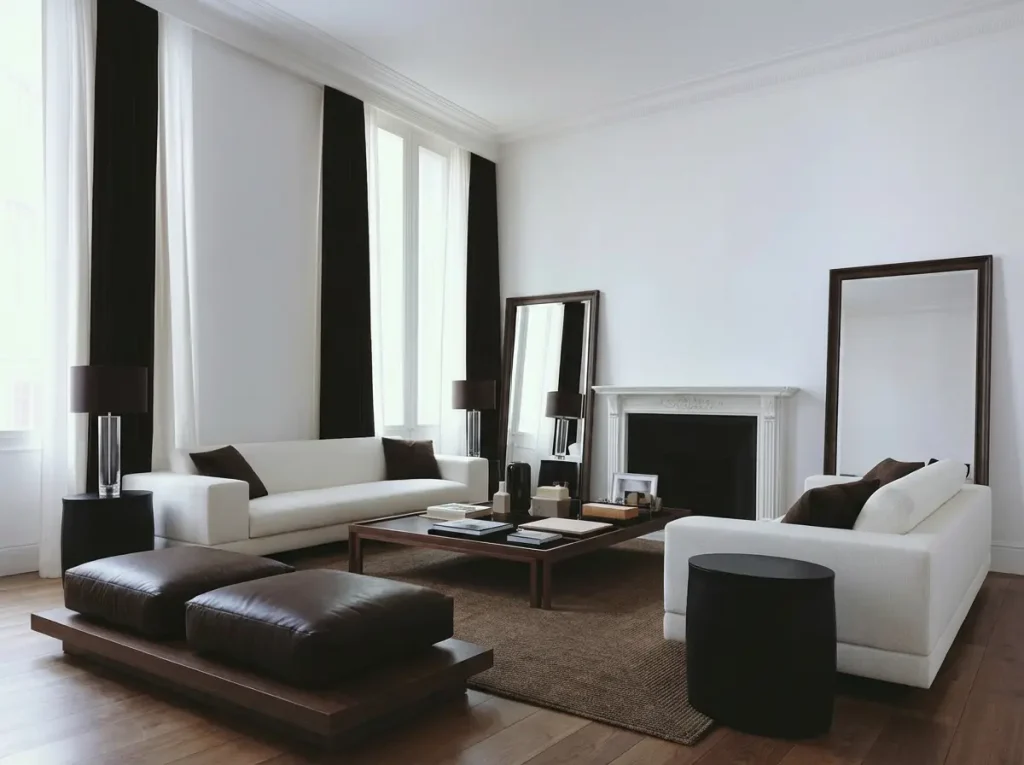
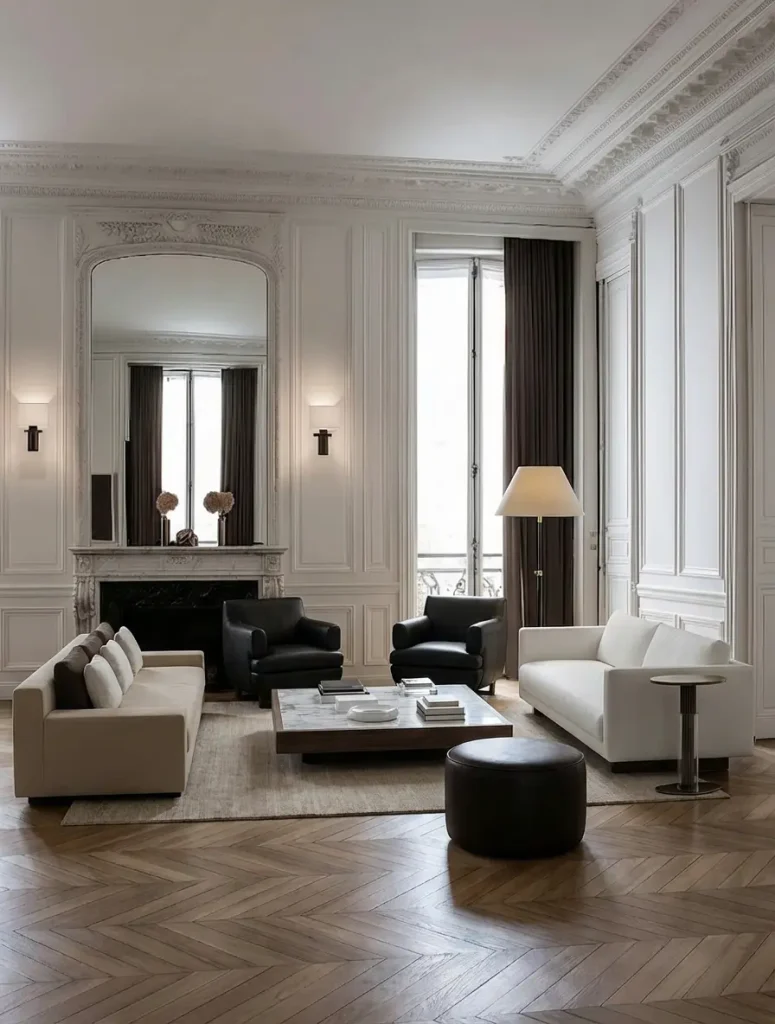
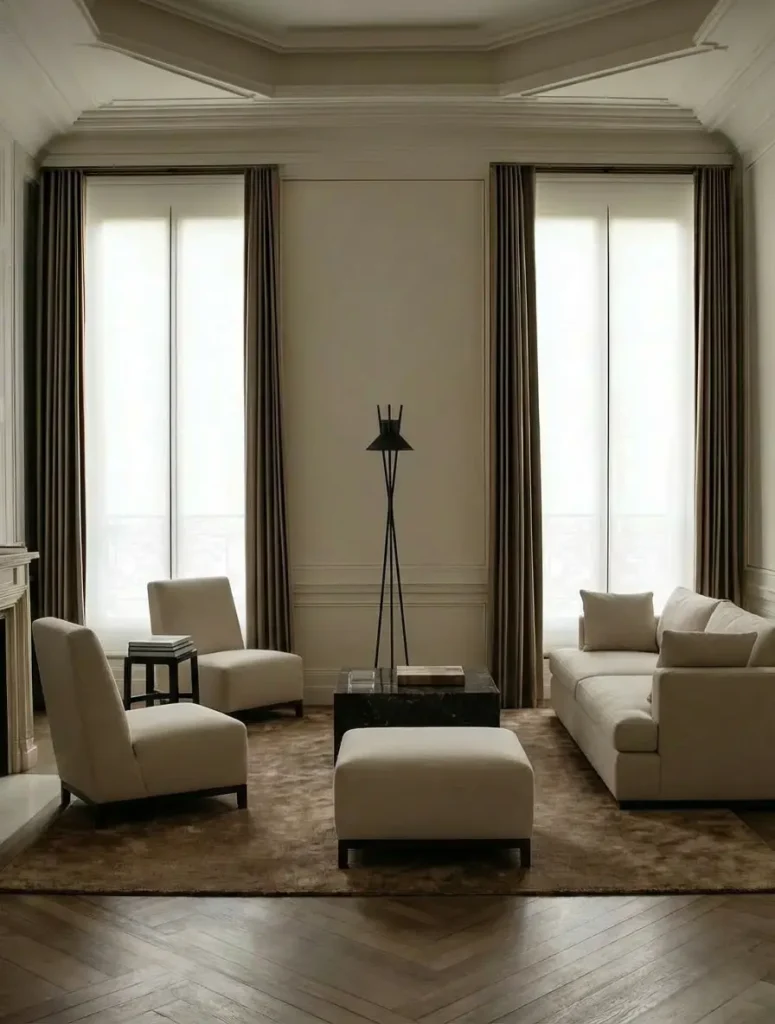
Seriously, these are some of the most impressive outputs I’ve seen—and that says a lot. Take a look at some of the stunning visuals this AI produced.
Removing Furniture With AI
Frameshift also includes a Playground tab, which I’d compare to a ChatGPT-style dashboard. From here, you can prompt the AI to complete different tasks and even upload multiple photos at once.
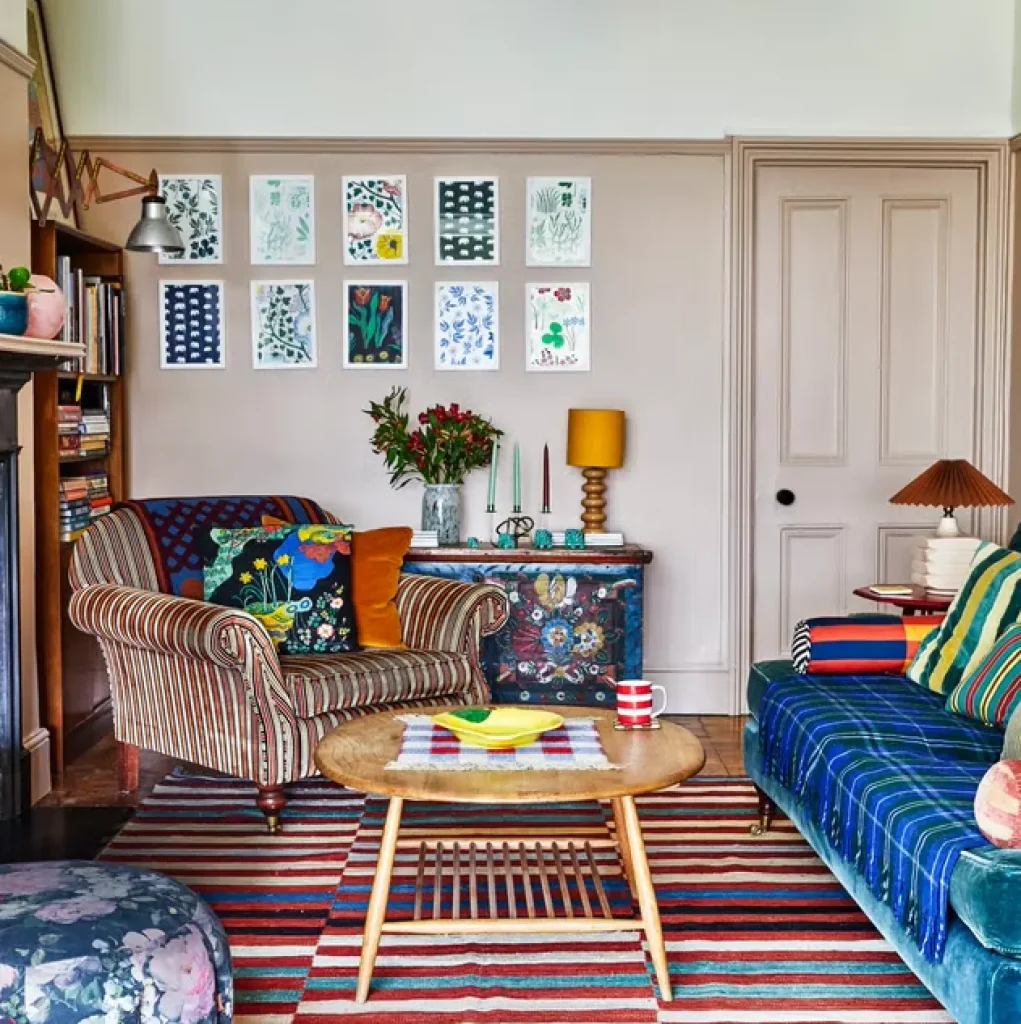
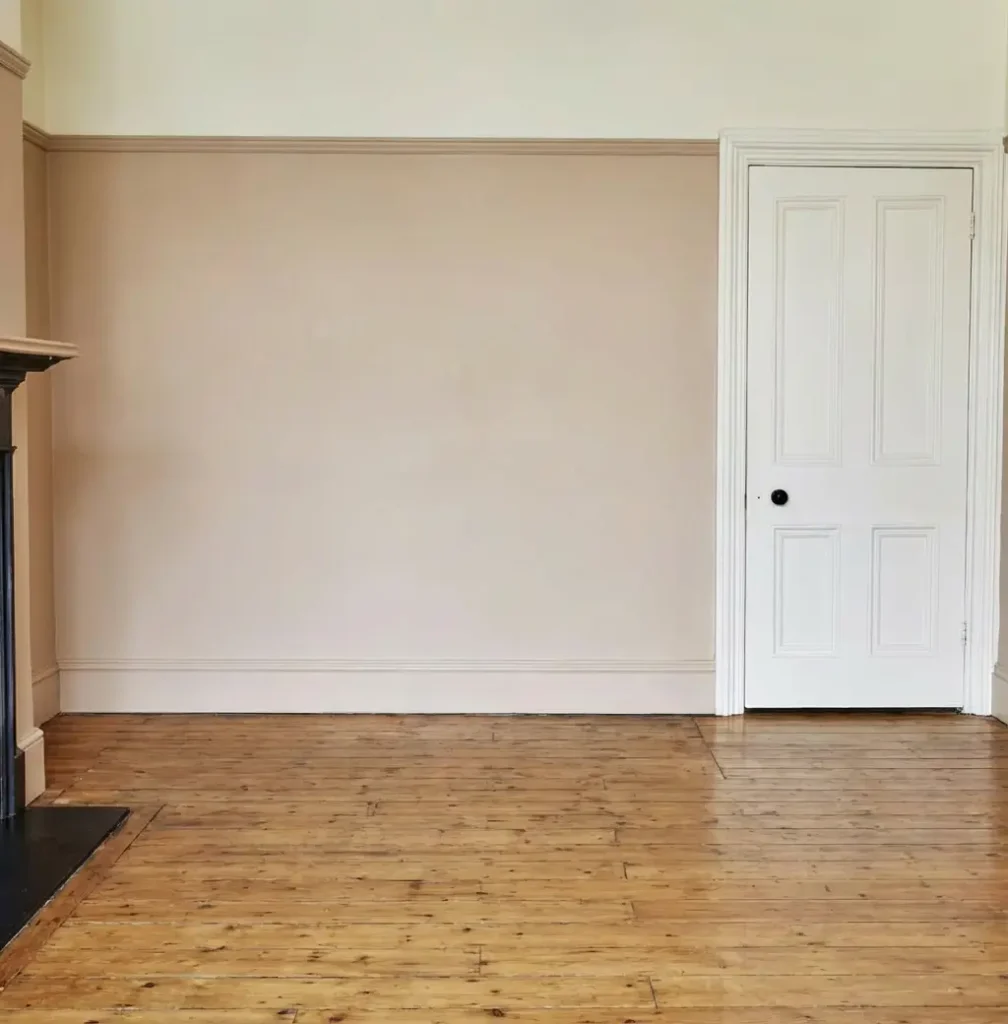
I decided to test this feature by uploading a photo of a space filled with furniture and accessories to see whether the AI could clean up the room while still preserving the integrity of the space. Why?
Many designers—especially online interior designers—are constantly looking for efficient ways to create mockups for client presentations. Ideally, they want a blank slate photo to work from, but realistically, no one is going to remove all the furniture and reshoot the space. And let’s be honest—most of us don’t have the time or energy to Photoshop everything out either.
So I wanted to see whether this AI could solve a small but very real problem for designers. And I have to say—the results were pretty impressive.
What This AI Beta Means For Interior Designers In 2026 and Beyond
As a designer who is deeply immersed in the tech world, I speak with a lot of designers about their technology needs. What I hear again and again from designers is about their frustration with technology. Frustration with the timely and clunky tools and steep learning curves when it comes to 3D floor planning software. And I completely understand it.
As designers (and people), we’re busy. Learning new software can be extremely time-consuming and, frankly, frustrating—especially for designers who didn’t learn tools like SketchUp in college, as I did. Even for highly tech-savvy designers, myself included, there’s often little desire to spend hours building out detailed models if there’s a more efficient alternative.
Because let’s be honest: efficiency equals profitability. If you’re spending seven or more hours building a model and photo-realistic 3D visual, who’s paying for that time? Ideally, the client, but the reality of interior design is that many of those hours end up unbillable. Unbillable hours are the taboo topic in the interior design industry, as unbillable hours are often what cause designers to sink rather than swim.
Any technology that can free up a significant amount of time is a win, not just for designers, but for the tech industry as a whole.
The potential of Frameshift genuinely excites me because it empowers designers to create impressive client presentations—without the urge to toss their MacBook out the window—and without spending hours that’s often unbillable.
So if you’re a designer looking for an AI tool that helps you save time, increase profitability, and make your day-to-day work a little easier, Frameshift is absolutely worth trying.
Click Here To Shop My Favourite Home Goods
Let’s design your space together, virtually.

This post is sponsored by Frameshift; all thoughts and opinions remain my own.

Leave a Reply